



















































































Epic Games
Log in to an account or create a new one:
- Follow this link Epic Games.
- Hover over the account name and select the "REDEEM CODE" option from the drop-down menu or follow this link: Redeem.

- Enter the code and confirm activation.
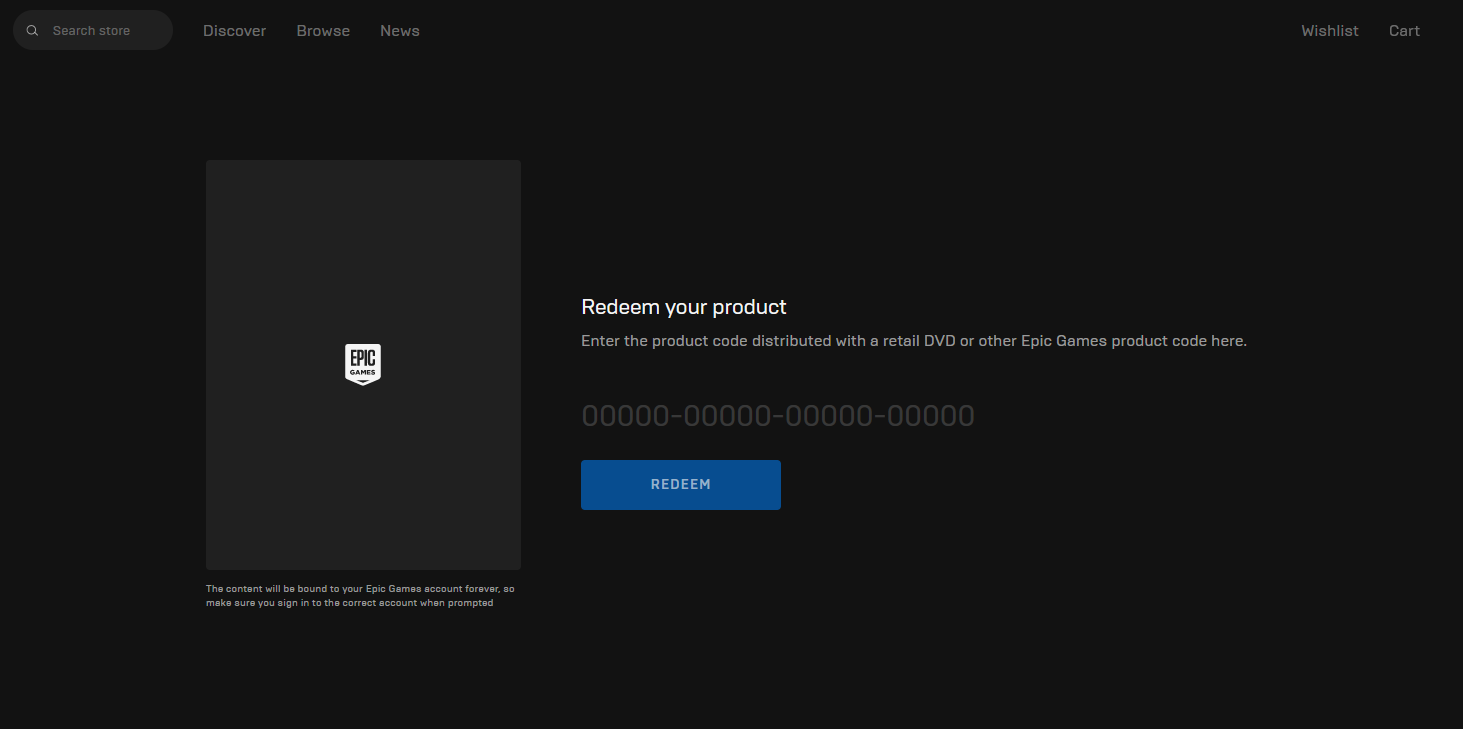
- The code can also be activated via the Epic Games app, which you can download from the following website: Epic Games.

- After installing the app, log in to your account. Click on your account icon and then on Redeem Code.

- Enter the code and confirm activation.
FAQ: Where is the official place to redeem an Epic Games activation or key and what common search variants should I be aware of?
To redeem an Epic Games game code or product key, don’t use “epicgames.com/activate” unless you are specifically linking a console or device — that address is mainly for device linking activation codes. The official ways to redeem a game key are:
- Open the Epic Games Launcher, sign in, click your account name, then choose “Redeem Code” and enter your code. This is the most common and recommended method.
- Or go to the Epic Games Store website, sign in, navigate to the redeem code section (for example via the store’s redeem page), and enter your code there.
- For gift cards or V-bucks, you can use https://redeem.epicgames.com/, which is the official Epic Games gift card redemption site.
Be aware that people sometimes search using incorrect or varied formats like www.epicgames/activate, https //www.epicgames.com/activate, epic games activate, www.epicgames.con/activate, www.epicgames.com activate, and https www epicgames com activate. These are common variants, but always ensure you’re signing in on the official Epic Games site before entering any code.