


Cartes cadeaux Columbia Sportswear
1
Visitez le site web de Columbia Sportswear:
- Aller à Columbia.
2
Sélectionnez vos articles:
- Explorez le site web et sélectionnez tous les articles que vous souhaitez acheter. Ajoutez-les à votre panier.
3
Accéder à la page de paiement:
- Après avoir sélectionné vos articles, passez à la page de paiement en cliquant sur l'icône du panier ou sur le bouton de paiement.
4
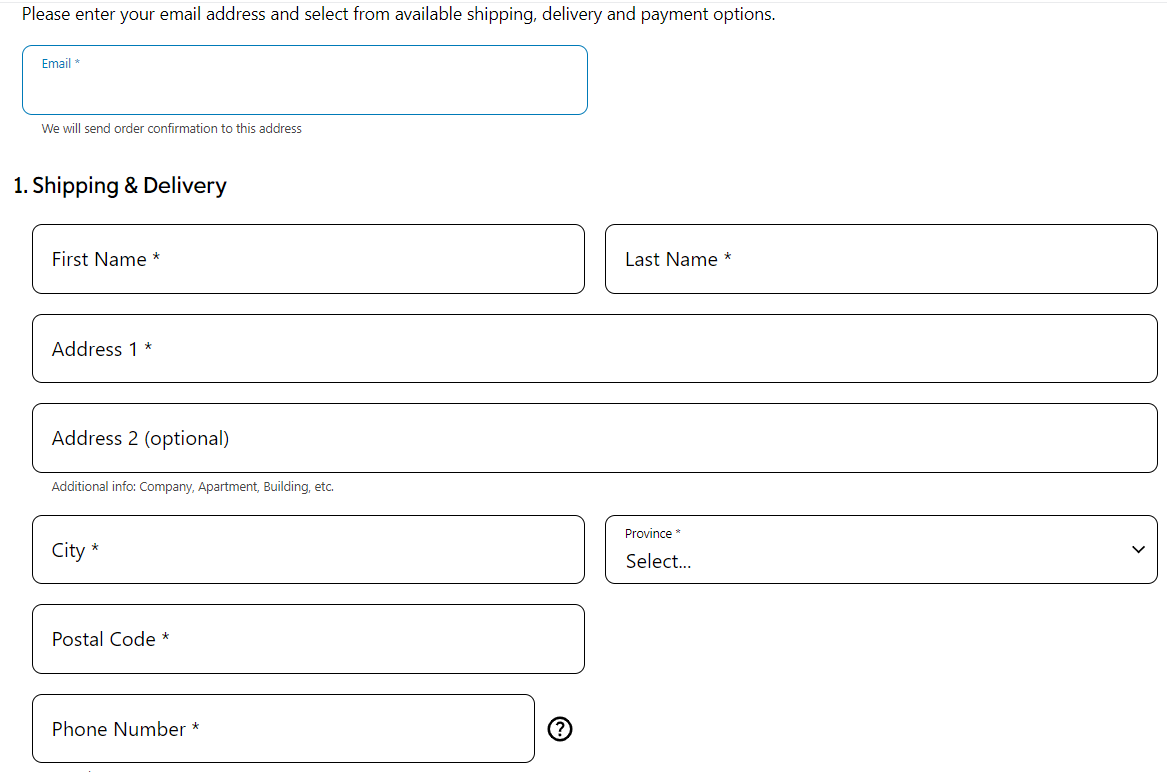
Complétez les informations demandées:
- Saisissez les détails de la livraison des produits.
5
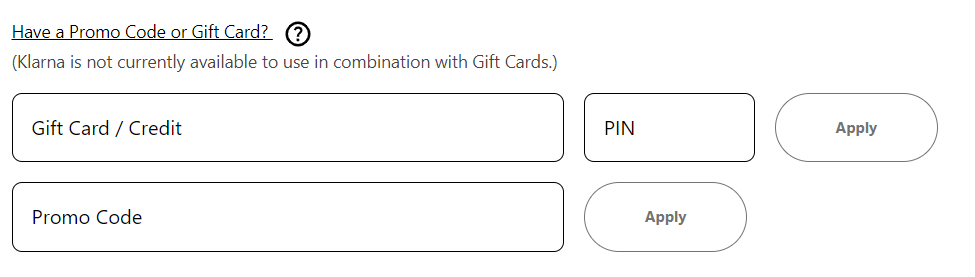
Sélectionnez l'option carte-cadeau ou code promo:
- Sur la page de paiement, trouvez et sélectionnez l'option intitulée "Avez-vous une carte-cadeau ou un code promotionnel ?
6
Saisissez votre code:
- Cliquez sur "Appliquer" pour appliquer le solde de la carte-cadeau au total de votre commande.
7
Vérifier et finaliser:
- Vérifiez votre commande pour vous assurer que le solde de la carte cadeau a été correctement appliqué.


