


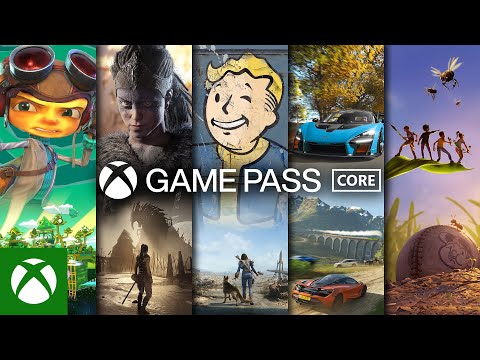




Starte mit Xbox Game Pass Essential ins Spiel
Xbox Game Pass Essential ist eine Xbox-Einstiegsmitgliedschaft für Spieler, die Zugriff auf ausgewählte Spiele, Online-Multiplayer auf der Konsole und zentrale Abo-Vorteile wünschen. Dieses Produkt bietet eine Xbox Game Pass Essential-Mitgliedschaft für die Laufzeit und Regionsversion, die auf der Produktseite angegeben sind.
- Xbox Game Pass Essential-Mitgliedschaft: Erhalte Zugriff für den auf der Produktseite angegebenen Abo-Zeitraum.
- Regiongebundenes Produkt: Löse den Code nur auf einem kompatiblen Microsoft-/Xbox-Konto ein, das zur in der Produktbeschreibung angegebenen Regionsversion passt.
- Zugriff auf Konsole und PC: Xbox Game Pass Essential umfasst jetzt ausgewählte Spiele, die auf Xbox-Konsolen, PC und unterstützten Geräten spielbar sind, abhängig von der aktuellen Verfügbarkeit.
- Game Pass-Einstiegsplan: Eine einfache Option für Nutzer, die zentrale Xbox-Mitgliedschaftsvorteile nutzen möchten, ohne eine höhere Game Pass-Stufe zu wählen.
Von Xbox Live Gold und Xbox Game Pass Core zu Essential
Xbox Game Pass Essential führt dieselbe Xbox-Einstiegsmitgliedschaft fort, die zuvor als Xbox Game Pass Core und davor als Xbox Live Gold bekannt war. Der Plan hat sich von einem konsolenorientierten Online-Multiplayer-Abo zu einer umfassenderen Essential-Mitgliedschaft entwickelt, die jetzt ausgewählte Spiele nicht nur auf Xbox One und Xbox Series X|S, sondern auch auf PC und unterstützten Geräten umfasst, abhängig von der aktuellen Xbox Game Pass-Bibliothek und der Berechtigung des Kontos.
Was du mit Xbox Game Pass Essential erhältst
Xbox Game Pass Essential konzentriert sich auf die wichtigsten Vorteile des Xbox-Mitgliedschaftssystems. Der Plan ist für Spieler gedacht, die ausgewählte Game Pass-Spiele, Online-Multiplayer auf der Konsole für unterstützte kostenpflichtige Spiele, Mitgliedervorteile und eine zugänglichere Abo-Stufe als höhere Game Pass-Pläne wünschen.
- Ausgewählte Spielebibliothek: Spiele enthaltene Titel, die mit Xbox Game Pass Essential verfügbar sind, abhängig vom aktuellen Katalog und der Region.
- Xbox-Konsolen-Multiplayer: Nimm am Online-Multiplayer in unterstützten kostenpflichtigen Konsolenspielen teil, für die ein aktives Abo erforderlich ist.
- Zugriff auf PC und unterstützte Geräte: Spiele ausgewählte Essential-Titel auf PC und kompatiblen Geräten, sofern verfügbar.
- Mitgliedervorteile: Erhalte Zugriff auf ausgewählte Angebote, Prämien, In-Game-Vorteile oder Abo-Extras, abhängig von den aktuellen Xbox-Regeln und der regionalen Verfügbarkeit.
Flexible Mitgliedschaftsdauer
Dieses Xbox Game Pass Essential-Produkt kann für den im Produkttitel oder in den Produktdetails angegebenen Abo-Zeitraum genutzt werden. Nach erfolgreicher Aktivierung wird die Mitgliedschaft dem Microsoft-/Xbox-Konto hinzugefügt, das bei der Einlösung verwendet wurde.
- Gute Option für Spieler, die Xbox Game Pass Essential für einen festen Zeitraum nutzen möchten.
- Die Mitgliedschaftsdauer hängt von der gekauften Produktversion ab.
- Der aktive Abo-Status kann nach der Einlösung in den Einstellungen deines Microsoft-/Xbox-Kontos geprüft werden.
- Regeln zur Abo-Stapelung, Umwandlung und Verlängerung können von deinem Kontostatus und den aktuellen Microsoft-Bedingungen abhängen.
So löst du Xbox Game Pass Essential ein
Löse den Code auf dem Microsoft-/Xbox-Konto ein, das die Xbox Game Pass Essential-Mitgliedschaft erhalten soll. Stelle sicher, dass du im richtigen Konto angemeldet bist und dass die Regionsversion zu deinem Konto passt, bevor du den Code eingibst.
- Melde dich bei dem Microsoft-/Xbox-Konto an, das du verwenden möchtest.
- Öffne den Bereich zum Einlösen von Codes auf Xbox, im Microsoft Store oder auf deiner Microsoft-Kontoseite.
- Gib den Xbox Game Pass Essential-Code genau so ein, wie du ihn erhalten hast.
- Bestätige die Einlösung und prüfe den aktiven Abo-Status.
Kompatibilität vor dem Kauf prüfen
Prüfe vor dem Kauf den Produkttitel und die Produktdetails, um Abo-Laufzeit, Regionsversion, Aktivierungsmethode und Kontoanforderungen zu bestätigen. Verfügbarkeit, Spielebibliothek, Plattformunterstützung, Vorteile und Einlöseregeln von Xbox Game Pass Essential können je nach Region variieren und sich gemäß den Microsoft-/Xbox-Bedingungen im Laufe der Zeit ändern.