Oficjalna strona internetowa
1
Przewodnik po aktywacji Elder Scrolls Online:
-
Odwiedźstronę ESO:
- Przejdź na oficjalną stronę Elder Scrolls Online.
2
Tworzenie konta/logowanie:
- Jeśli nie utworzyłeś jeszcze konta ESO, musisz to zrobić. Kliknij "Konto" lub "Zaloguj się", które zazwyczaj znajdują się w prawym górnym rogu strony.
- Jeśli masz już konto, zaloguj się.
3
Zrealizuj swój kod:
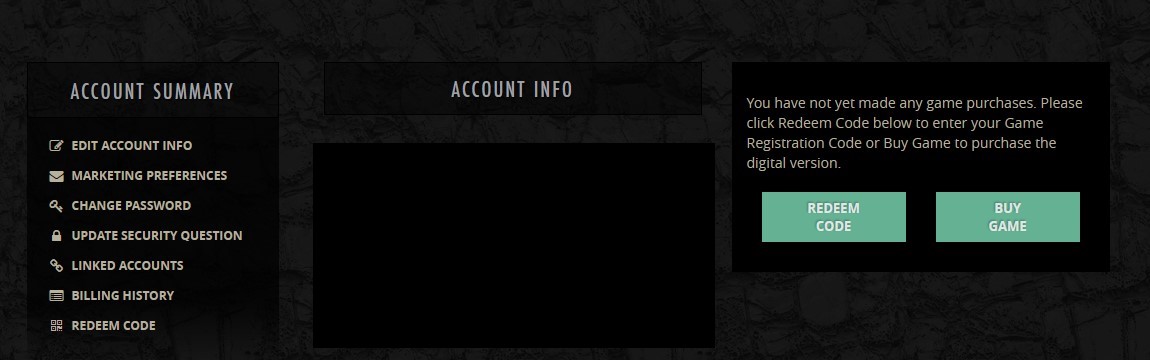
- Po zalogowaniu się, poszukaj opcji na pulpicie swojego konta oznaczonej "Redeem Code" lub podobnej.
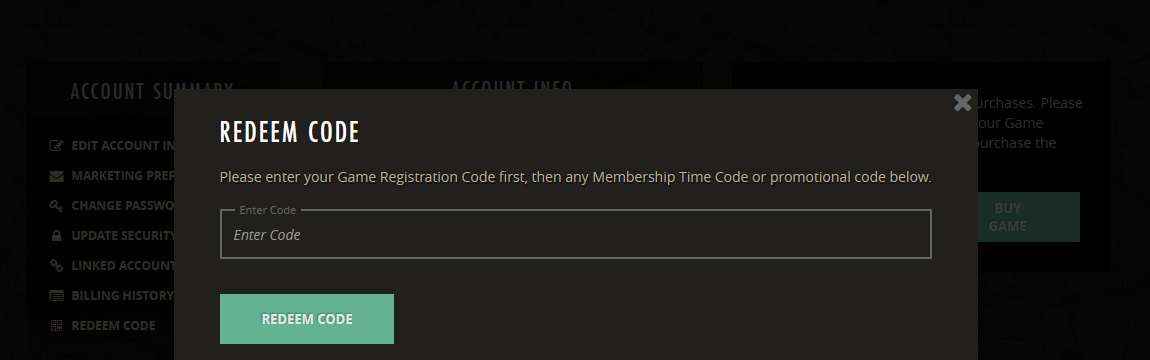
- Wprowadź swój klucz do gry lub DLC w odpowiednim polu.
4
Potwierdź aktywację:
- Postępuj zgodnie z instrukcjami wyświetlanymi na ekranie, aby potwierdzić i zakończyć aktywację.
- Po aktywacji gra lub DLC powinny zostać połączone z kontem ESO.