
































































































Steam
1
Descarga Steam:
- Descarga e instala la aplicación Steam siguiendo este enlace.
2
Inicia sesión:
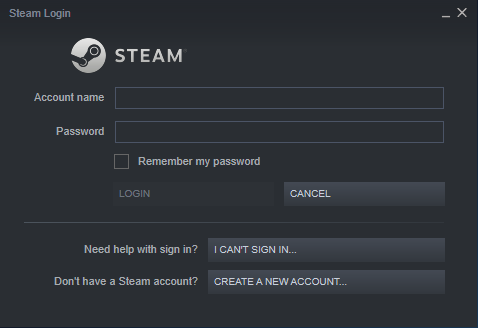
- Abre la aplicación Steam y crea tu cuenta o inicia sesión en la que ya tienes.
3
Activar Producto:
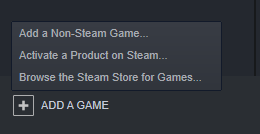
- En la esquina inferior izquierda de la aplicación Steam, busca un signo más que diga "AÑADIR UN JUEGO" al lado, haz clic en él y elige la opción "Activar un producto en Steam...".
4
Activación del producto:
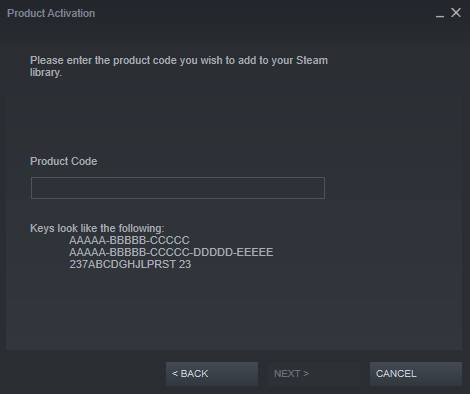
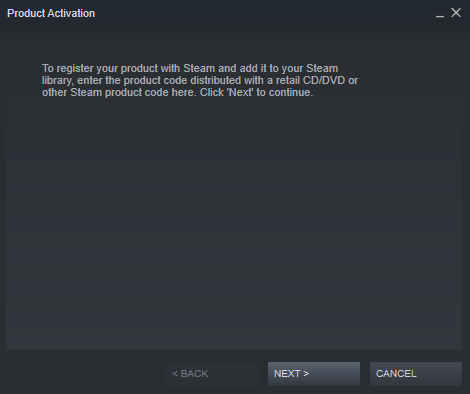
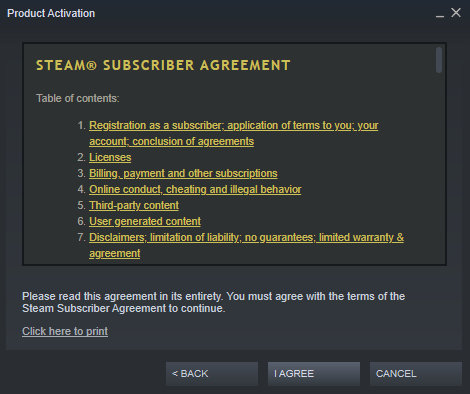
- Aparecerá una ventana emergente que dice "Activación del producto". Navegue por ella haciendo clic en "SIGUIENTE >" y aceptando el "ACUERDO DE SUSCRIPCIÓN A STEAM®".
5
Confirmar:
- Introduce el código del producto y confirma su activación.