


Decathlon Gift Card
1
Visit Decathlon:
- Open your web browser and go to the Decathlon page.
2
Select Your Items:
- Choose the products you wish to purchase and add them to your cart.
- When you are ready, go to the checkout page.
3
Proceed to Checkout:
- After adding products, click on the shopping cart.
- Select "Checkout" if you are not adding any more items.
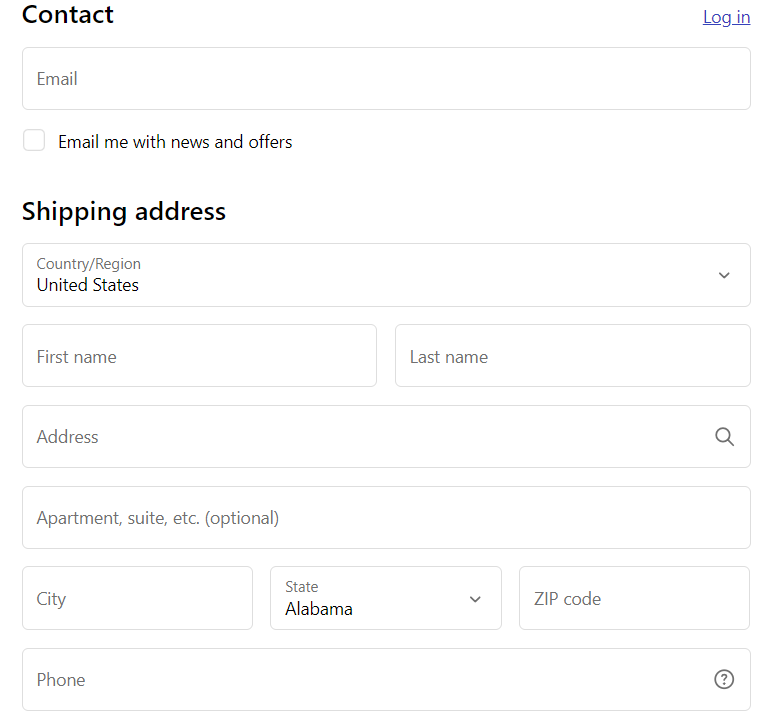
- Fill in the information needed to place the order.
4
Find the Gift Card Payment Section:
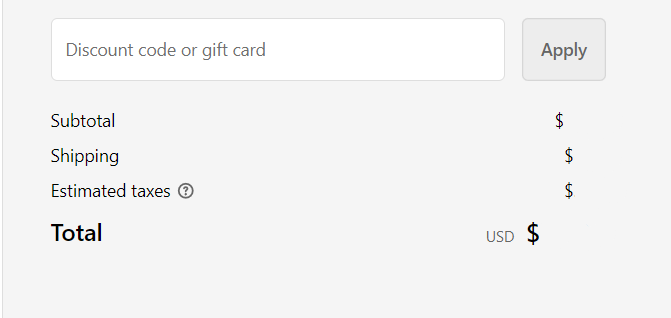
- On the checkout page, look for the section designated for gift card payments.
- The space for the code should be on the right side in the overall order summary.
5
Input Gift Card Information:
- In the gift card payment section, enter your 16-digit gift card number and PIN in the provided fields.
6
Apply Gift Card:
- Submit your gift card details to complete the payment process.


