Karta podarunkowa Burger King
1
Zaloguj siędo swojego konta Burger King:
- Zaloguj się do swojego konta. Jeśli nie masz konta, utwórz je.
2
Wybierz z menu:
- Wybierz interesujące Cię produkty z menu.
3
Przejdź do kasy:
- Dodaj produkt do koszyka.
- Następnie kliknij "Wyświetl koszyk".
4
Wypełnij szczegóły:
- Podaj wszystkie niezbędne informacje dotyczące zamówienia.
- Zweryfikuj dokładność podanych informacji.
5
Użyj karty podarunkowej:
- Po potwierdzeniu informacji o dostawie kliknij "Kontynuuj".
- Nastąpi przekierowanie do sekcji płatności.
6
Wprowadźdane karty podarunkowej:
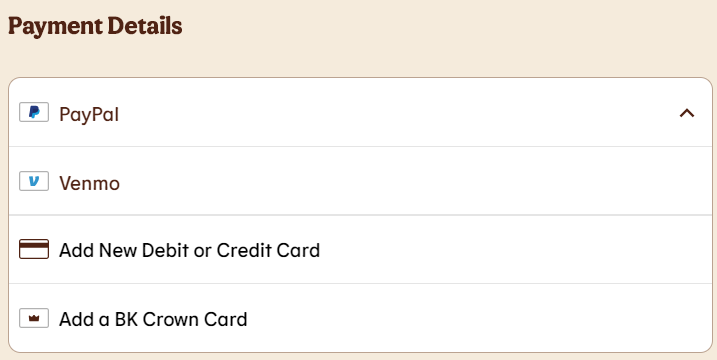
- Z listy rozwijanej wybierz płatność kartą podarunkową.
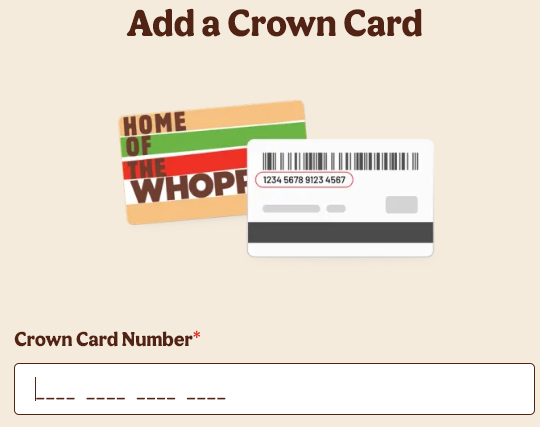
- Wprowadź numer karty podarunkowej, a następnie kliknij "Zapisz i kontynuuj".
- Saldo z karty podarunkowej zostanie dodane do zamówienia.