Guías de activación

Atrás

Huawei

1

Visite el sitio web o la aplicación de Huawei:

  • Inicia sesión en tu cuenta de Huawei con tus credenciales.
2

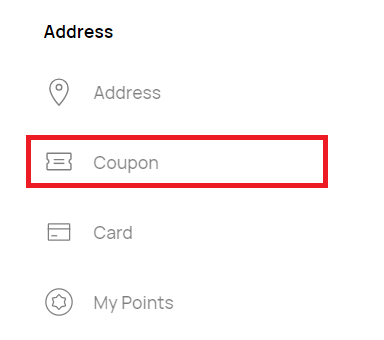
Localice la sección "Cupón":

  • Acceda al "Cupón". Normalmente se encuentra en la configuración de la cuenta o en las opciones de pago.
3

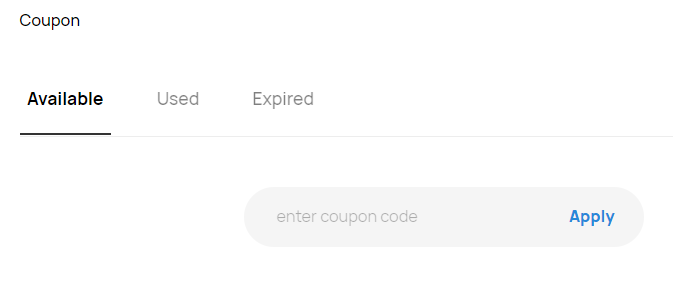
Introduzca el código de la tarjeta regalo:

  • Introduzca el código de la tarjeta regalo en el campo correspondiente.
  • Haga clic en "Canjear" para aplicar la tarjeta regalo a su cuenta.
4

Product Activation:

  • A pop-up window saying “Product Activation” will show up. Navigate through it by clicking “NEXT >” and agreeing to the “STEAM® SUBSCRIBER AGREEMENT".
5

Confirm:

  • Insert the product code and confirm its activation.
Xbox Game Pass Ultimate - 1 Month Non-Stackable
-68%
Microsoft Store Microsoft Store
Microsoft Store
ESTADOS UNIDOS
26,99 € 8,68 €
7,38 € con
Xbox Game Pass Ultimate - 1 Month Non-Stackable
-50%
Microsoft Store Microsoft Store
YouTube Premium 12 Months Subscription
-75%
YouTube YouTube
YouTube
GLOBAL
158,99 € 39,99 €
33,99 € con
ARC Raiders (PC)
-32%
Steam Steam
Steam
GLOBAL
39,99 € 27,19 €
23,11 € con
ARC Raiders (PC)
-32%
Steam Steam
Steam
UE
39,99 € 27,19 €
23,11 € con
Battlefield 6 (PC)
-15%
EA App EA App
EA App
GLOBAL
69,99 € 59,24 €
51,54 € con
Gameseal 1x Steam games Challenger chest (PC)
-33%
Steam Steam