Mobile Legends
1
Zaloguj się na swoje konto Mobile Legends:
- Wejdź na stronę Mobile Legends i zaloguj się na swoje konto. Ikona logowania znajduje się w lewym górnym rogu strony głównej.

2
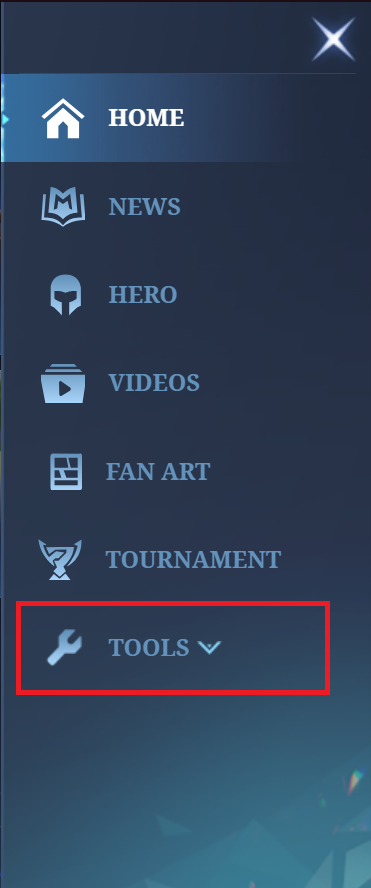
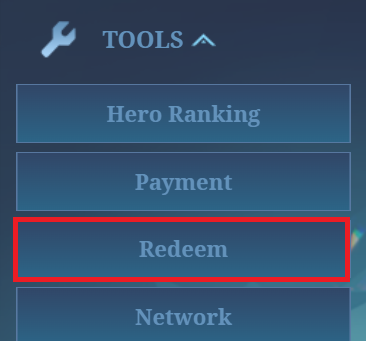
Przejdź do menu realizacji:
- Po prawej stronie znajduje się rozwijane menu. Rozwiń je, kliknij Narzędzia, a następnie wybierz Zrealizuj.
3
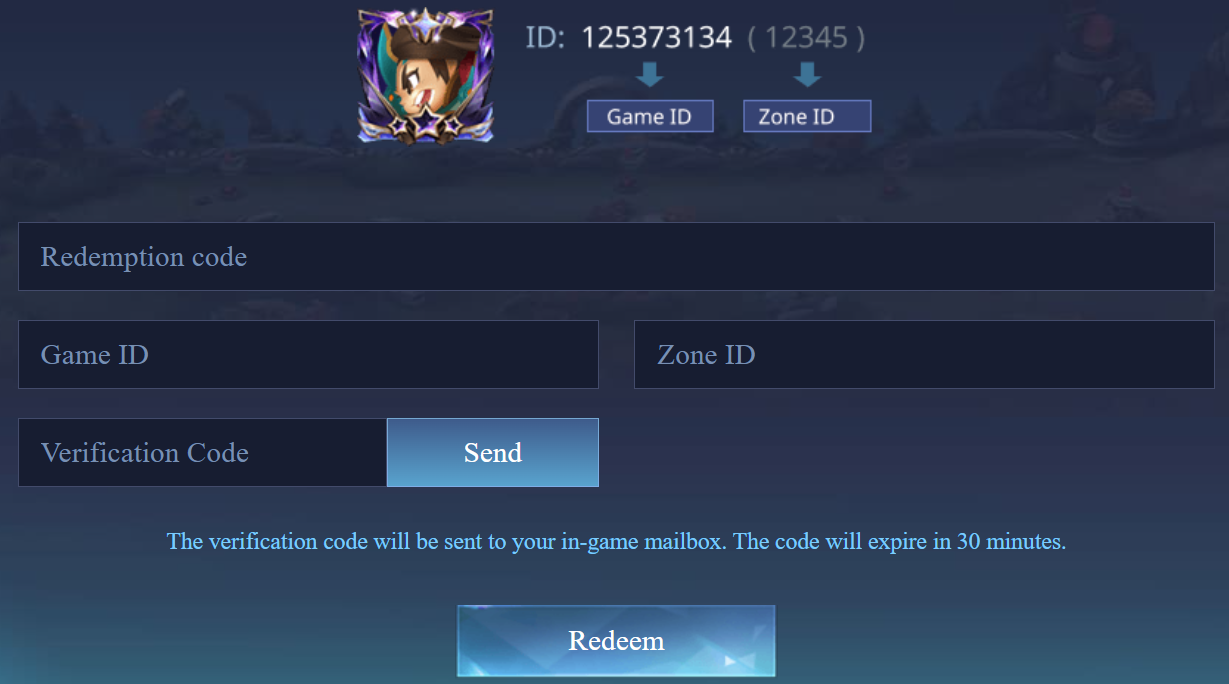
Wprowadźkod karty podarunkowej i szczegóły gry:
- Wpisz kod aktywacyjny z karty podarunkowej wraz z danymi gry, takimi jak identyfikator gracza.
4
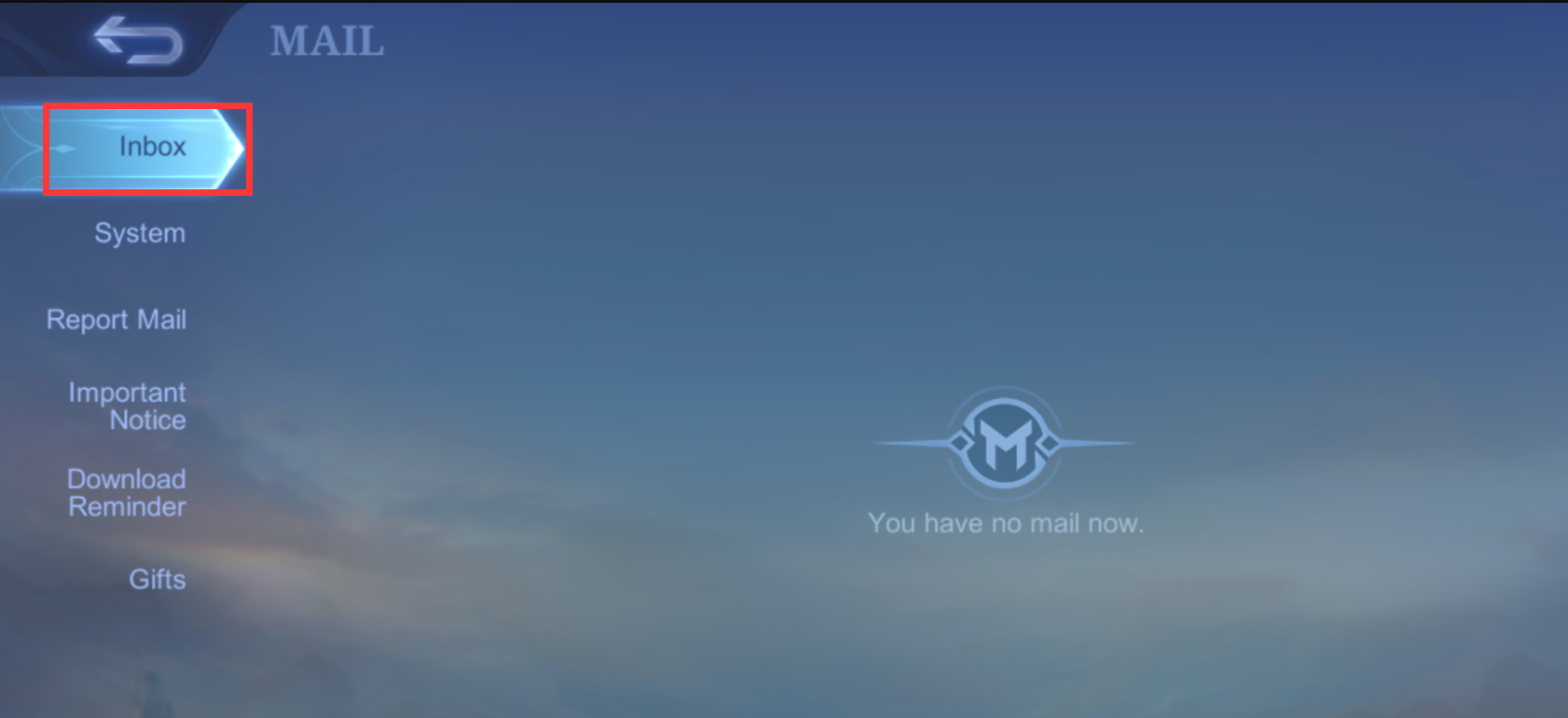
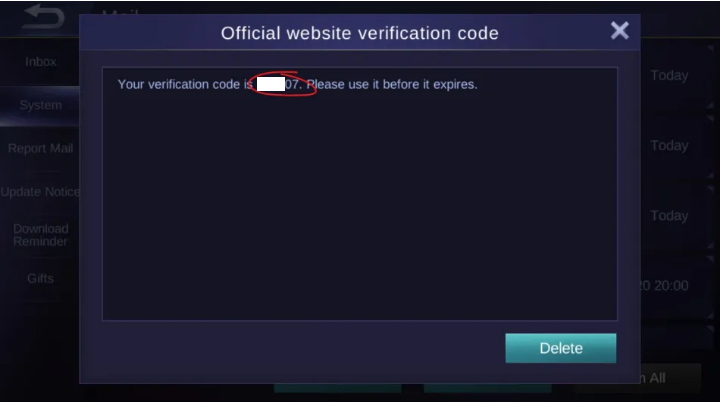
Pobierz kod weryfikacyjny:
- Po kliknięciu Wyślij zaloguj się do gry i otwórz skrzynkę pocztową w grze, aby pobrać kod weryfikacyjny.
5
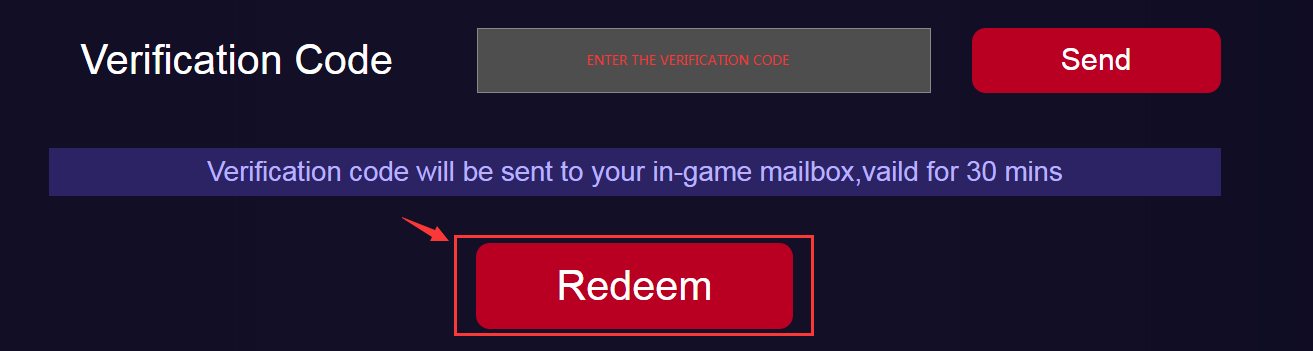
Wprowadźkod weryfikacyjny:
- Wróć do strony realizacji, wprowadź kod weryfikacyjny i kliknij przycisk Zrealizuj, aby zakończyć proces.
6
Odbieranie diamentów w grze:
- Po zakończeniu procesu wykupu diamenty zostaną dodane bezpośrednio do konta w grze.