Honor of Kings Activation Guide
1
Seleccionar la cantidad de Tokens:
- Elige la cantidad de Tokens de Honor of Kings que deseas comprar.
- Asegúrate de que la selección corresponde a la cuenta correcta.
2
Introducir Player ID:
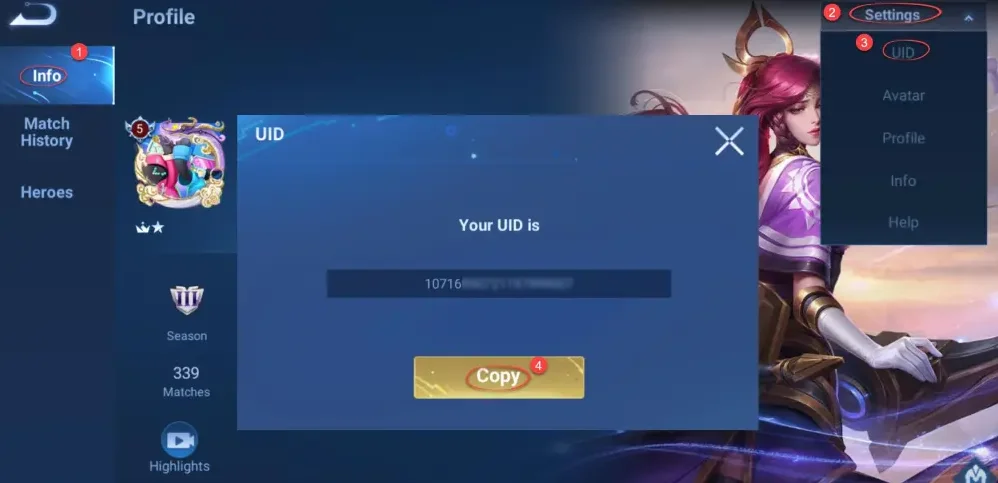
- Inicia sesión en Honor of Kings y toca tu avatar.
- Abre tu página personal, entra en ajustes arriba a la derecha y selecciona ver UID.
- Copia el Player ID mostrado e introdúcelo en el campo requerido.
3
Completar el pago:
- Verifica la cantidad de Tokens seleccionada y el Player ID.
- Elige el método de pago y confirma el pedido.
4
Recibir Tokens en el juego:
- Después del pago, los Tokens de Honor of Kings se añadirán a tu cuenta.
- Abre el juego y revisa el saldo para confirmar la recarga.