























































































The Walking Dead: Survivors Package & Rubies Activation Guide
1
Seleccionar Rubies:
- Elige la cantidad de Rubies que deseas comprar en The Walking Dead: Survivors.
- Verifica tu selección antes de continuar.
2
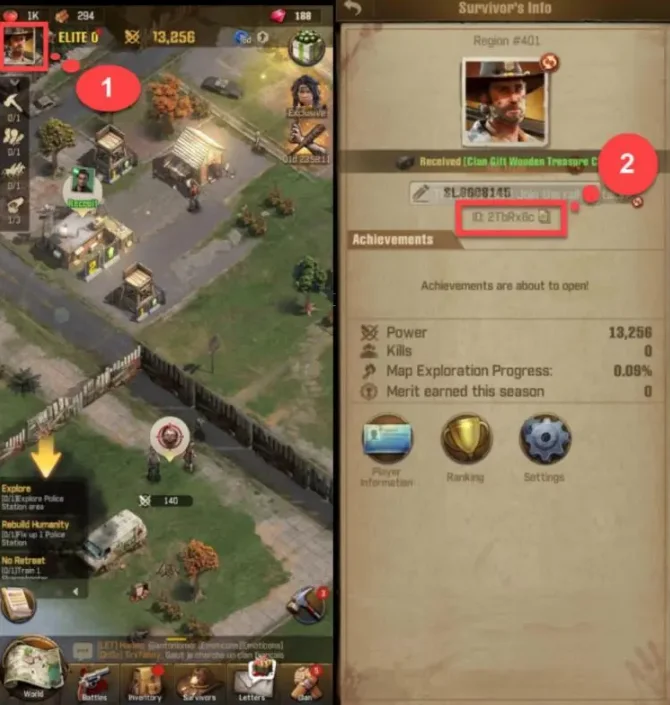
Ingresar User ID:
- Introduce correctamente tu The Walking Dead: Survivors User ID.
- Abre el juego y toca el icono Profile en la esquina superior izquierda para ver tu ID.
3
Completar el pago:
- Accede al pago después de ingresar los datos.
- Selecciona un método de pago y confirma la compra.
4
Recibir Rubies:
- Espera la confirmación del pago.
- Los Rubies se añadirán a tu cuenta en breve.