Football Master 2 Direct Top-Up Activation Guide
1
Selectează FMP:
- Alege denumirea Football Master 2 FMP de care ai nevoie.
- Verifică selecția înainte de a continua.
2
Introdu User ID:
- Completează User ID-ul tău.
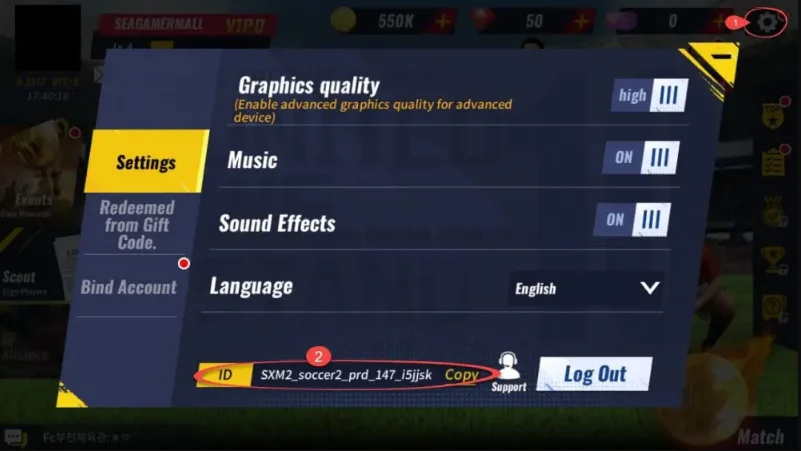
- Pentru a-l găsi, conectează-te la joc și deschide secțiunea Setări.
- User ID-ul tău va fi afișat în partea de jos a ecranului.
3
Finalizează plata:
- Continuă către plată după introducerea datelor.
- Alege metoda de plată și confirmă comanda.
4
Primește FMP:
- După efectuarea plății, FMP-ul achiziționat va fi adăugat în contul tău.
- Verifică contul din joc pentru confirmare.