Jujutsu Kaisen Phantom Parade Activation Guide
1
Selezionare Paid Cube:
- Scegli la quantità di Paid Cube in Jujutsu Kaisen Phantom Parade.
- Controlla la selezione prima di procedere.
2
Inserire Player ID e server:
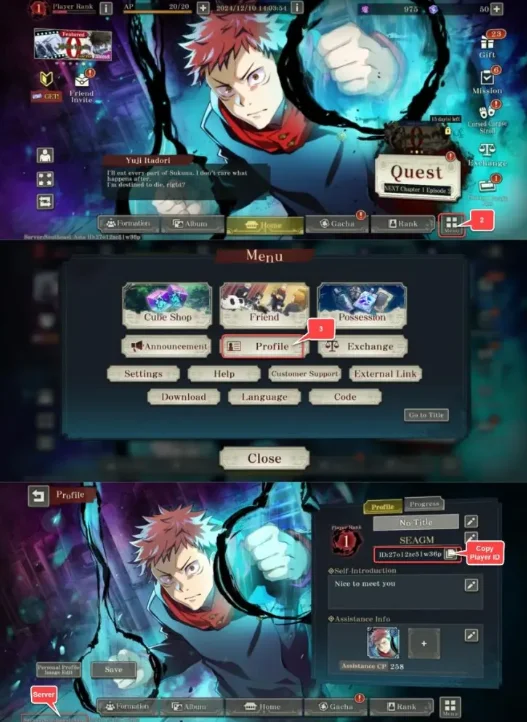
- Inserisci il tuo Player ID e seleziona il server corretto.
- Per trovarli, accedi al gioco, tocca Menu in basso a destra e apri Profile.
3
Completare il pagamento:
- Procedi al checkout dopo aver inserito i dati.
- Scegli il metodo di pagamento e conferma l’acquisto.
4
Ricevere Paid Cube:
- Attendi la conferma del pagamento.
- I Paid Cube verranno accreditati a breve sul tuo account.