














































































YouTube Premium
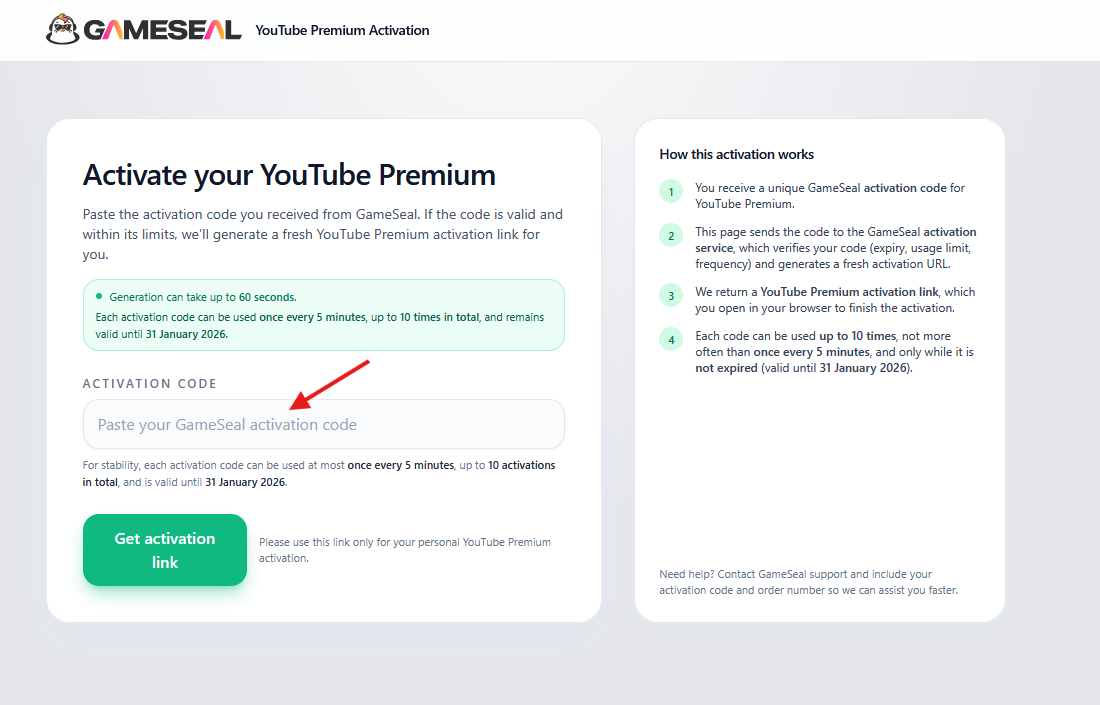
1. Inserisci il tuo codice di attivazione:
- Incolla il tuo codice di attivazione sul sito web youtube.gameseal.com.
2. Ricevi il tuo link di attivazione:
- Genereremo un link speciale per te che rimarrà attivo per 24 ore.
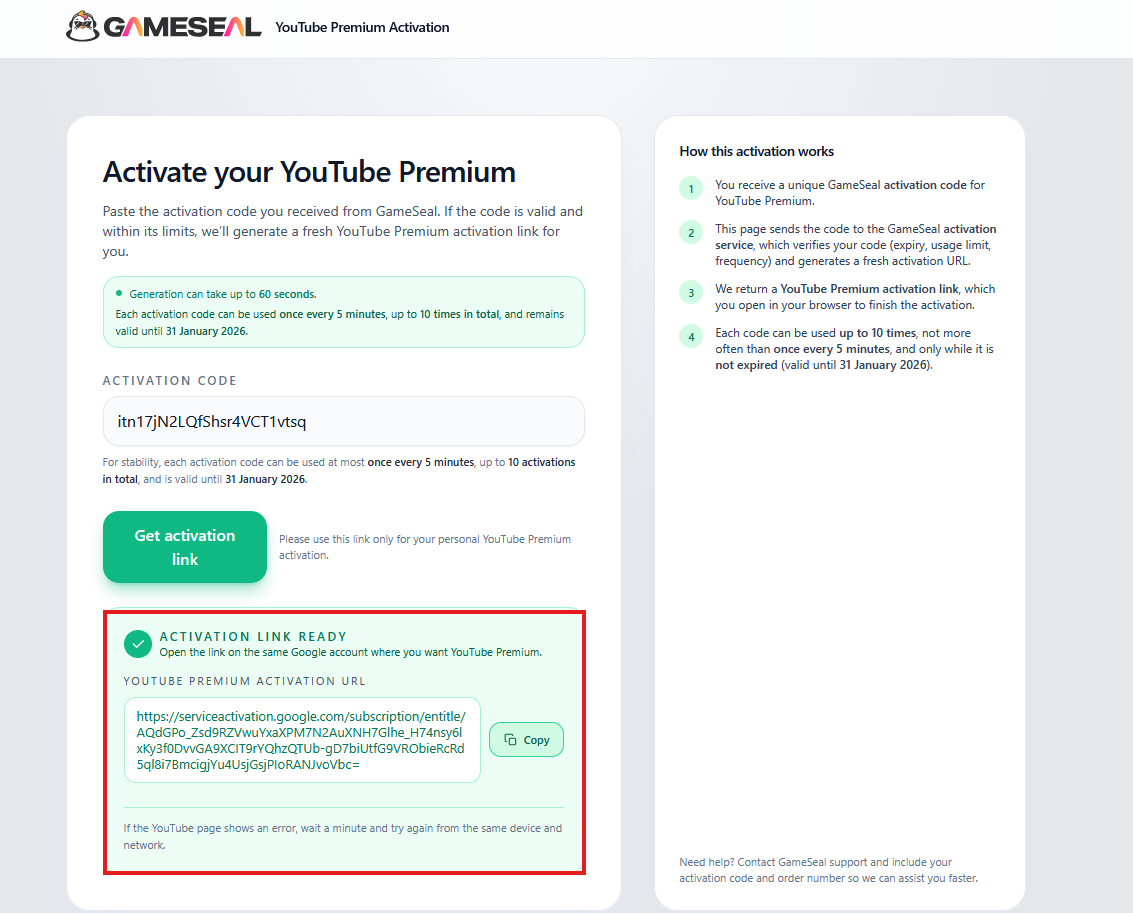
3. Attiva il tuo abbonamento Premium:
- Una volta ricevuto il link, cliccaci sopra e accedi all'account YouTube su cui desideri attivare l'abbonamento Premium di 12 mesi.
- Importante: questo abbonamento di 12 mesi potrebbe apparire nel tuo account YouTube come un piano con rinnovo mensile, ma è interamente prepagato per 12 mesi. Assicurati che al momento dell'attivazione non sia attivo alcun abbonamento Premium su questo account.