


Card JetonCash
1
Vizitați un site web participant:
- Accesați un site web care acceptă JetonCash ca metodă de plată.
2
Selectați Jeton ca metodă de plată:
- În timpul procesului de finalizare a comenzii, alegeți Jeton ca metodă de plată dorită.
3
Furnizați detaliile voucherului:
- Introduceți codul unic al voucherului format din 19 cifre și valoarea voucherului.
4
Trimiteți:
- Trimiteți detaliile pentru a finaliza plata.
5
Alimentați soldul portofelului Jeton:
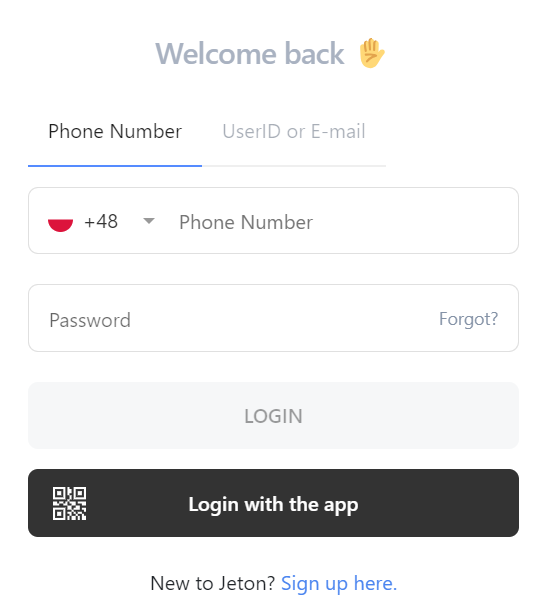
Conectați-vă la contul Jeton:
- Accesați contul Jeton online sau prin aplicația Jeton.

6
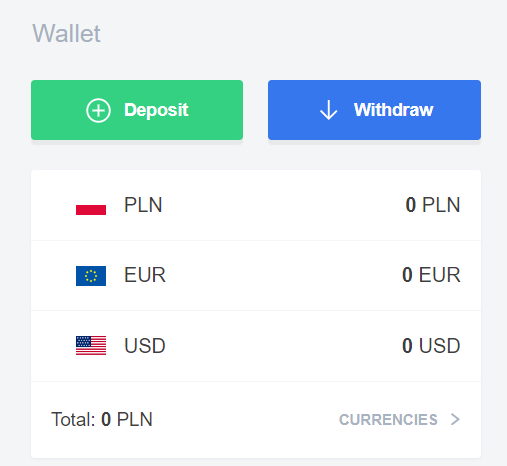
Alegeți opțiunea de depunere:
- Din ecranul principal sau din meniul „Portofel” din aplicație, selectați „Depunere”.
7
Selectați Jeton Card:
- Alegeți „Card Jeton” ca metodă de depunere.
8
Introduceți suma depozitului:
- Specificați suma pe care doriți să o depuneți în portofelul Jeton.
9
Faceți clic pe Continuare:
- Continuați făcând clic pe butonul „Continuați”.
10
Introduceți detaliile voucherului:
- Introduceți numărul voucherului, codul de securitate și data de expirare.
11
Finalizați tranzacția:
- Faceți clic pe „Finalizați” pentru a finaliza depunerea.


