Ragnarok X: Next Generation Direct Top-Up Activation Guide
1
Seleccionar diamantes:
- Elige la cantidad de diamantes que deseas comprar en Ragnarok X: Next Generation.
- Verifica tu selección antes de continuar.
2
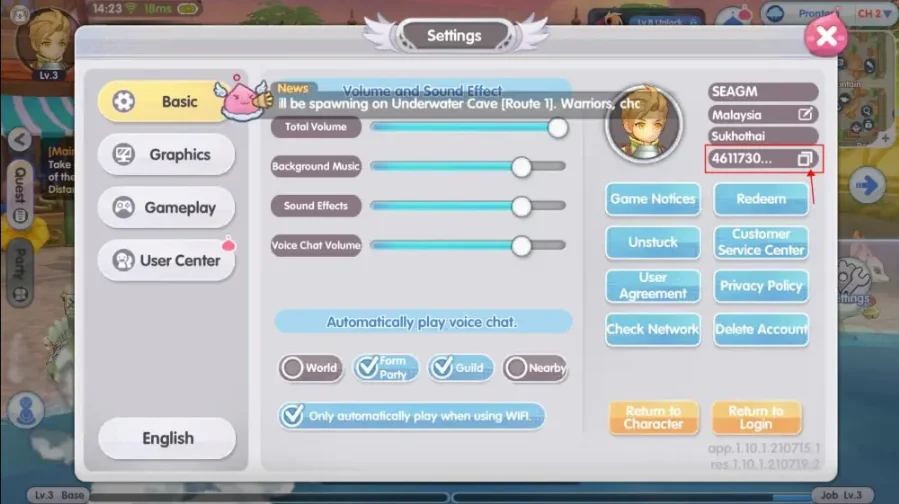
Ingresar Role ID:
- Introduce tu Role ID correctamente para evitar retrasos.
- Abre el juego, entra en Settings y localiza tu Role ID debajo del nombre del servidor. Puedes usar el icono de copia para copiarlo.
3
Completar el pago:
- Accede al pago después de ingresar los datos.
- Selecciona un método de pago y confirma la compra.
4
Recibir diamantes:
- Espera la confirmación del pago.
- Los diamantes se añadirán a tu cuenta en breve.