Jujutsu Kaisen Phantom Parade Activation Guide
1
Selectează Paid Cube:
- Alege cantitatea de Paid Cube dorită în Jujutsu Kaisen Phantom Parade.
- Verifică selecția înainte de a continua.
2
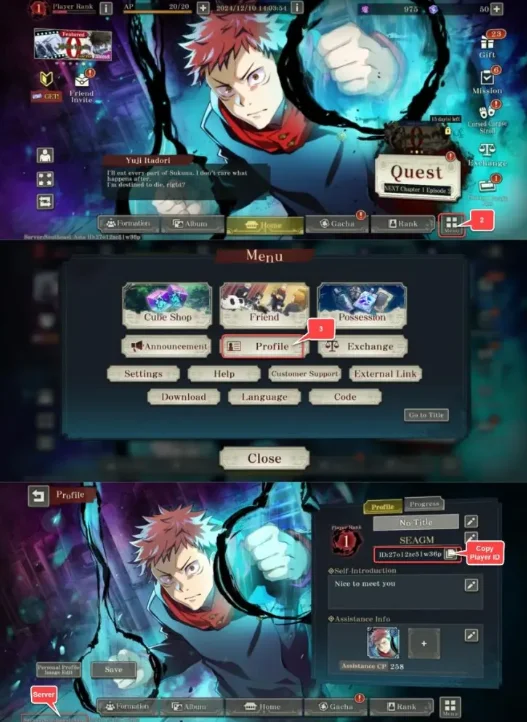
Introdu Player ID și server:
- Completează Player ID și selectează serverul corect.
- Pentru a le găsi, intră în joc, apasă pe Menu în dreapta jos și deschide Profile.
3
Finalizează plata:
- Continuă către plată după introducerea datelor.
- Alege metoda de plată și confirmă comanda.
4
Primește Paid Cube:
- Așteaptă confirmarea plății.
- Paid Cube va fi adăugat în contul tău în scurt timp.