







































































































































Jurassic World Evolution 2: Premium Edition (2022)
Jurassic World Evolution 2 is a park management simulation where you build and run dinosaur facilities across multiple modes. Premium Edition (2022) includes the base game plus a larger set of expansions and dinosaur packs listed below.
- Base game: Jurassic World Evolution 2.
- Park management gameplay with campaign, sandbox, challenge, and additional modes.
- Premium Edition (2022) bundle includes 12 items total (as listed).
What to expect from the base game
The core experience is managing parks and containment systems while handling guest needs, dinosaur welfare, and unexpected incidents. The campaign follows events after Jurassic World: Fallen Kingdom, with an original narrative and familiar film characters.
- Campaign with an original narrative set after Jurassic World: Fallen Kingdom.
- Work with characters such as Dr. Ian Malcolm (Jeff Goldblum) and Claire Dearing (Bryce Dallas Howard).
- Deeper management tools, customizable buildings, and hireable scientists.
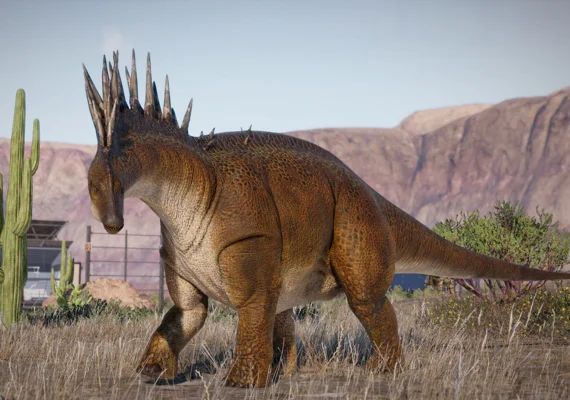
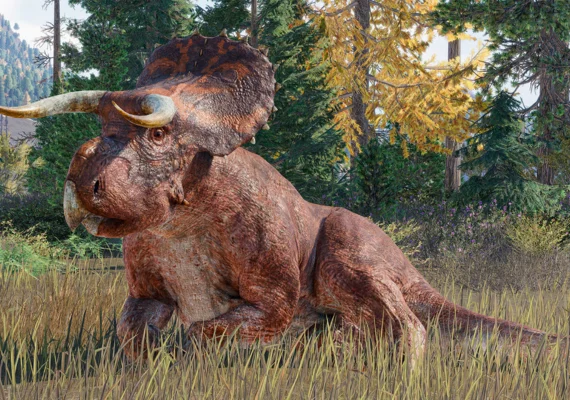
- Over 75 prehistoric species including flying and marine reptiles.
- Bioengineering options for colors and genome traits.
Included items in Premium Edition (2022)
This bundle includes the base game plus expansions, upgrades, and species packs. Content availability and how it appears in-game can depend on platform delivery rules.
- Jurassic World Evolution 2
- Jurassic World Evolution 2: Deluxe Upgrade Pack
- Jurassic World Evolution 2: Early Cretaceous Pack
- Jurassic World Evolution 2: Camp Cretaceous Dinosaur Pack
- Jurassic World Evolution 2: Dominion Biosyn Expansion
- Jurassic World Evolution 2: Late Cretaceous Pack
- Jurassic World Evolution 2: Dominion Malta Expansion
- Jurassic World Evolution 2: Feathered Species Pack
- Jurassic World Evolution 2: Prehistoric Marine Species Pack
- Jurassic World Evolution 2: Cretaceous Predator Pack
- Jurassic World Evolution 2: Secret Species Pack
- Jurassic World Evolution 2: Park Managers' Collection Pack
How to activate and access Premium content
Activate the product using the method shown on the product page, then download the base game and included add-ons from your library on the same account.
- Redeem/activate using the method stated on the product page (key, code, gift, or account-based access).
- Download the base game from your library after activation.
- Install included DLC from the platform’s add-ons/DLC section and verify it appears in-game.
Important notes
Bundle contents are defined by the product listing. Make sure the platform and region match your account before activation, and avoid duplicate purchases if you already own some packs.
- Requires the base game (included in this bundle).
- Verify platform compatibility and any region restrictions stated on the listing.
- Some DLC may already be owned if purchased separately; check before buying.