Buono regalo Shopee
1
1. Scegli un articolo:
- Seleziona un articolo su Shopee che può essere pagato utilizzando la tua carta regalo Shopee.
2
Per utilizzare la carta regalo Shopee:
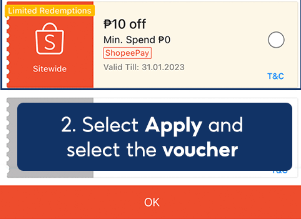
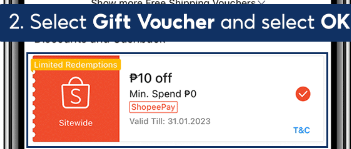
Applicare la carta regalo
- Nella sezione dedicata al pagamento, individua l'opzione per inserire il codice di un buono o di una carta regalo.
- Inserisci il codice della tua carta regalo Shopee e applicalo al tuo ordine.
.png)
3
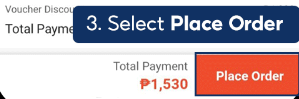
Procedi al checkout:
- Clicca sul pulsante "Checkout" o "Effettua ordine" per passare alla sezione dedicata al pagamento.
- Assicurati che l'importo della carta regalo sia stato applicato correttamente, quindi completa la procedura di pagamento.
4
2. Seleziona Codice nella sezione pagamenti:
Vai alla sezione Pagamento
- Durante la procedura di checkout, vai alla sezione Pagamento del tuo ordine.
5
Seleziona il campo Codice voucher:
- Trova e seleziona il campo denominato "Codice voucher" o simile.
6
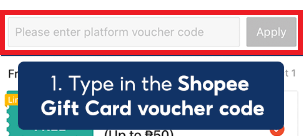
Inserisci il codice del buono:
- Digita il codice voucher della carta regalo Shopee che ti è stato inviato.
7
Applica il buono:
- Clicca sul pulsante "Applica" per riscattare il buono e applicare il saldo della carta regalo al tuo ordine.