



























































































































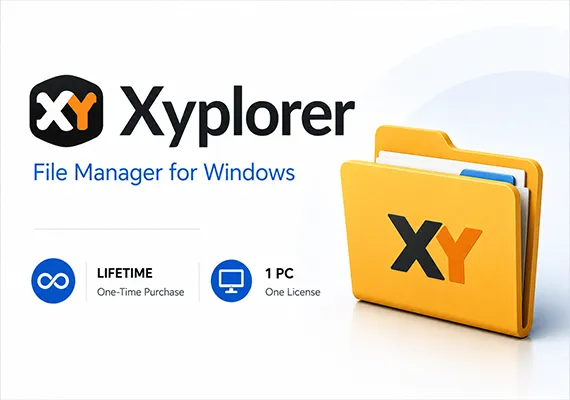











Xyplorer - Menedżer plików w wersji 23 dla Windows Key - GLOBAL
XYplorer to menedżer plików dla systemu Windows. Oferuje przeglądanie w kartach, potężne wyszukiwanie plików, wszechstronny podgląd, wysoce konfigurowalny interfejs, opcjonalny podwójny panel i duży wachlarz unikalnych sposobów skutecznego automatyzowania często powtarzających się zadań. Jest szybki, lekki i przenośny.
Cechy:
- Przenośny - XYplorer jest przenośnym menedżerem plików. Nie wymaga instalacji, przechowuje wszystkie dane konfiguracyjne w folderze danych aplikacji, a jego uruchomienie nie zmienia systemu ani rejestru. Można go zabrać ze sobą i uruchomić z pamięci USB. Zarządzanie plikami na wyciągnięcie ręki.
- Zakładki - Zakładki pozwalają najłatwiej przełączać się między folderami. Można je przeciągać, ukrywać, blokować, nadawać im nazwy lub upuszczać na nich pliki. Zakładki zapamiętują swoją konfigurację indywidualnie i w różnych sesjach. Do tego dochodzą zestawy zakładek i podwójny panel.
- Funkcjonalny - XYplorer został zaprojektowany, aby przyspieszyć pracę. Liczne ulepszenia użyteczności w atrakcyjnym interfejsie pomagają usprawnić przepływ pracy i zwiększyć wydajność. Z pewnością zaoszczędzisz mnóstwo czasu.
- Możliwość tworzenia skryptów - Tak, możesz zaprogramować tę aplikację. Indywidualne rozwiązania dla poszczególnych zadań. Nie są potrzebne żadne wtyczki, skrypty działają od razu po uruchomieniu. Nawet początkujący mogą skorzystać z tej funkcji, ponieważ na forum dostępnych jest wiele gotowych do użycia skryptów.
- Jest szybki - szybkość zawsze była głównym celem projektowym XYplorer. Kod jest stale optymalizowany pod kątem wydajności, zero tolerancji dla powolności. Ponadto aplikacja zużywa bardzo mało pamięci RAM, plik wykonywalny jest niewielki (7 MB) i ładuje się niemal natychmiast.
- Jest niezawodny i solidny - możesz zaufać XYplorer. Działa zgodnie z przeznaczeniem i oczekiwaniami i bardzo trudno go zniszczyć. Wszelkie problemy są natychmiast rozwiązywane i zazwyczaj naprawiane w ciągu kilku godzin. Duża społeczność uważnie obserwuje rozwój i stale testuje częste wersje beta.
- Możliwość dostosowania - aplikację można dostosować tak, by wyglądała i zachowywała się dokładnie tak, jak chcemy. Począwszy od czcionek i kolorów, po niestandardowe przyciski paska narzędzi, a nawet ikony plików i skojarzenia programów. Wszystko to jest w pełni przenośne. Nawet tryb ciemny.
- Jest responsywny - głos klienta jest słuchany i traktowany poważnie, przez większość czasu otrzymujesz natychmiastową informację zwrotną, a twoje życzenie może zostać wdrożone szybciej niż myślisz.