Monkey King: Arena of Heroes Activation Guide
1
Selezionare voucher:
- Scegli il voucher in Monkey King: Arena of Heroes.
- Controlla la selezione prima di procedere.
2
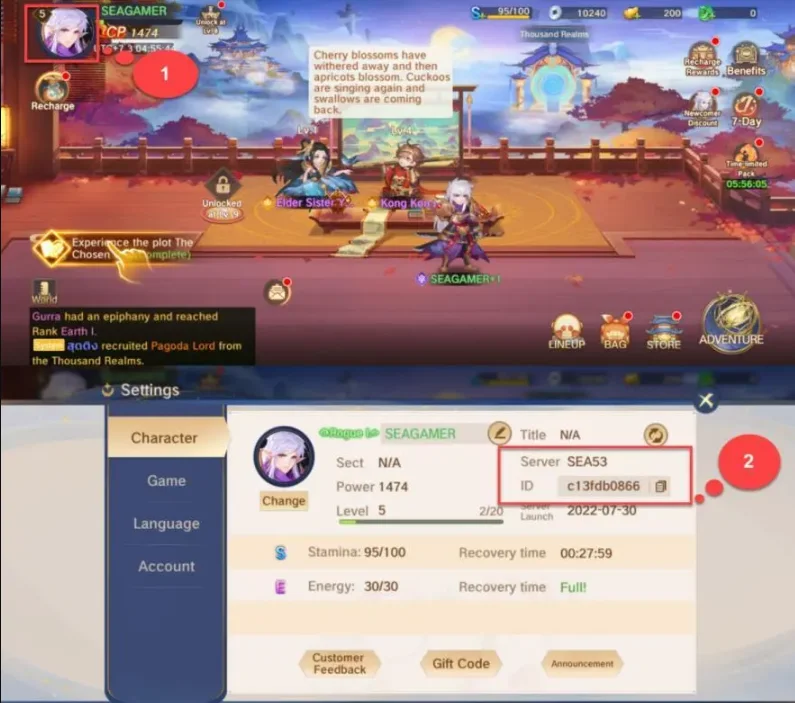
Inserire Character ID e server:
- Inserisci correttamente Character ID e server.
- Apri il gioco e tocca l’icona Profile in alto a sinistra per visualizzare i dati.
3
Completare il pagamento:
- Procedi al checkout dopo aver inserito i dati.
- Scegli il metodo di pagamento e conferma l’acquisto.
4
Ricevere voucher:
- Attendi la conferma del pagamento.
- I voucher verranno accreditati a breve sul tuo account.