PUBG: New State Activation Guide
1
Selectează cantitatea de NC:
- Alege cantitatea de NC pentru New State Mobile.
- Verifică dacă selecția este pentru contul corect.
2
Introdu Account ID:
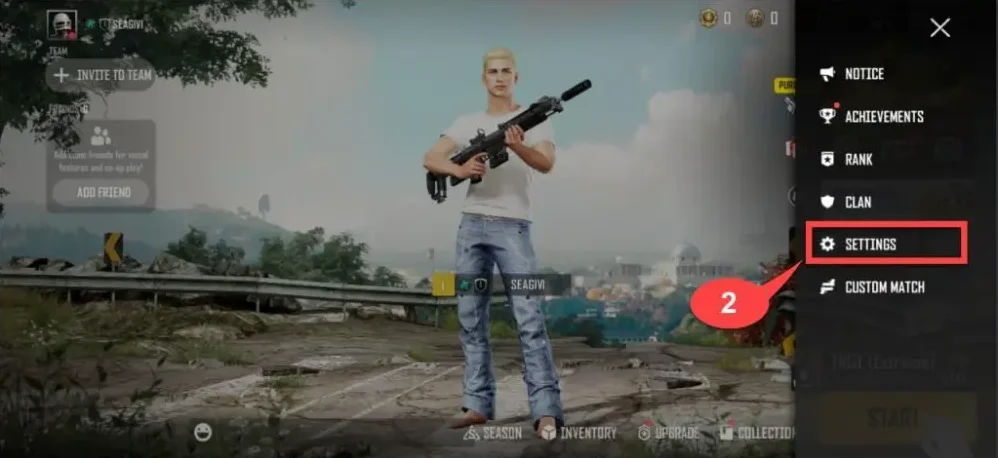
- Autentifică-te în New State Mobile.
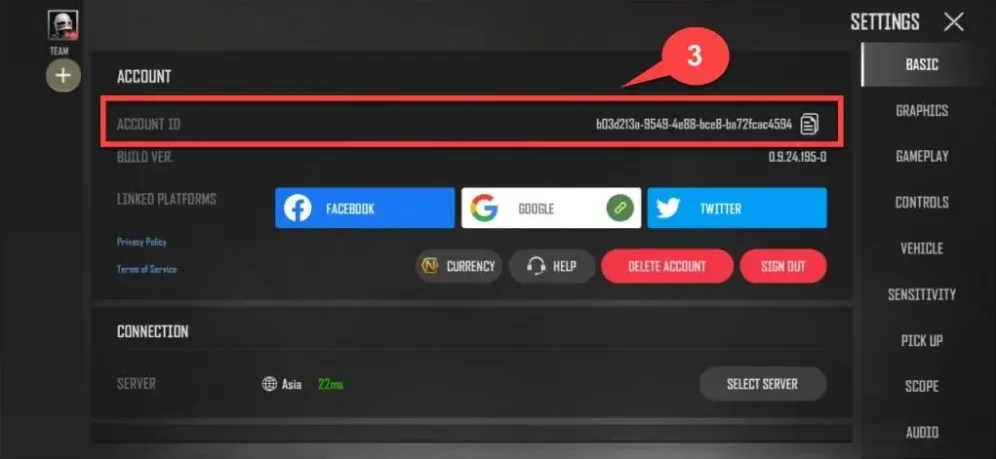
- Apasă pe pictograma View More din dreapta sus și deschide setările.
- Account ID este afișat pe ecran — introdu-l în câmpul necesar.
3
Finalizează plata:
- Verifică cantitatea de NC și Account ID.
- Alege metoda de plată și confirmă comanda.
4
Primește NC în joc:
- După confirmarea plății, NC va fi adăugat în contul New State Mobile.
- Deschide jocul și verifică soldul.