Dunk City Dynasty Direct Top-Up Activation Guide
1
Seleziona l’importo:
- Scegli la quantità di Tokens da acquistare.
- Controlla la selezione prima di procedere.
2
Inserisci i dati dell’account:
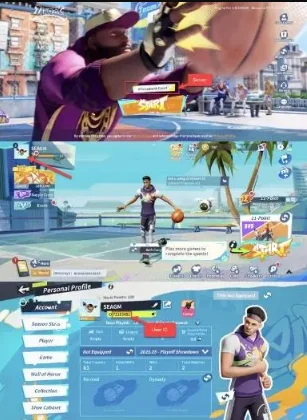
- Inserisci il tuo User ID e seleziona il server corretto.
- Accedi al gioco per vedere il server nella schermata principale.
- Tocca il tuo avatar in alto a sinistra per visualizzare il User ID sotto il nome.
3
Completa il pagamento:
- Procedi al pagamento dopo aver inserito i dati.
- Scegli il metodo di pagamento e conferma la transazione.
4
Ricevi i Tokens:
- Dopo il pagamento, i Tokens saranno attivati sul tuo account.
- L’elaborazione è generalmente immediata.