Guild Wars 2
1
Loggt euch bei Guild Wars 2 ein:
- Loggt euch in Guild Wars 2 mit dem Account ein, mit dem ihr Edelsteine freischalten wollt.
2
Öffnen Sie die Tafel der Black Lion Trading Company:
- Öffnen Sie die Tafel der Black Lion Trading Company. Der Standard-Hotkey ist [O].
- Alternativ können Sie auch auf das Löwensymbol in der oberen linken Ecke des Spielbildschirms klicken.
3
Klicken Sie auf "Code einlösen":
- Klicken Sie auf den Link "Code einlösen" in der oberen linken Ecke der Startseite des Shops.
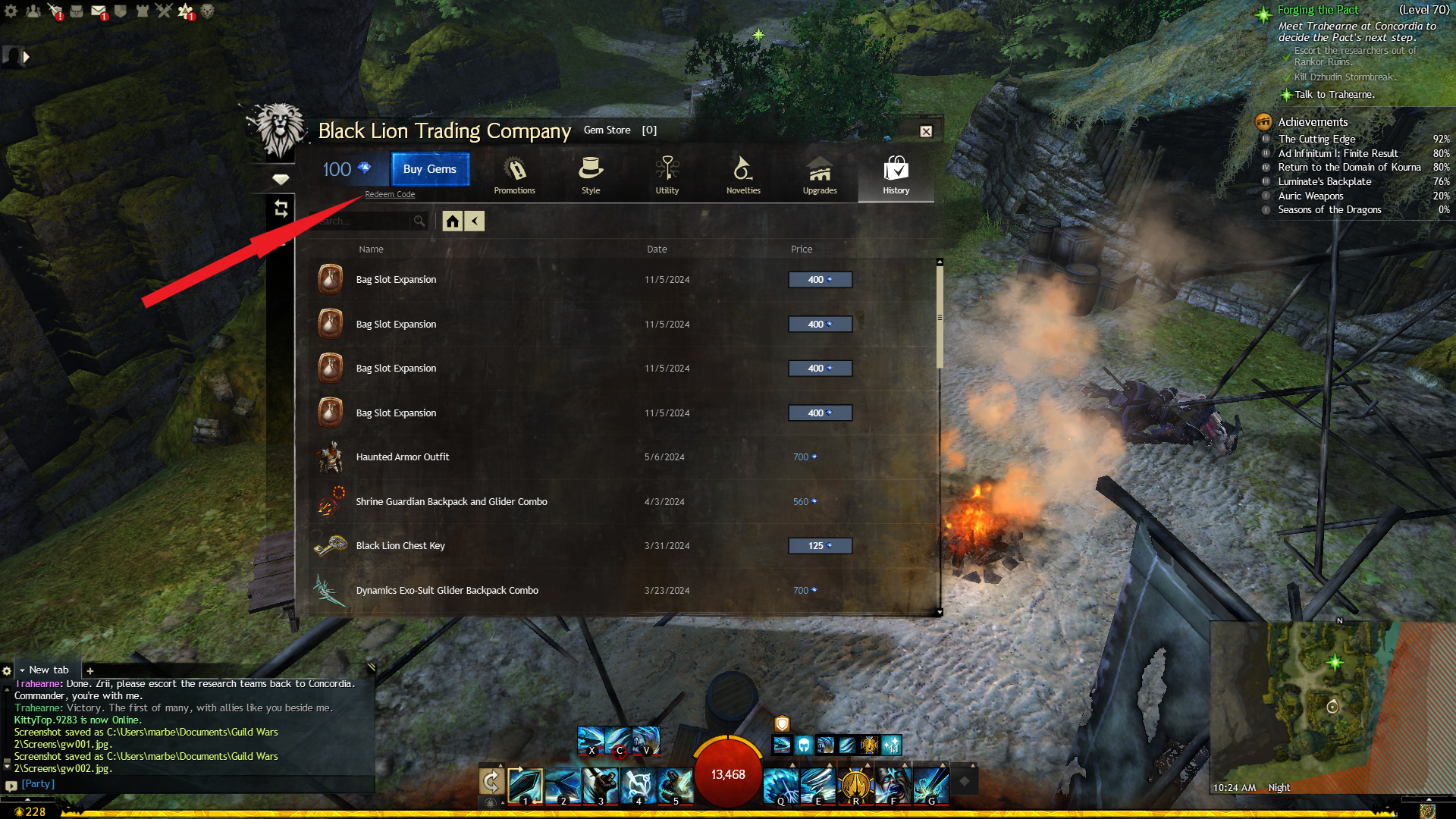
4
Geben Sie Ihren Edelstein-Code ein:
- Geben Sie Ihren Edelsteincode ein oder kopieren Sie ihn und fügen Sie ihn in das Feld ein, auf dem steht: "Bitte geben Sie Ihren Edelsteincode ein".
5
Einlösen:
- Klicken Sie auf "Einlösen", um Ihre Edelsteine freizuschalten.