Idol Party Direct Top-Up Activation Guide
1
Diamonds auswählen:
- Wähle die gewünschte Idol Party Diamonds-Denomination.
- Überprüfe deine Auswahl vor dem Fortfahren.
2
User ID eingeben:
- Gib deine User ID ein.
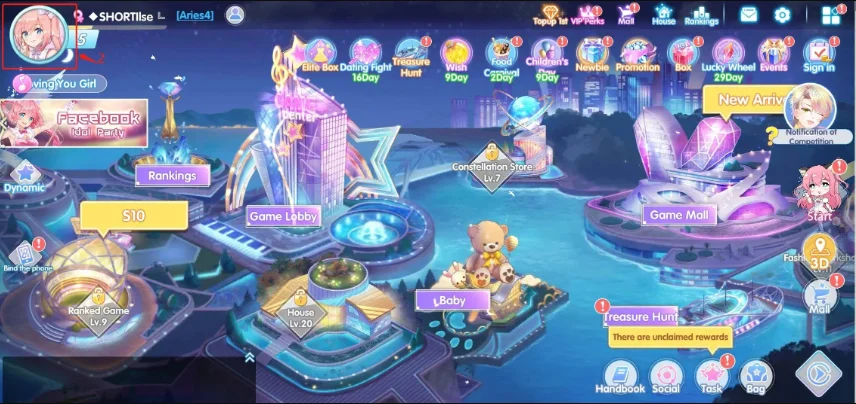
- Um sie zu finden, melde dich im Spiel an und öffne dein Profilbild.
- Deine User ID wird im Bereich der persönlichen Informationen angezeigt.
3
Zahlung abschließen:
- Gehe zur Kasse nach Eingabe der Daten.
- Wähle deine Zahlungsmethode und bestätige den Kauf.
4
Diamonds erhalten:
- Nach erfolgreicher Zahlung werden die Diamonds deinem Idol Party-Konto gutgeschrieben.
- Überprüfe dein In-Game-Konto zur Bestätigung.