








































































































The Walking Dead: Survivors Package & Rubies Activation Guide
1
Choisir les Rubies:
- Sélectionnez la quantité de Rubies dans The Walking Dead: Survivors.
- Vérifiez votre choix avant de continuer.
2
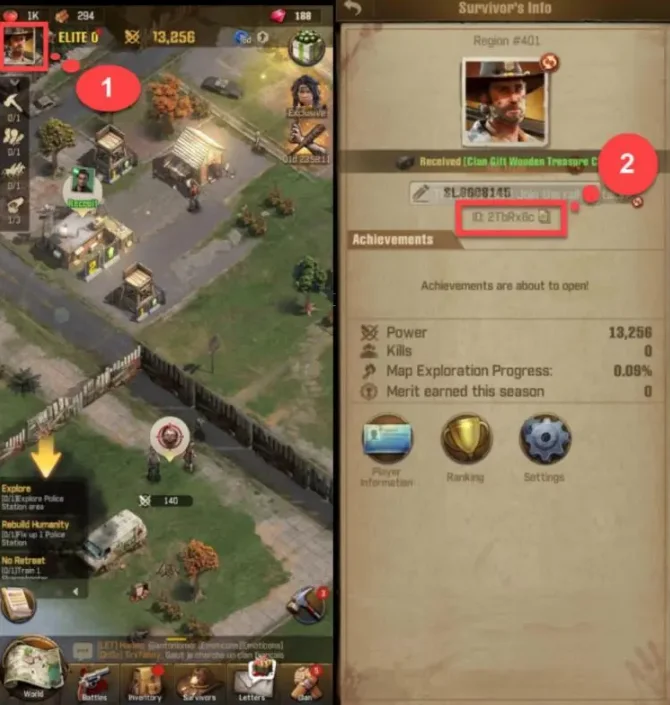
Saisir User ID:
- Entrez correctement votre The Walking Dead: Survivors User ID.
- Ouvrez le jeu et appuyez sur l’icône Profile en haut à gauche pour afficher votre ID.
3
Finaliser le paiement:
- Accédez au paiement après avoir saisi les informations.
- Choisissez un mode de paiement et confirmez l’achat.
4
Recevoir les Rubies:
- Attendez la validation du paiement.
- Les Rubies seront ajoutés à votre compte rapidement.