


















































































Steam Gift Games: What They Are, How They Work, and What to Check

 Steam Gift
 Steam Gift
 Steam Gift
 Steam Gift
 Steam Gift
What Is a Steam Gift Game?
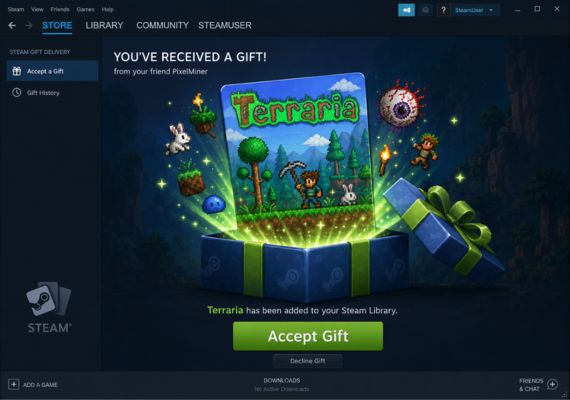
A Steam Gift is a delivery format where the game goes straight to a Steam account instead of being sent as a code you enter manually. After the gift is delivered, you get a notification on your account. You accept it, and the game is yours.
The game does not require any key. It is not redeemed - it is accepted. Once it lands in your library, it behaves exactly like any other title you own on Steam.
Steam Gift vs Steam Key vs Steam Account: Core Differences
| Steam Gift | Steam Key | Steam Account | |
|---|---|---|---|
| What you receive | Game delivered as a gift to your account | Digital activation code | Login credentials to a separate Steam account with the game already on it |
| How you get the game | Accept the gift notification on Steam | Enter the code in the Steam client | Log in to the provided account and secure it |
| Code required | No | Yes | No |
| Game location | Your own Steam library | Your own Steam library | A separate Steam account, not your main profile |
| Achievements and playtime | On your main account | On your main account | On the provided account only |
| Family Share support | Yes | Yes | May not be supported |
| Availability | Some titles available exclusively as gifts | Widely available across most titles | Available for selected titles, often at a lower price |
| Price range | Discounts up to 90% | Usually 50% or similar vs list price on Steam | Discounts up to 90% |
The end result is identical: the game is in your Steam library. What changes is the path to get there. Steam gifts cut out the code step entirely.
Is It Safe?
Steam gifts are delivered through Steam's official gifting system - the same infrastructure Valve uses for standard transactions. Once you accept a gift, the game is added to your account permanently.
As with any digital product purchased from a third-party seller, the key factor is the legitimacy of the source. Gameseal sells verified products, and all gifts are processed through Steam's official gifting flow. If you have any questions about a specific order, Gameseal support is available to help.
Method 2: Gift Transfer Activation
Some products use a transfer-based delivery. You will see one of three variants depending on the listing. Check which one applies to your order.
Variant 1 - Country verification + friend request
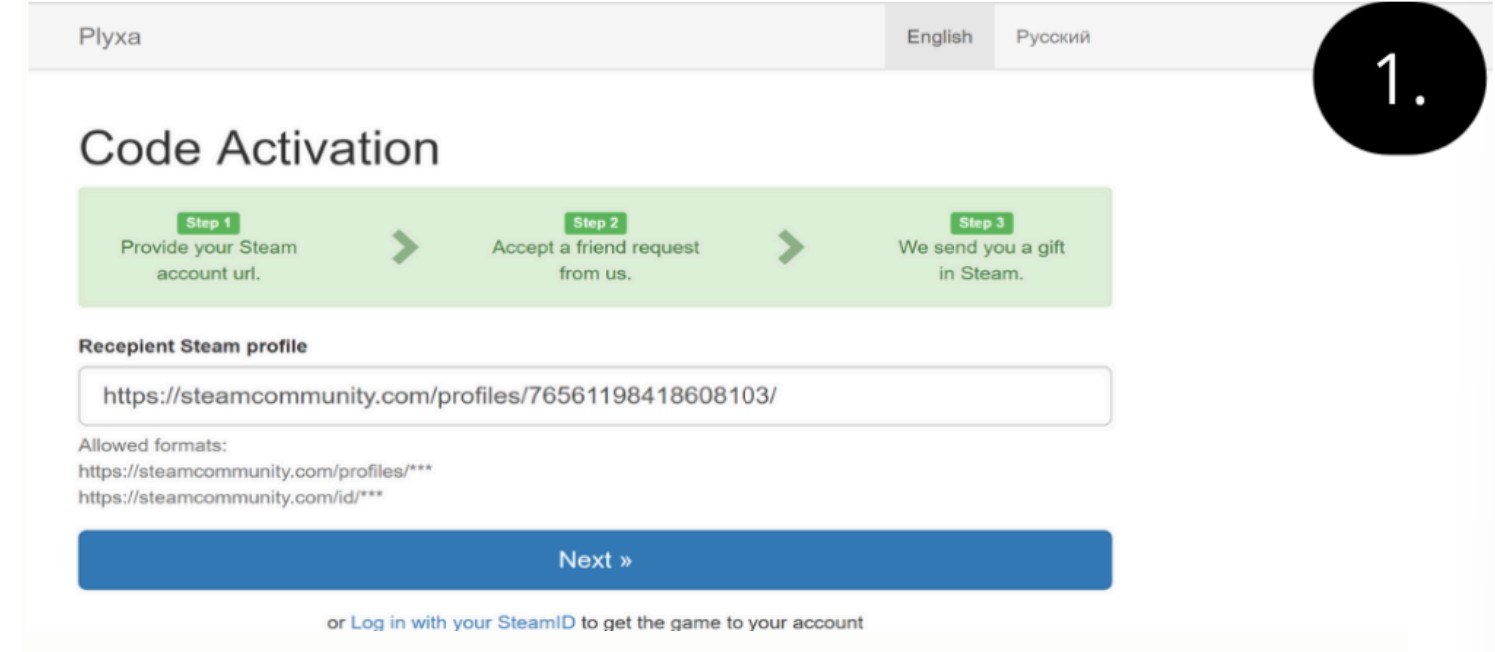
1. Open the Steam gift link and log in via the "Login via Steam" button.
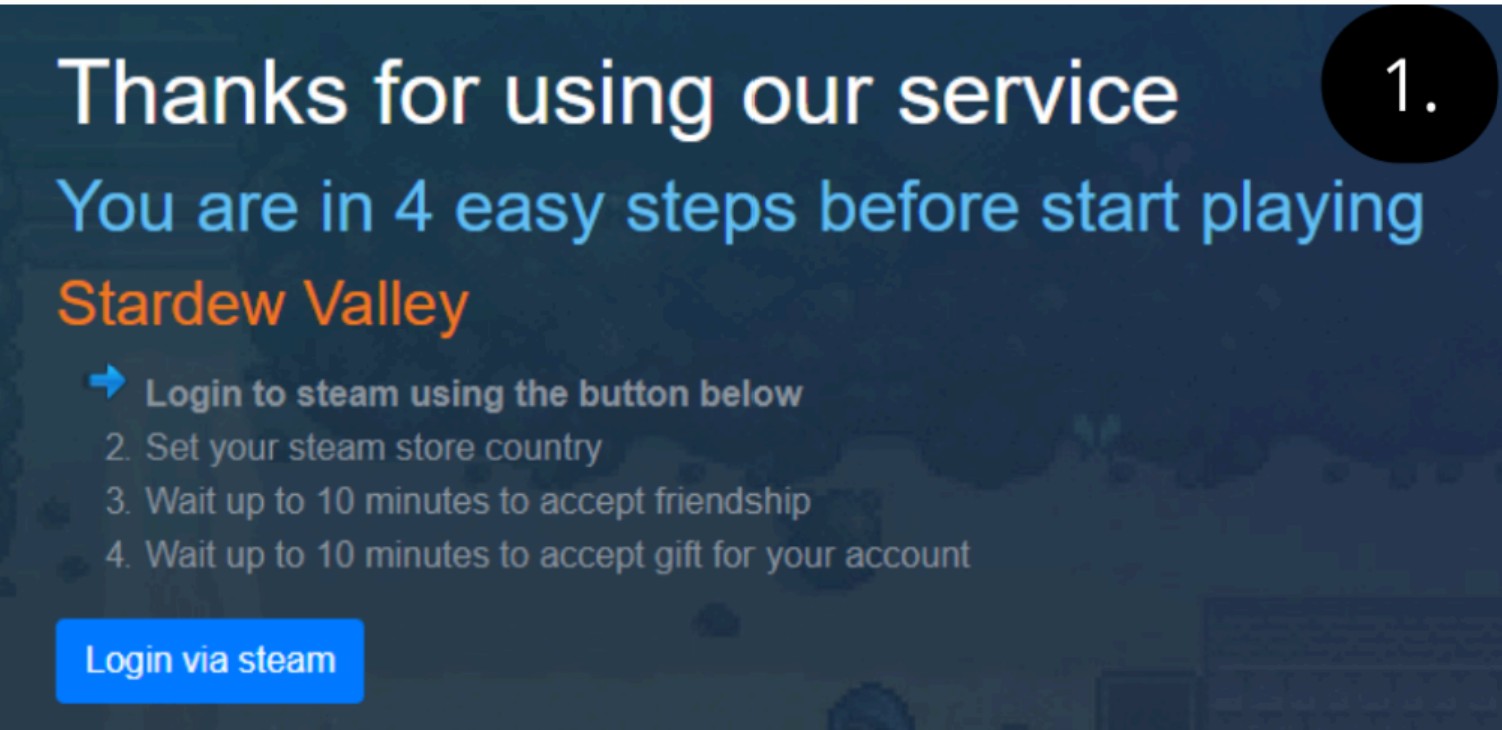
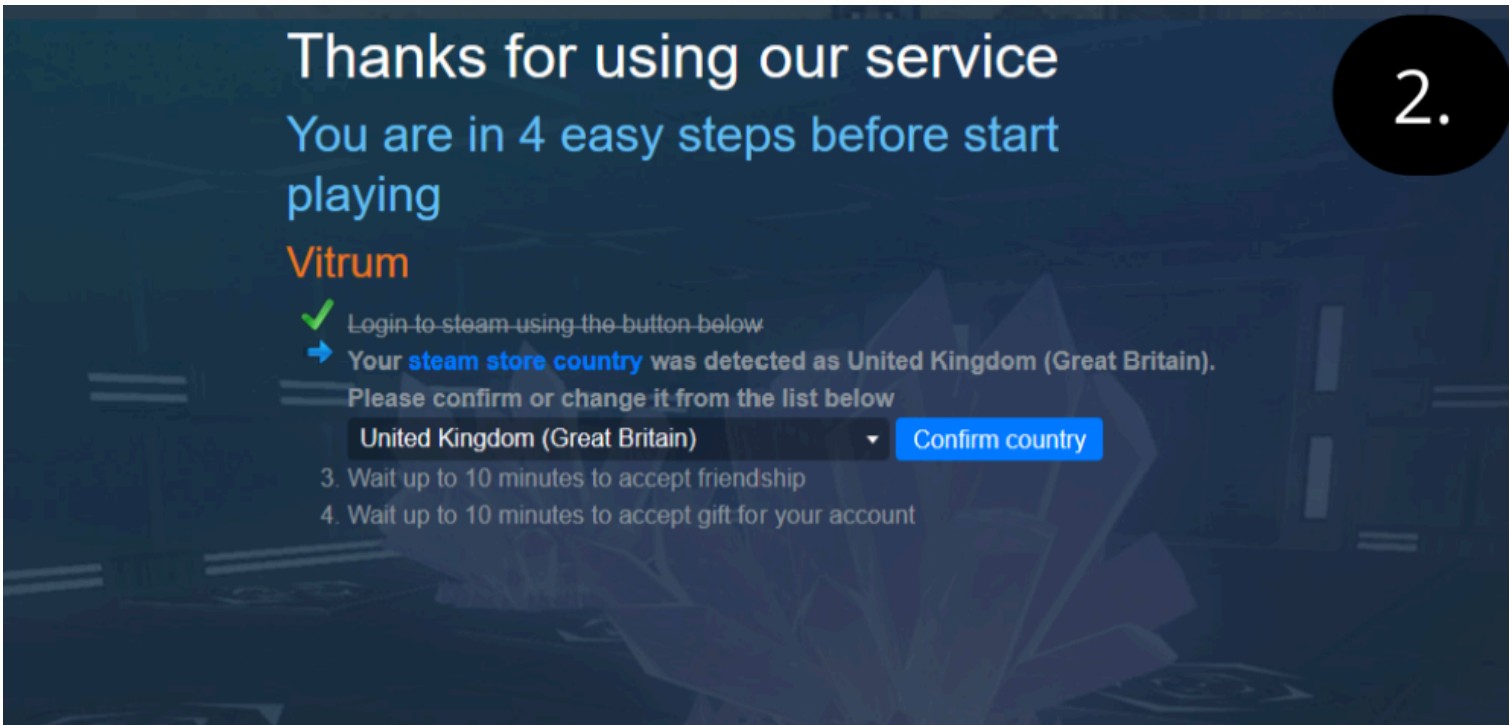
2. Check that your Steam store country matches the detected one. If not, select the correct country from the list and confirm.
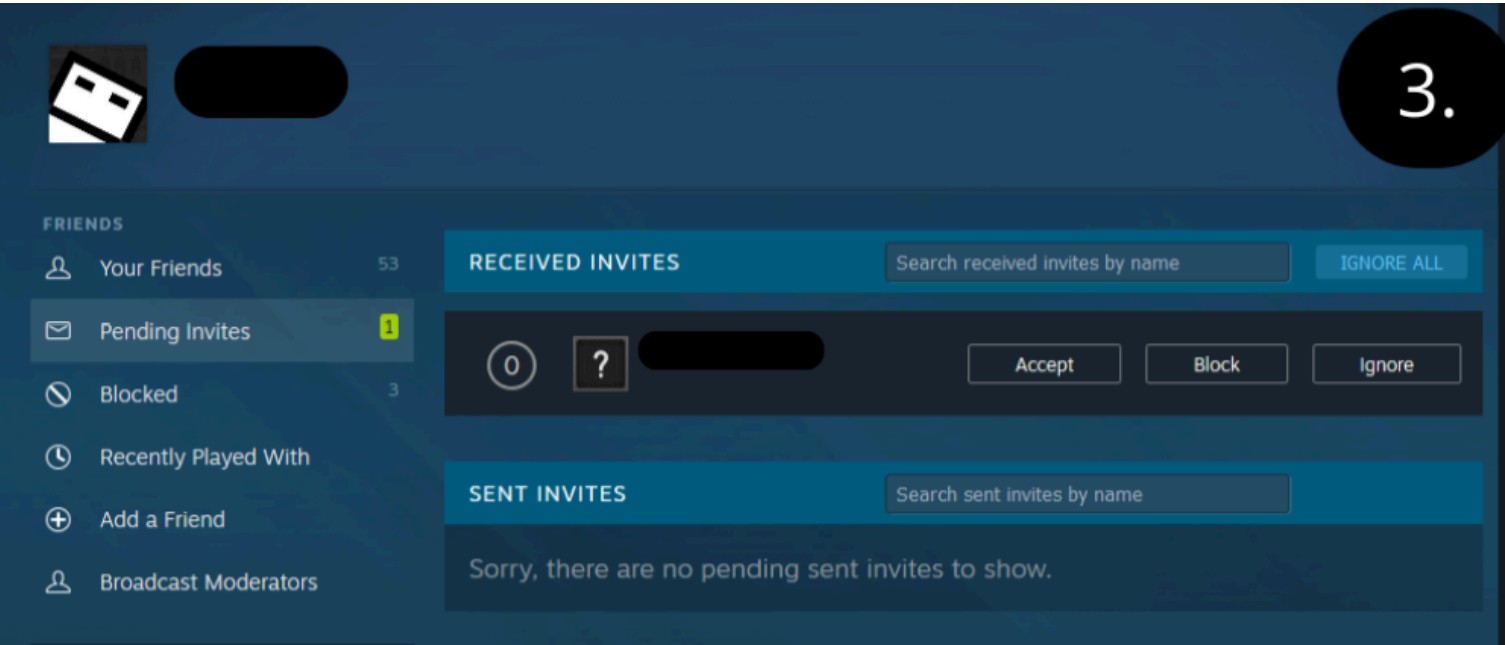
3. Wait up to 10 minutes for a friend request from the sender's Steam account. Accept it.
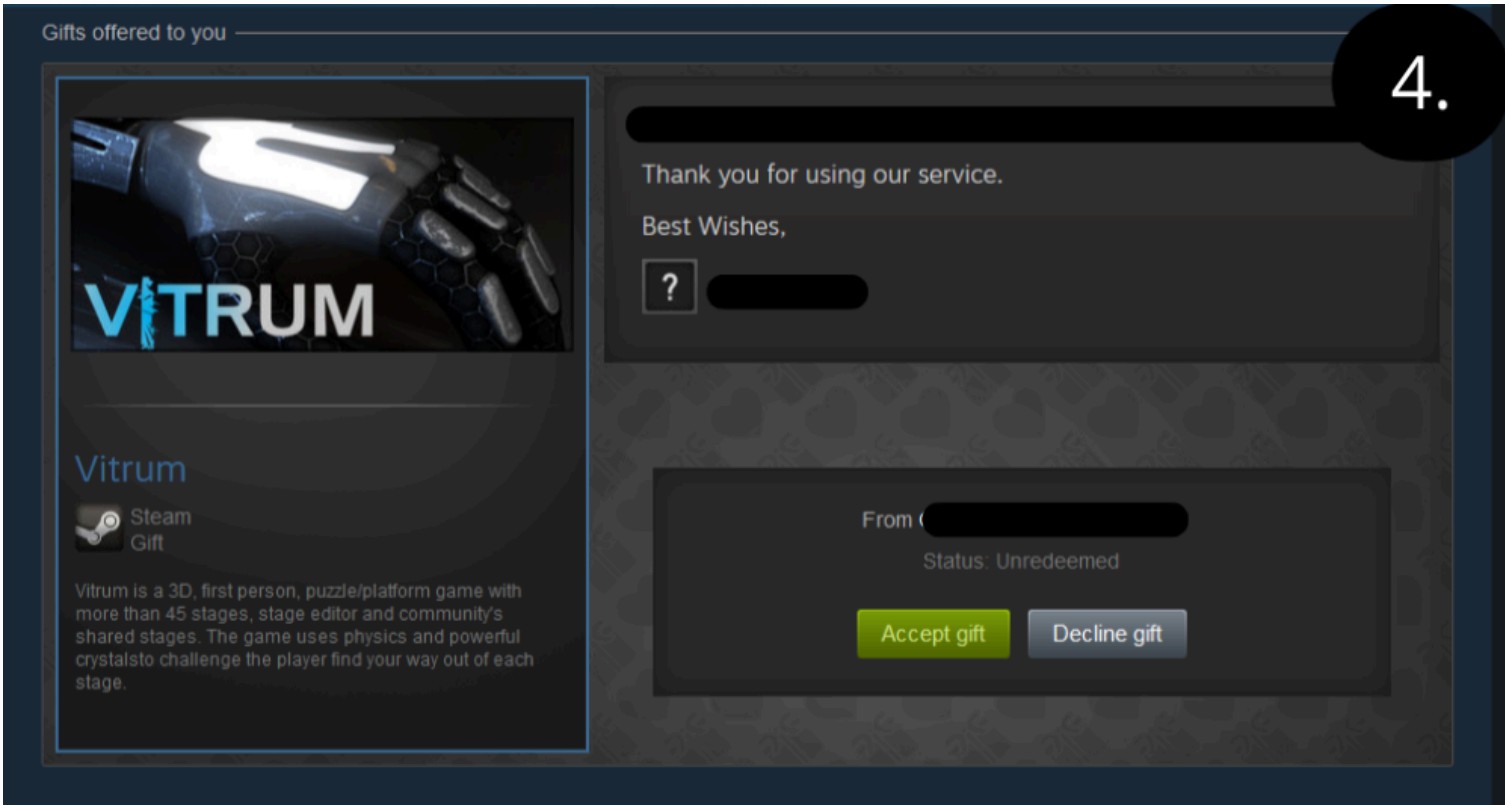
4. Wait for the game to appear as a gift on your account and accept it in the usual way.
Variant 2 - Profile link + email
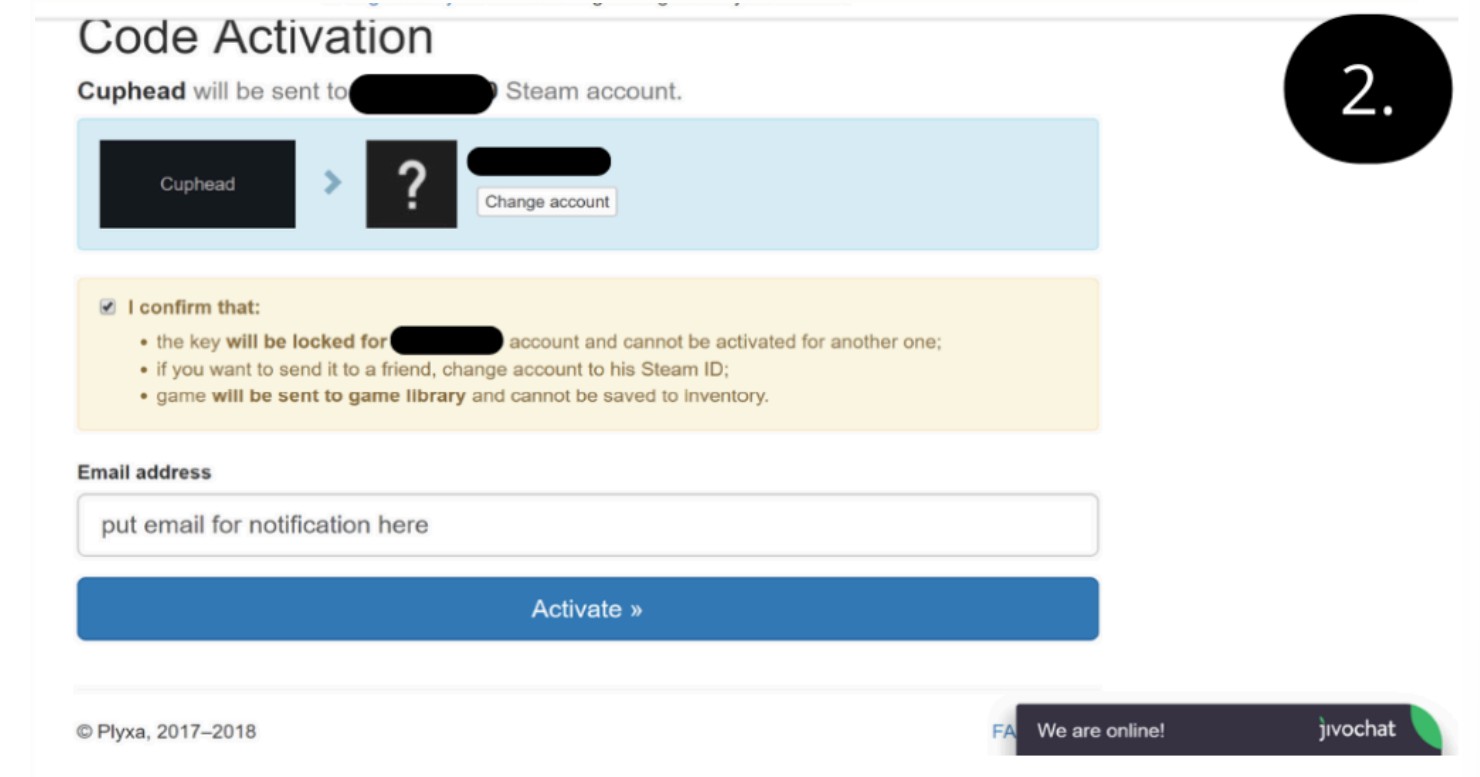
1. Provide your Steam profile link to start the gifting process.
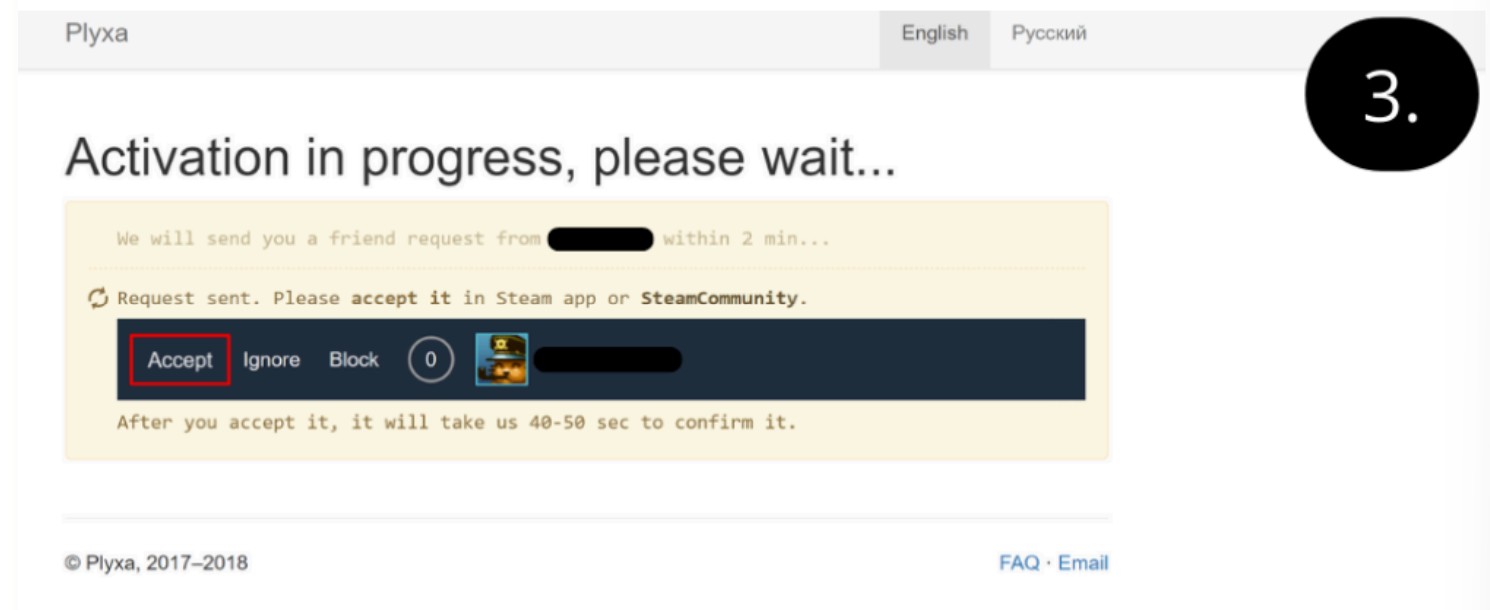
2. Provide an email address where you can receive gift notifications.
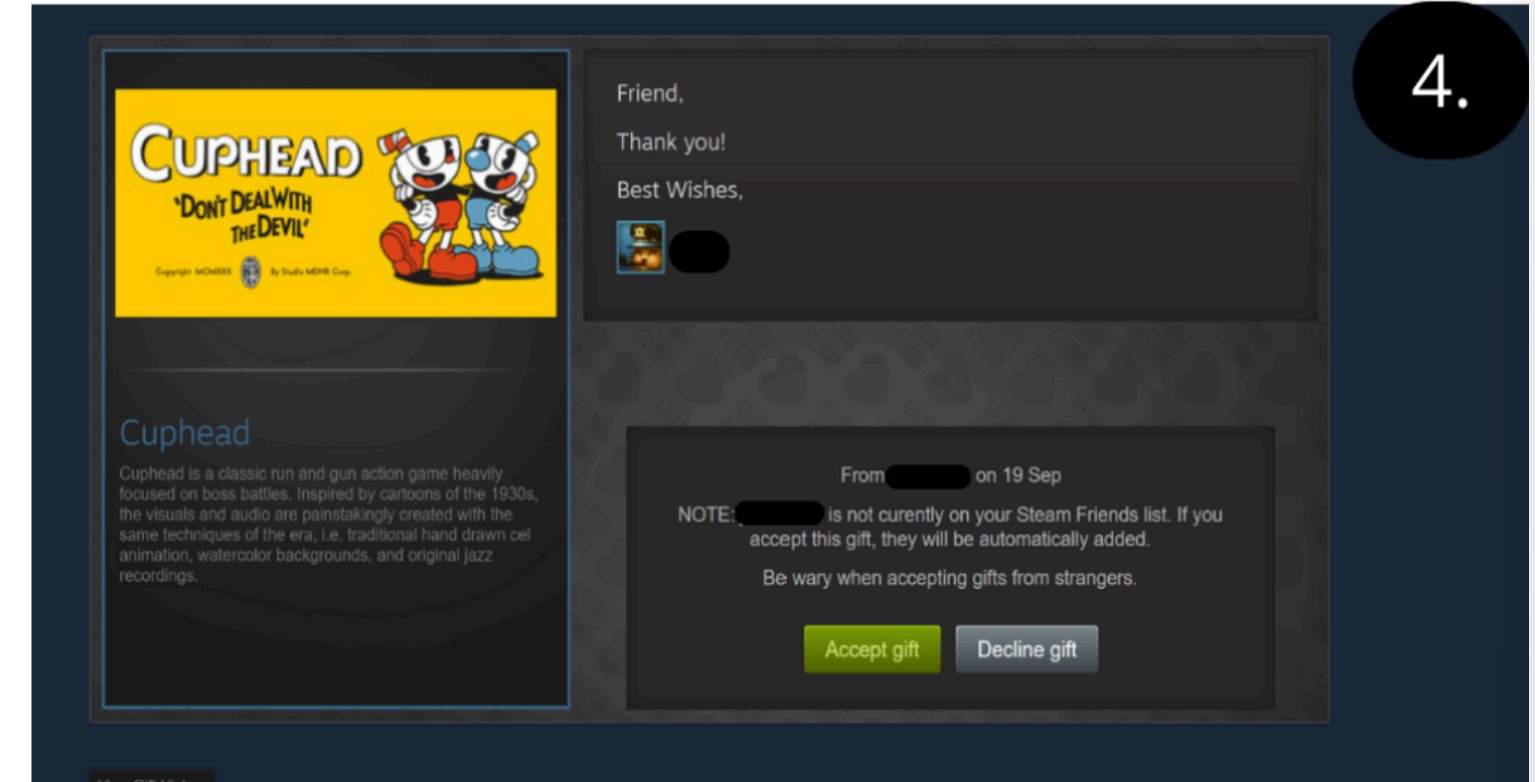
3. Accept the friend request from the sender's Steam account.
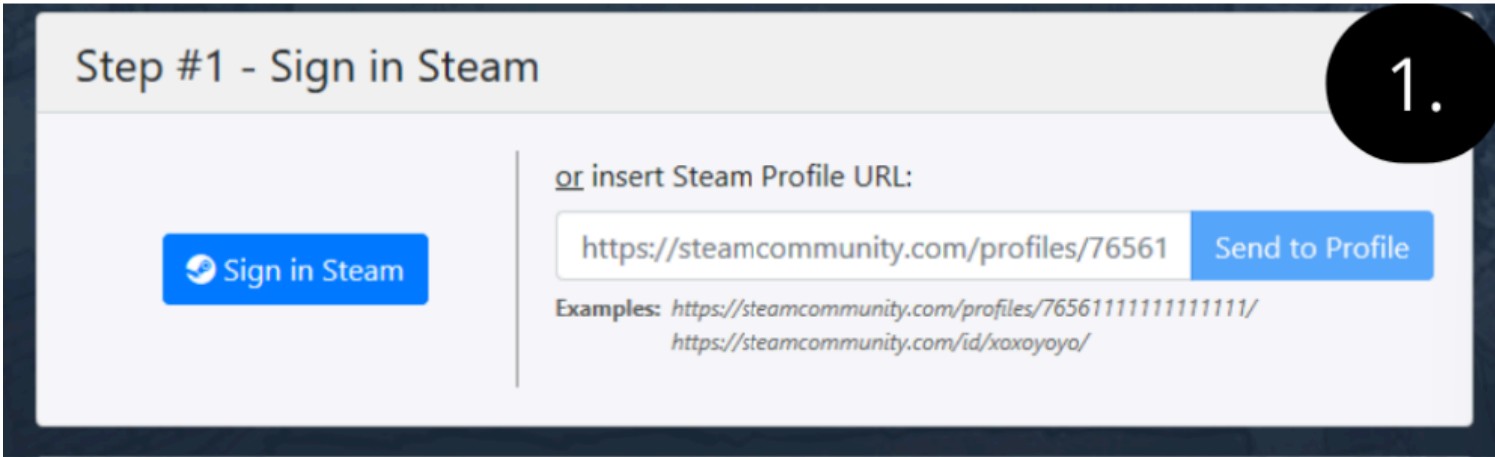
4. The gift transfer is complete. The game will appear in your library.
Variant 3 - Gift link + country confirmation + friend request
1. Open the gift link you received. Choose one of the options: paste your Steam profile link or log in via "Login via Steam".
2. Select the country set in your Steam account settings. If you choose the wrong country, the game may not be delivered and you will need to contact support.
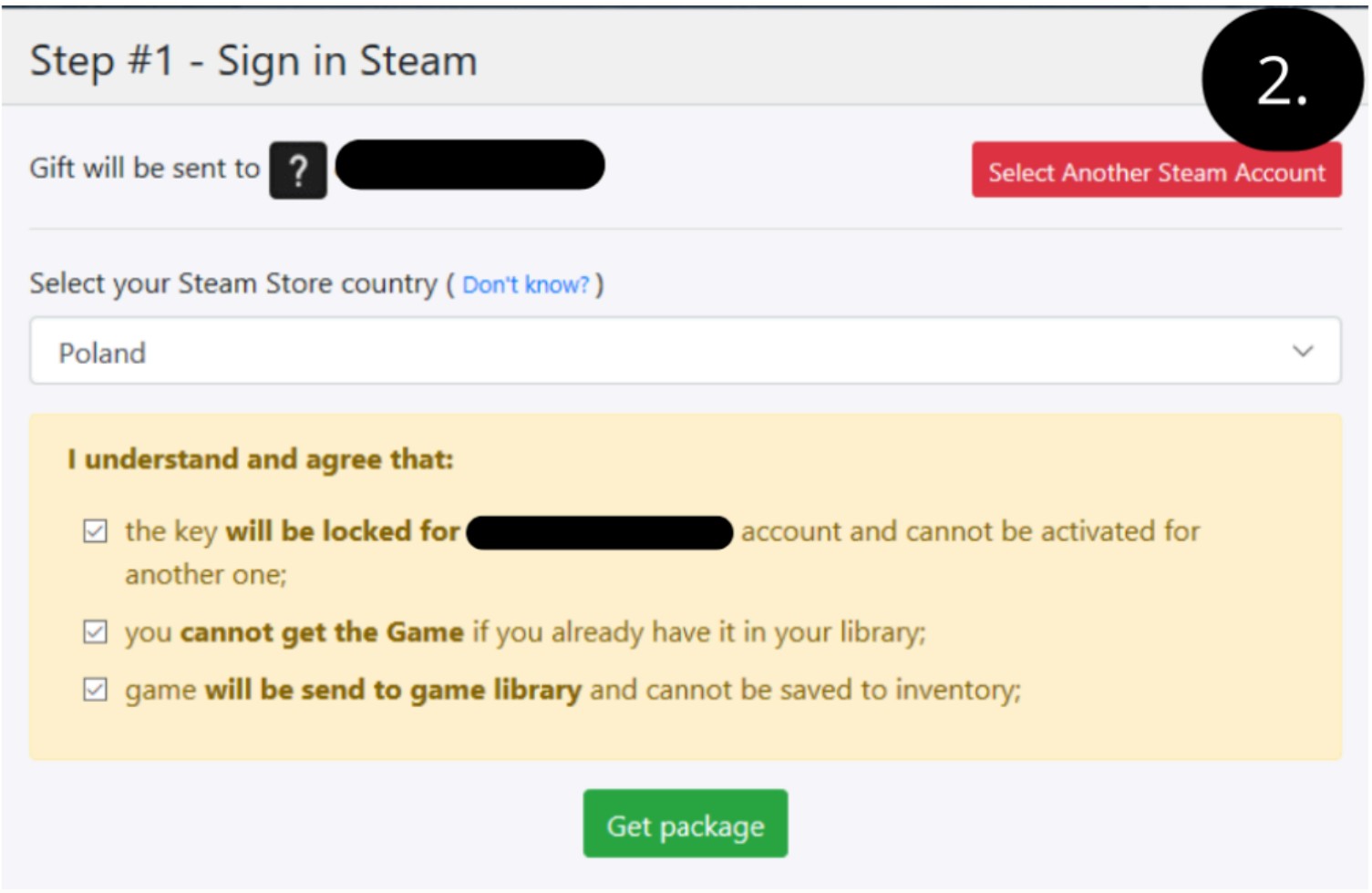
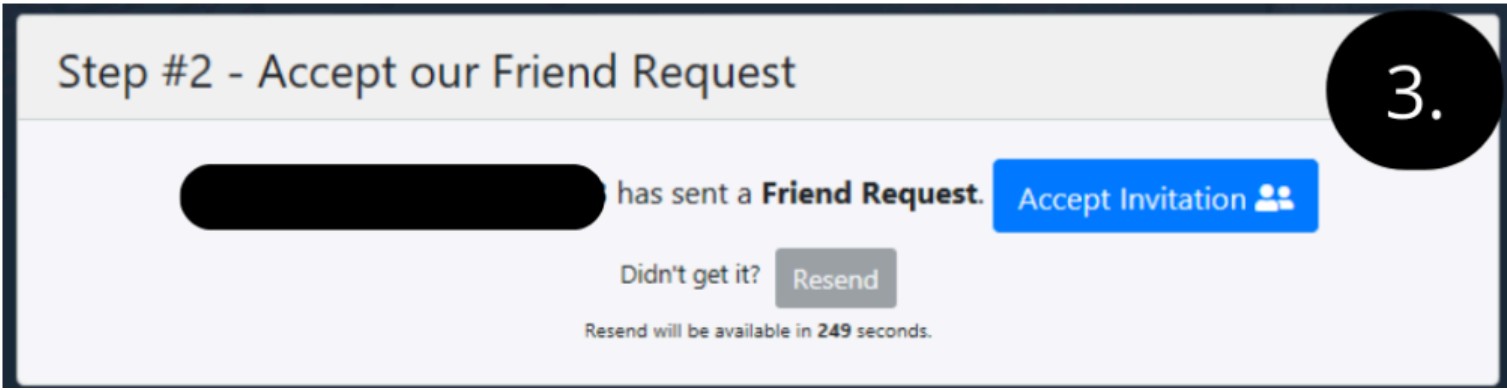
3. Click the green "Get package" button. A friend request from the sender's Steam profile will arrive within 1 to 2 minutes. Accept it to start the transfer.
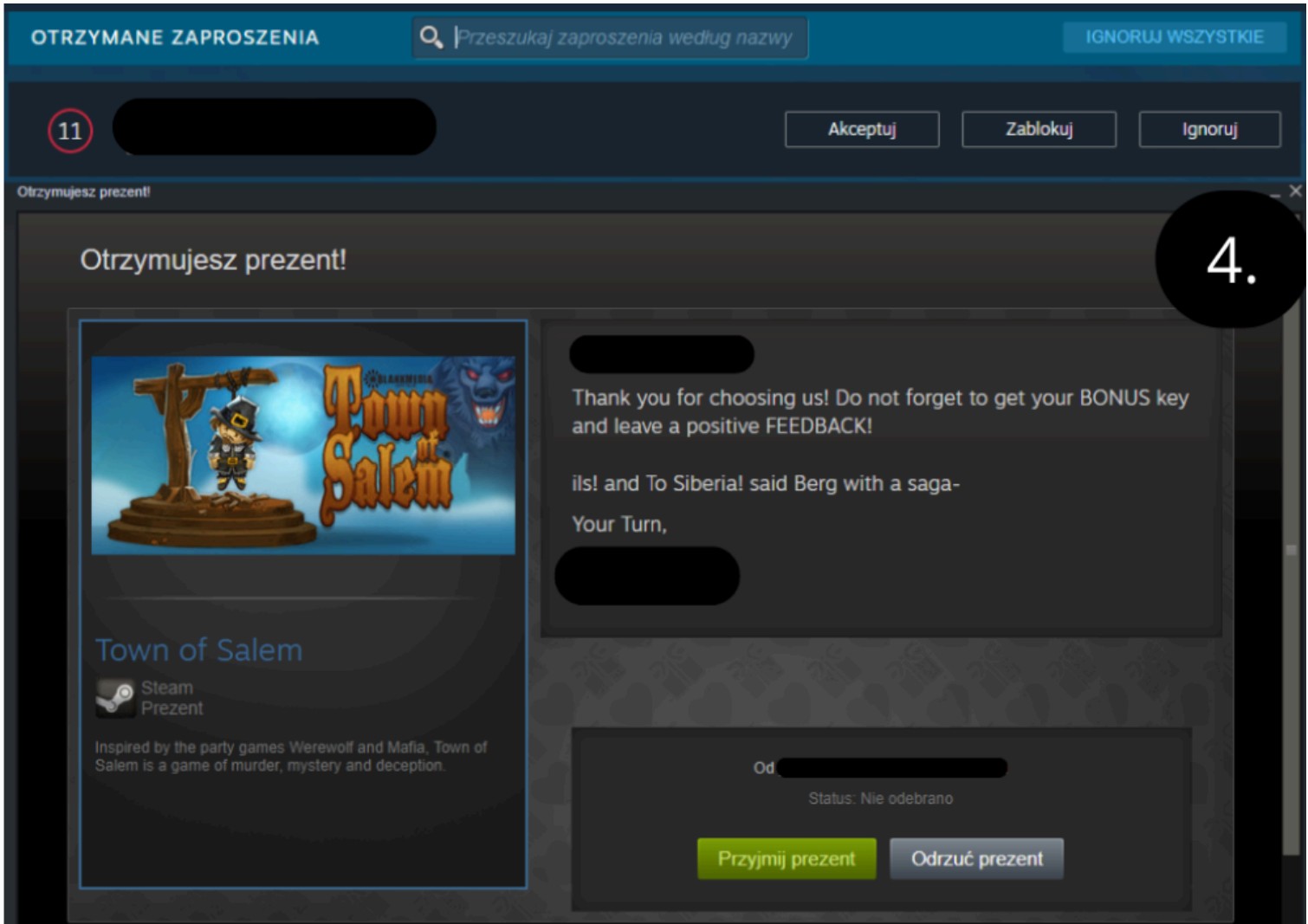
4. Accept the gift. The game will appear in your library within 1 to 2 minutes.
If you run into any issues during activation, contact Gameseal support directly.