





















































































































GOG.com
1
Accedi a GOG.com:
- Visita il sito web ufficiale di GOG all'indirizzo www.gog.com.
2
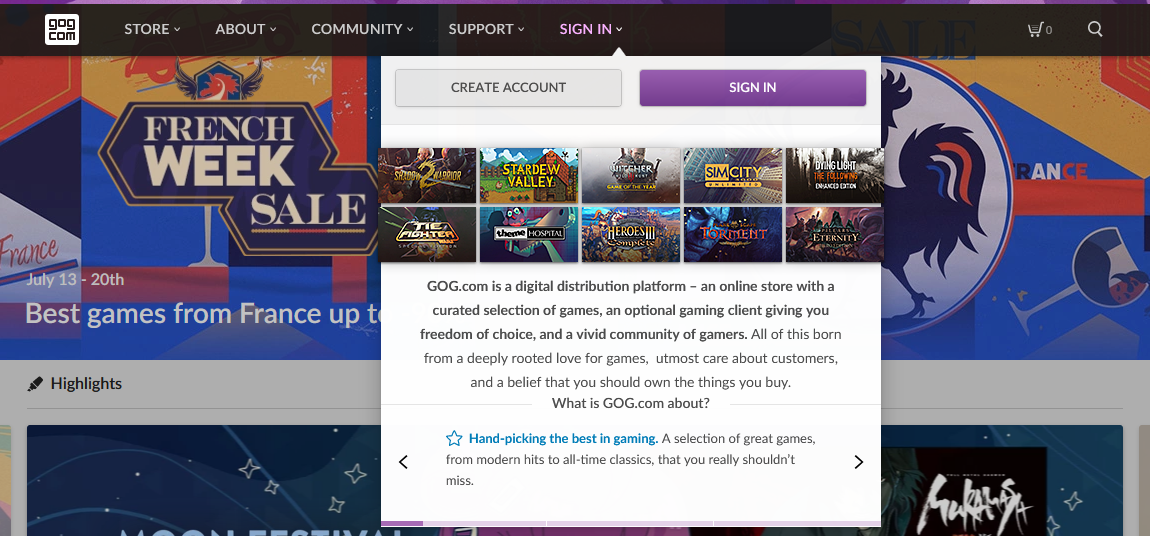
Accedi al tuo account:
- Clicca sul pulsante "Accedi", solitamente situato nell'angolo in alto a destra della pagina.
- Se non hai ancora un account GOG, dovrai crearne uno cliccando sull'opzione "Registrati".
3
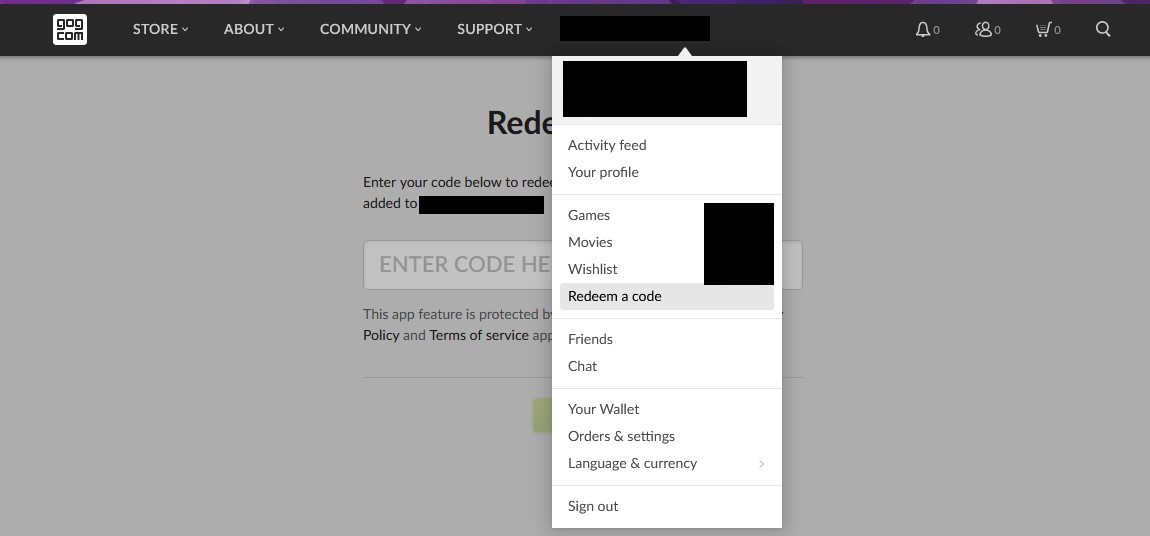
Accedi alla pagina di riscatto:
- Una volta effettuato l'accesso, vai direttamente alla pagina di riscatto visitando www.gog.com/redeem, oppure puoi trovare l'opzione "Riscatta codice" nel menu a tendina dell'account o nella dashboard del tuo account.
4
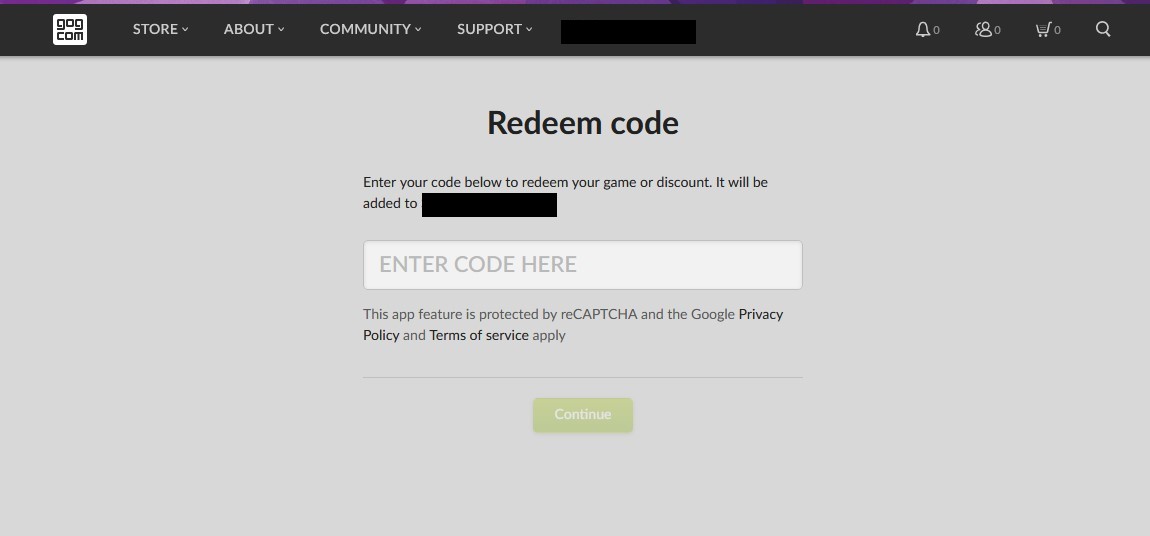
Inserisci il tuo codice:
- Digita il codice che hai ricevuto nell'apposito campo. Assicurati di inserirlo esattamente come appare, poiché questi codici distinguono tra maiuscole e minuscole.
- Digita il codice che hai nella casella fornita. Assicurati di inserirlo esattamente come appare, poiché questi codici distinguono tra maiuscole e minuscole.
5
Conferma il riscatto:
- Dopo aver inserito il codice, GOG ti mostrerà quale gioco o prodotto stai per aggiungere al tuo account. Verifica che sia corretto e clicca su "Continua" o su un pulsante simile per finalizzare il riscatto.