



















































































GOG.com
1
Accesați GOG.com:
- Vizitați site-ul oficial GOG la adresa www.gog.com.
2
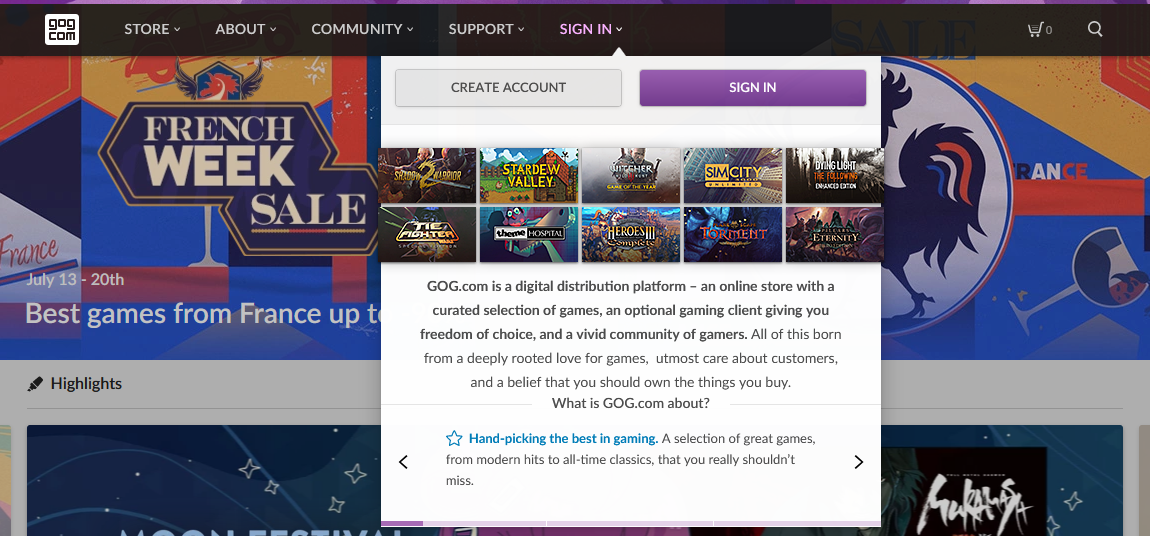
Conectați-vă la contul dvs.:
- Faceți clic pe butonul „Conectare”, situat de obicei în colțul din dreapta sus al paginii.
- Dacă nu aveți încă un cont GOG, va trebui să creați unul făcând clic pe opțiunea „Înregistrare”.
3
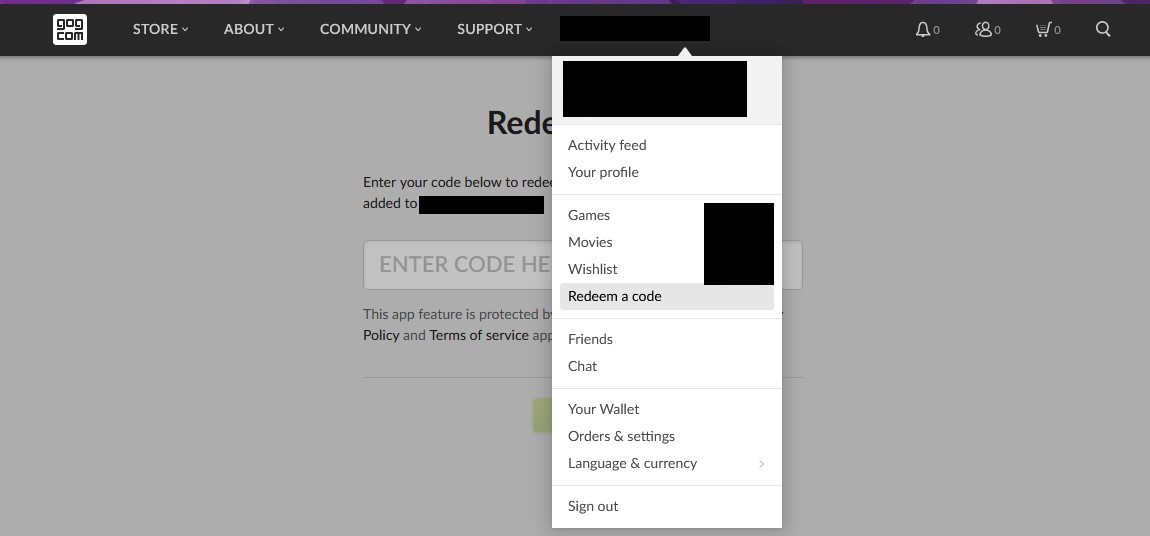
Accesați pagina de răscumpărare:
- După ce v-ați conectat, accesați direct pagina de răscumpărare vizitând www.gog.com/redeem sau, de obicei, puteți găsi opțiunea „Răscumpărați codul” în meniul derulant al contului sau în panoul de control al contului.
4
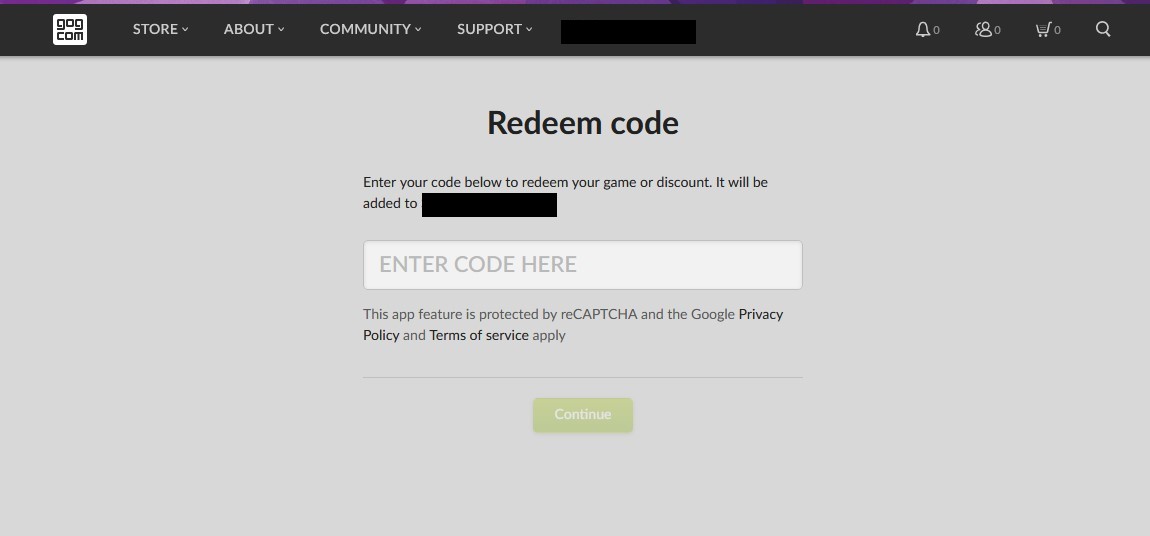
Introduceți codul:
- Introduceți codul pe care îl aveți în caseta furnizată. Asigurați-vă că îl introduceți exact așa cum apare, deoarece aceste coduri sunt sensibile la majuscule și minuscule.
- Introduceți codul pe care îl aveți în caseta prevăzută în acest scop. Asigurați-vă că îl introduceți exact așa cum apare, deoarece aceste coduri sunt sensibile la majuscule și minuscule.
5
Confirmă răscumpărarea:
- După introducerea codului, GOG îți va arăta jocul sau produsul pe care urmează să îl adaugi în contul tău. Verifică dacă este corect și apasă pe „Continuă” sau pe un buton similar pentru a finaliza răscumpărarea.