JetonCash-Karte
1
Besuchen Sie eine teilnehmende Website:
- Gehen Sie auf eine Website, die JetonCash als Zahlungsmethode akzeptiert.
2
Wählen Sie Jeton als Zahlungsmethode:
- Wählen Sie während des Bezahlvorgangs Jeton als gewünschte Zahlungsmethode.
3
Geben Sie die Gutscheindetails an:
- Geben Sie den eindeutigen 19-stelligen Gutscheincode und den Wert des Gutscheins ein.
4
Abschicken:
- Geben Sie die Details ein, um die Zahlung abzuschließen.
5
Laden Sie Ihr Jeton-Wallet-Guthaben auf:
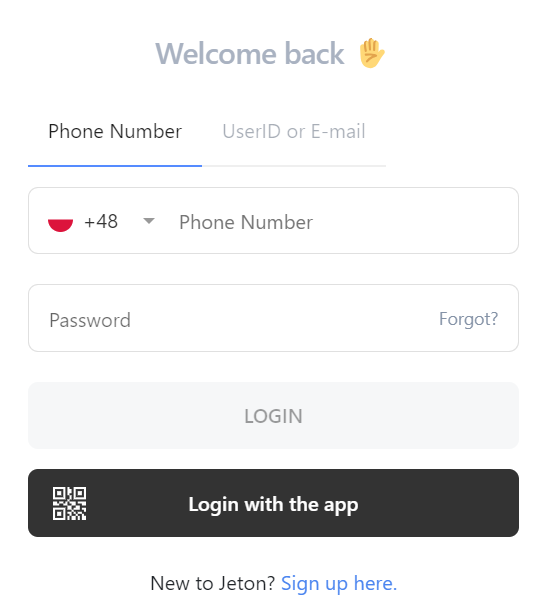
Melden Sie sich bei Ihrem Jeton-Konto an:
- Greifen Sie auf Ihr Jeton-Konto online oder über die Jeton-App zu.

6
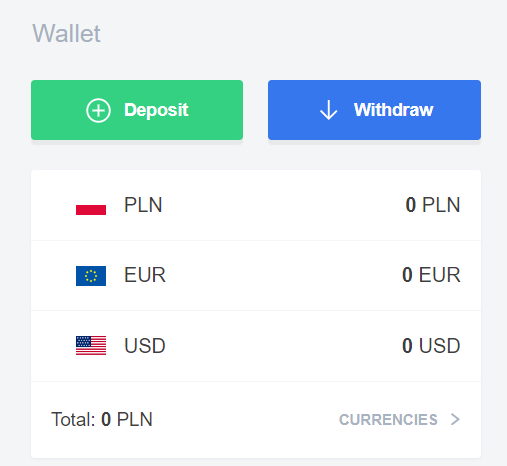
Wählen Sie die Option "Einzahlung":
- Wählen Sie auf dem Startbildschirm oder im Menü "Wallet" in der App die Option "Einzahlung".
7
Wählen Sie Jeton Card:
- Wählen Sie "Jeton Card" als Ihre Einzahlungsmethode.
8
Einzahlungsbetrag eingeben:
- Geben Sie den Betrag an, den Sie auf Ihr Jeton Wallet einzahlen möchten.
9
Klicken Sie auf "Weiter":
- Fahren Sie fort, indem Sie auf die Schaltfläche "Weiter" klicken.
10
Gutscheindetails eingeben:
- Geben Sie Ihre Gutscheinnummer, den Sicherheitscode und das Ablaufdatum ein.
11
Schließen Sie die Transaktion ab :
- Klicken Sie auf "Abschließen", um die Einzahlung abzuschließen.