





































































































Aktivierungsleitfäden

Zurück

Google Play

1

Anmelden:

  • Folgen Sie diesem Link, um ein neues Google-Konto zu erstellen oder sich bei Ihrem bestehenden Konto anzumelden.
2

Melden Sie sich bei Google Play an:

  • Folgen Sie diesem Link und melden Sie sich mit Ihrem Google-Konto im Google Play Store an.
3

Gehen Sie zu Ihrem Konto:

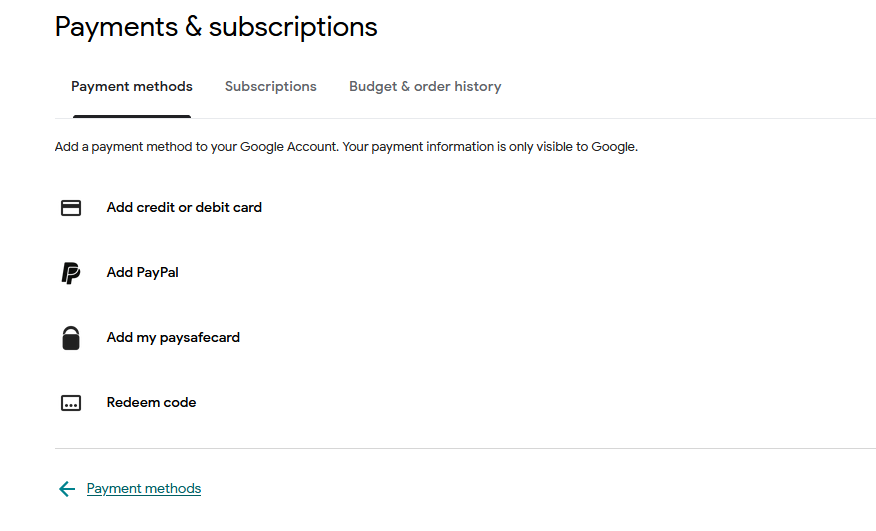
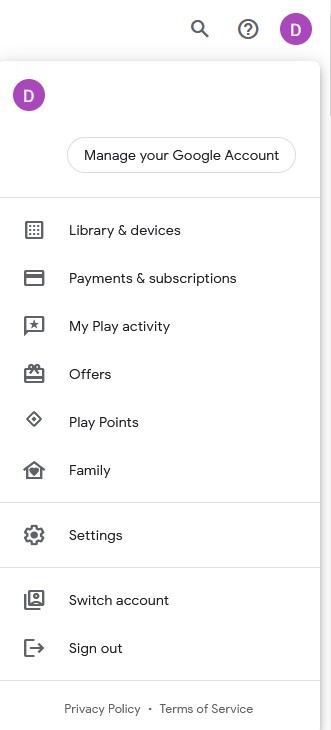
  • Navigieren Sie zur oberen rechten Ecke der Website und klicken Sie auf den Avatar Ihres Kontos.
  • Wählen Sie die Option "Zahlungen und Abonnements" aus dem Dropdown-Menü.
4

Fügen Sie eine Zahlungsmethode hinzu:

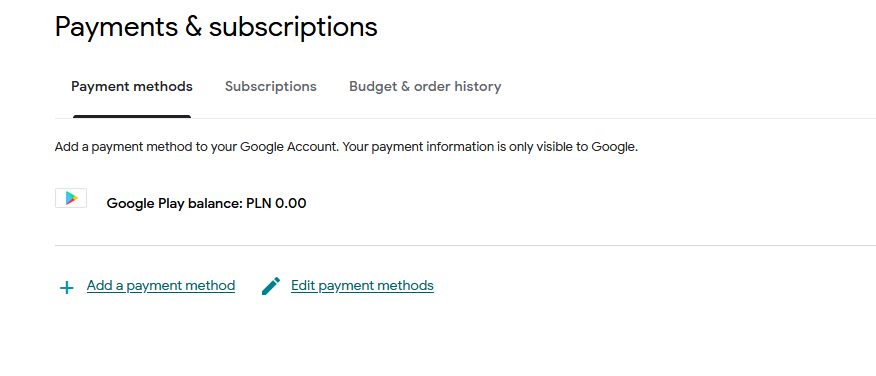
  • Klicken Sie im Bereich Zahlungen und Abonnements auf "Zahlungsmethode hinzufügen".
  • Wählen Sie die Option "Code einlösen".
5

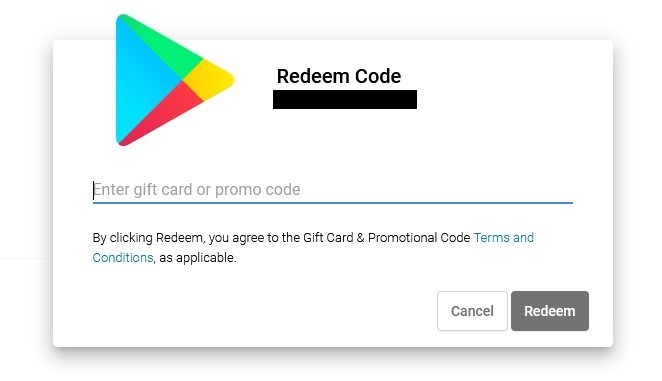
Wählen Sie Code einlösen:

  • Geben Sie Ihren Google Play-Geschenkcode in das entsprechende Feld ein.
Google Play Gift Card 10 EUR
-5%
Google Play Google Play
Google Play
DEUTSCHLAND
10,00 € 9,53 €
8,67 € mit
Google Play Gift Card 5 EUR
Google Play Google Play
Google Play
DEUTSCHLAND
5,03 €
4,58 € mit
Google Play Gift Card 1 GBP
-77%
Google Play Google Play
Google Play Gift Card 1 GBP
Vereinigtes Königreich
Google Play
VEREINIGTES KÖNIGREICH
1,49 € 0,35 €
0,32 € mit
Google Play Gift Card 15 EUR
-7%
Google Play Google Play
Google Play
EU
15,00 € 13,92 €
12,67 € mit
Google Play Gift Card 200 MXN
-22%
Google Play Google Play
Google Play
MEXIKO
12,99 € 10,07 €
9,16 € mit
Google Play Gift Card 1000 INR
-46%
Google Play Google Play
Google Play
INDIEN
16,99 € 9,23 €
8,40 € mit
Google Play Gift Card 500 INR
-40%
Google Play Google Play
Google Play
INDIEN
6,99 € 4,22 €
3,84 € mit
Google Play Gift Card 5 GBP
-2%
Google Play Google Play
Google Play Gift Card 5 GBP
Vereinigtes Königreich
Google Play
VEREINIGTES KÖNIGREICH
5,99 € 5,86 €
5,33 € mit
Google Play Gift Card 100 IRN
-52%
Google Play Google Play
Google Play
INDIEN
1,99 € 0,95 €
0,86 € mit
Google Play Gift Card 50 BRL
-21%
Google Play Google Play
Google Play
BRASILIEN
9,49 € 7,47 €
6,80 € mit