


Grubhub-Geschenkkarte
1
1. Lösen Sie Ihre Geschenkkarte im Webbrowser ein:
Melden Sie sich bei Ihrem Konto an
- Rufen Sie die Grubhub-Website auf und melden Sie sich bei Ihrem Konto an.
2
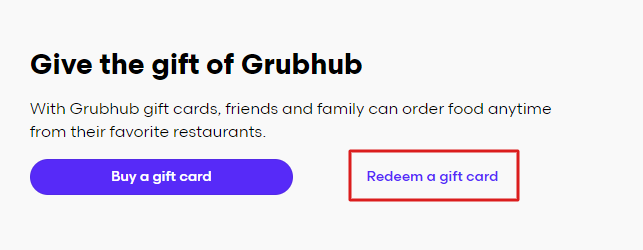
Wählen Sie Geschenkkarte einlösen:
- Navigieren Sie zum Kontomenü und wählen Sie die Option "Einen Geschenkgutschein einlösen".
3
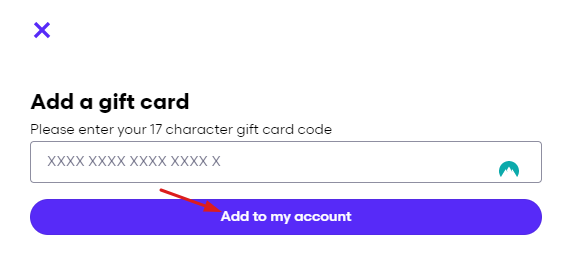
Geben Sie Ihren Geschenkkartencode ein:
- Geben Sie den Gutscheincode in das vorgesehene Feld ein und wählen Sie "Zu meinem Konto hinzufügen".
4
2. Lösen Sie Ihre Geschenkkarte in der App ein:
Mein Grubhub öffnen
- Tippen Sie auf "Mein Grubhub".
5
Zugang zu den Einstellungen:
- Wählen Sie das Zahnradsymbol in der oberen rechten Ecke.
6
Wählen Sie Geschenkkarten:
- Tippen Sie auf "Geschenkkarten".
7
Eine Geschenkkarte einlösen:
- Wählen Sie "Geschenkkarte einlösen".
8
Geben Sie Ihren Geschenkkartencode ein:
- Befolgen Sie die Anweisungen, um Ihren Geschenkkartencode einzugeben und das Guthaben Ihrem Konto hinzuzufügen.


