































































































Aktivierungsleitfäden

Zurück

Uber Eats Geschenkkarte

1

Öffnen Sie den Bereich "Konto":

  • Öffnen Sie die Uber Eats-App und navigieren Sie zum Abschnitt "Konto".
2

Zugang zur Brieftasche:

  • Wählen Sie im Menü "Konto" die Option "Brieftasche".
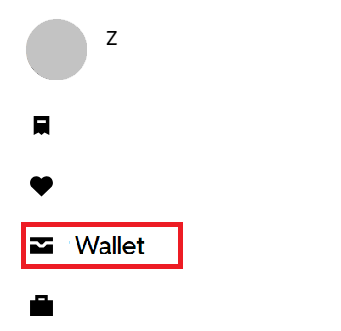
3

Guthaben hinzufügen:

  • Wählen Sie "+ Gelder hinzufügen" im Bereich der Uber Cash-Karte
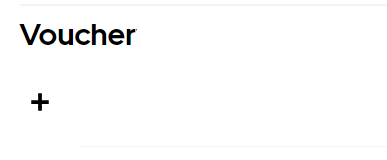
4

Geschenkcode eingeben:

  • Geben Sie Ihren Geschenkcode in das vorgesehene Feld ein.
5

Fügen Sie den Code hinzu:

  • Wählen Sie "Hinzufügen", um das Guthaben der Geschenkkarte auf Ihr Uber Cash anzuwenden.
Forza Horizon 6 Standard Edition (PC/ Xbox Series X|S)
-25%
Microsoft Store Microsoft Store
Microsoft Store
GLOBAL
69,99 € 52,21 €
45,42 € mit
Xbox Game Pass Ultimate - 1 Month Non-Stackable
-59%
Microsoft Store Microsoft Store
Microsoft Store
GLOBAL
26,99 € 10,99 €
9,34 € mit
Gothic 1 Remake (PC)
-44%
Steam Steam
Steam
GLOBAL
49,99 € 27,99 €
23,79 € mit
MECCHA CHAMELEON (PC)
-55%
Steam Account Steam Account
Steam Account
GLOBAL
6,15 € 2,79 €
2,37 € mit
1x Master Mystery Steam Key
-33%
Steam Steam
Steam
GLOBAL
5,99 € 3,99 €
3,39 € mit
EA SPORTS FC 26 (PC)
-98%
Steam Account Steam Account
Steam Account
GLOBAL
69,99 € 1,59 €
1,35 € mit
YouTube Premium 12 Months Subscription
-50%
YouTube YouTube
YouTube
GLOBAL
158,99 € 79,99 €
69,59 € mit