Xbox Live
1
Erstellen Sie Ihr Xbox/Microsoft-Konto oder melden Sie sich an:
- Gehen Sie zu Xbox/Microsoft-Kontoanmeldung.
- Erstellen Sie ein neues Konto oder melden Sie sich bei Ihrem bestehenden Konto an.

2
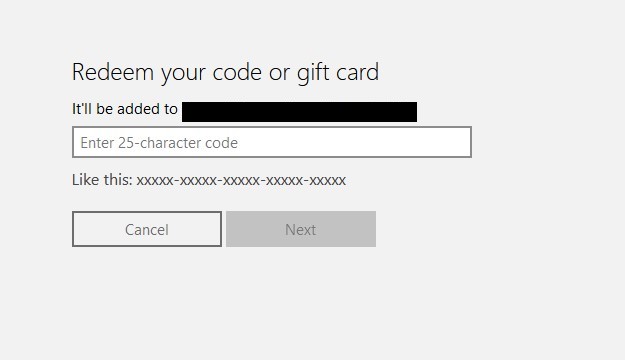
Lösen Sie Ihren Xbox Live-Code ein:
- Folgt diesem Link: Xbox Live-Code einlösen.
- Geben Sie Ihren Code in das vorgesehene Feld ein.
- Bestätigen Sie die Aktivierung, indem Sie die Anweisungen auf dem Bildschirm befolgen.
3
4
5