DC: Dark Legion Direct Top-Up Activation Guide
1
Seleccionar el importe:
- Elige la cantidad de Planet Coins que deseas comprar.
- Confirma la selección antes de continuar.
2
Introducir los datos de la cuenta:
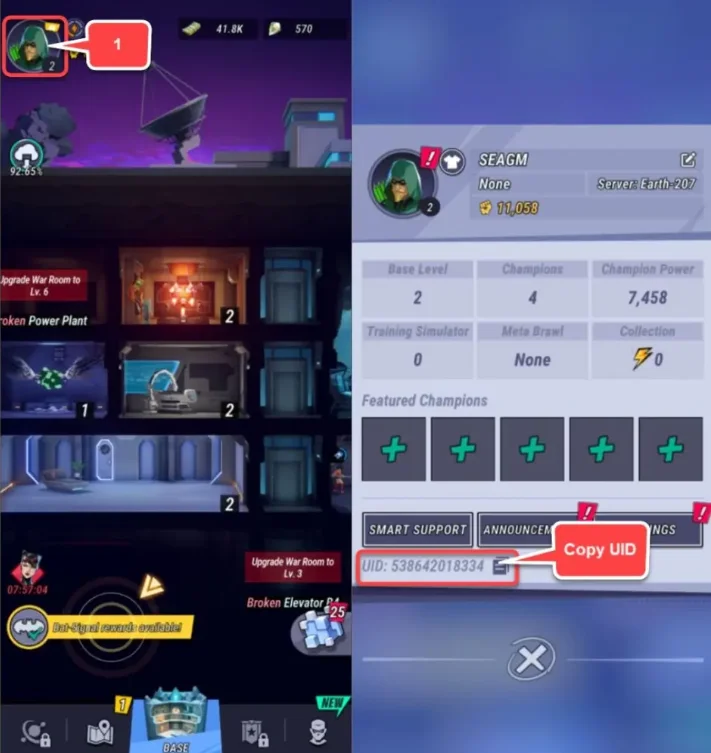
- Introduce tu UID en el campo correspondiente.
- Inicia sesión y toca el icono de perfil en la esquina superior izquierda.
- Tu UID se mostrará en la pantalla de perfil.
3
Completar el pago:
- Continúa al pago después de introducir los datos.
- Selecciona el método de pago y confirma la transacción.
4
Recibir Planet Coins:
- Tras el pago, los Planet Coins se añadirán a tu cuenta.
- La recarga se procesa en poco tiempo.