.svg?ts=1784202499)
Jawaker Direct Top-Up Activation Guide
1
Wybierz kwotę:
- Wybierz liczbę Tokens, którą chcesz kupić.
- Sprawdź wybór przed kontynuacją.
2
Wprowadź dane konta:
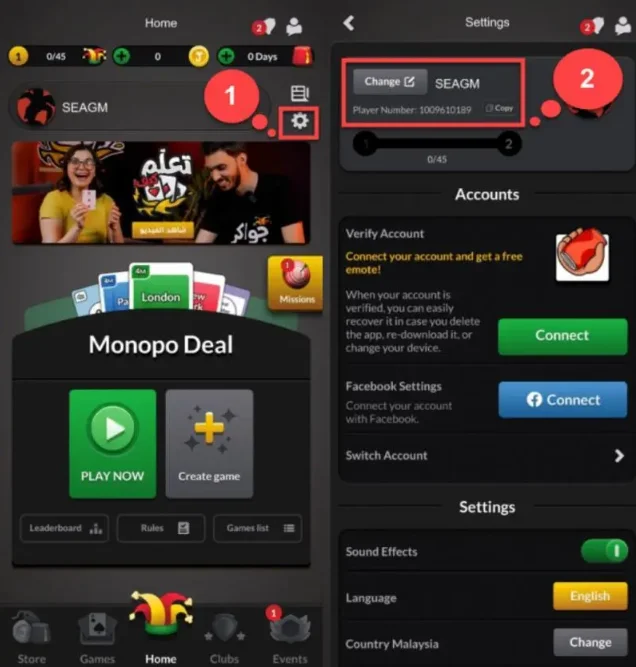
- Podaj swój Jawaker Player Number w odpowiednim polu.
- Zaloguj się do gry i otwórz System Settings.
- Twój Player Number będzie widoczny w ustawieniach.
3
Zakończ płatność:
- Przejdź do płatności po wprowadzeniu danych.
- Wybierz metodę płatności i potwierdź transakcję.
4
Odbierz Tokens:
- Po udanej płatności Tokens zostaną dodane do konta.
- Doładowanie jest zazwyczaj szybkie.