Mobile Legends
1
Log in to Your Mobile Legends Account:
- Go to the Mobile Legends website and log in to your account. You can find the login icon in the upper left corner of the homepage.

2
Access the Redemption Menu:
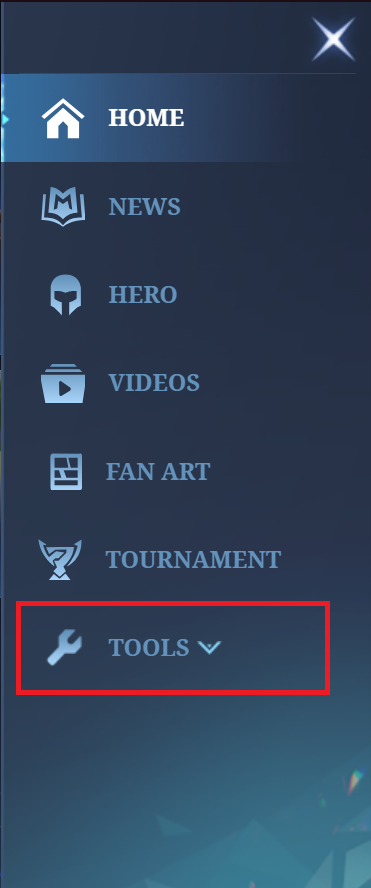
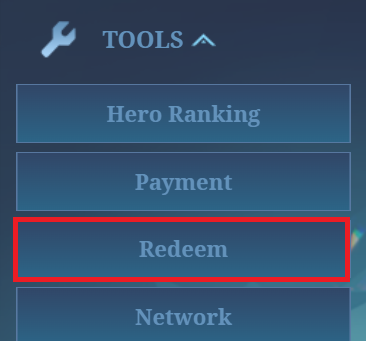
- On the right side, you’ll see a drop-down menu. Expand it, click on Tools, and then select Redeem.
3
Enter Gift Card Code and Game Details:
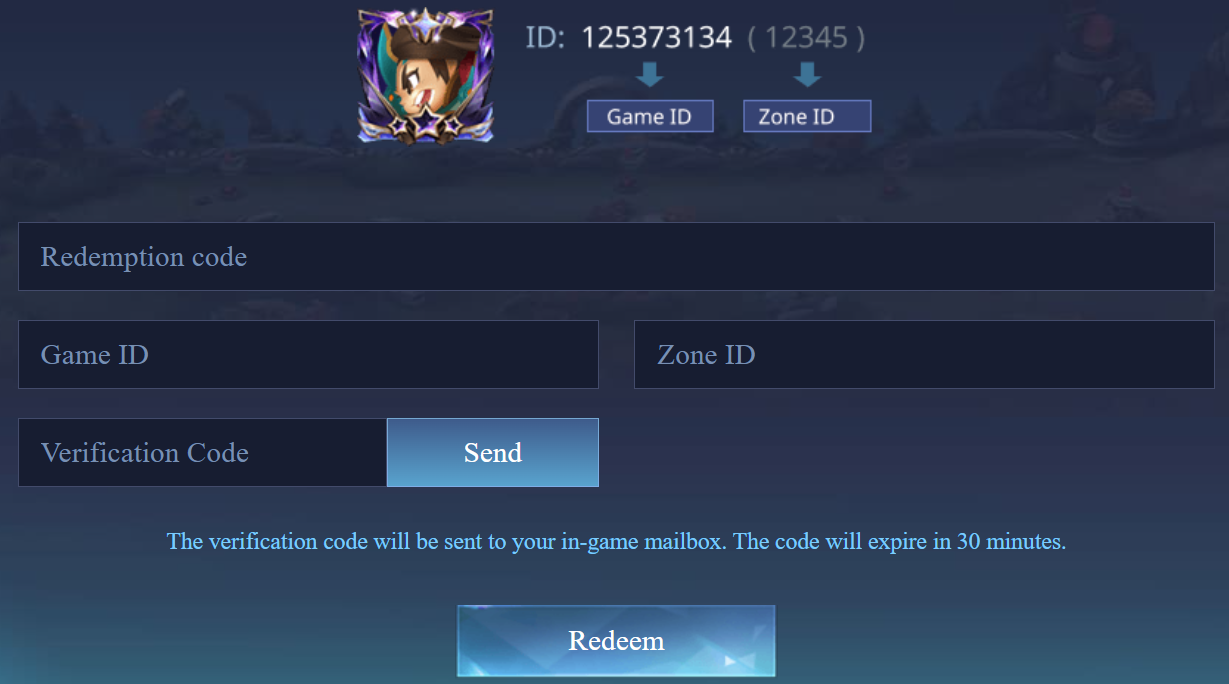
- Fill in your activation code from the gift card, along with your game details such as your player ID.
4
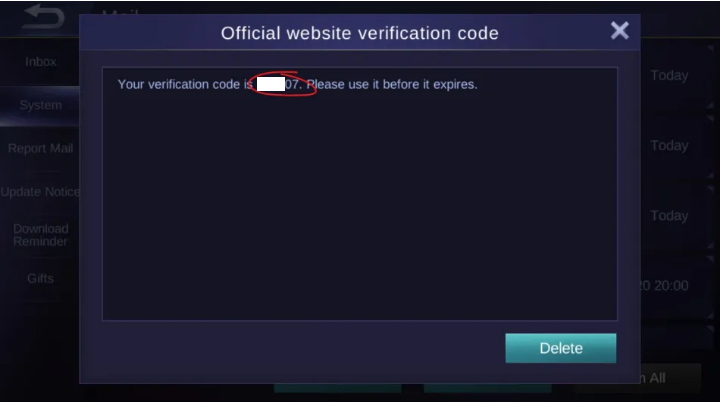
Retrieve Verification Code:
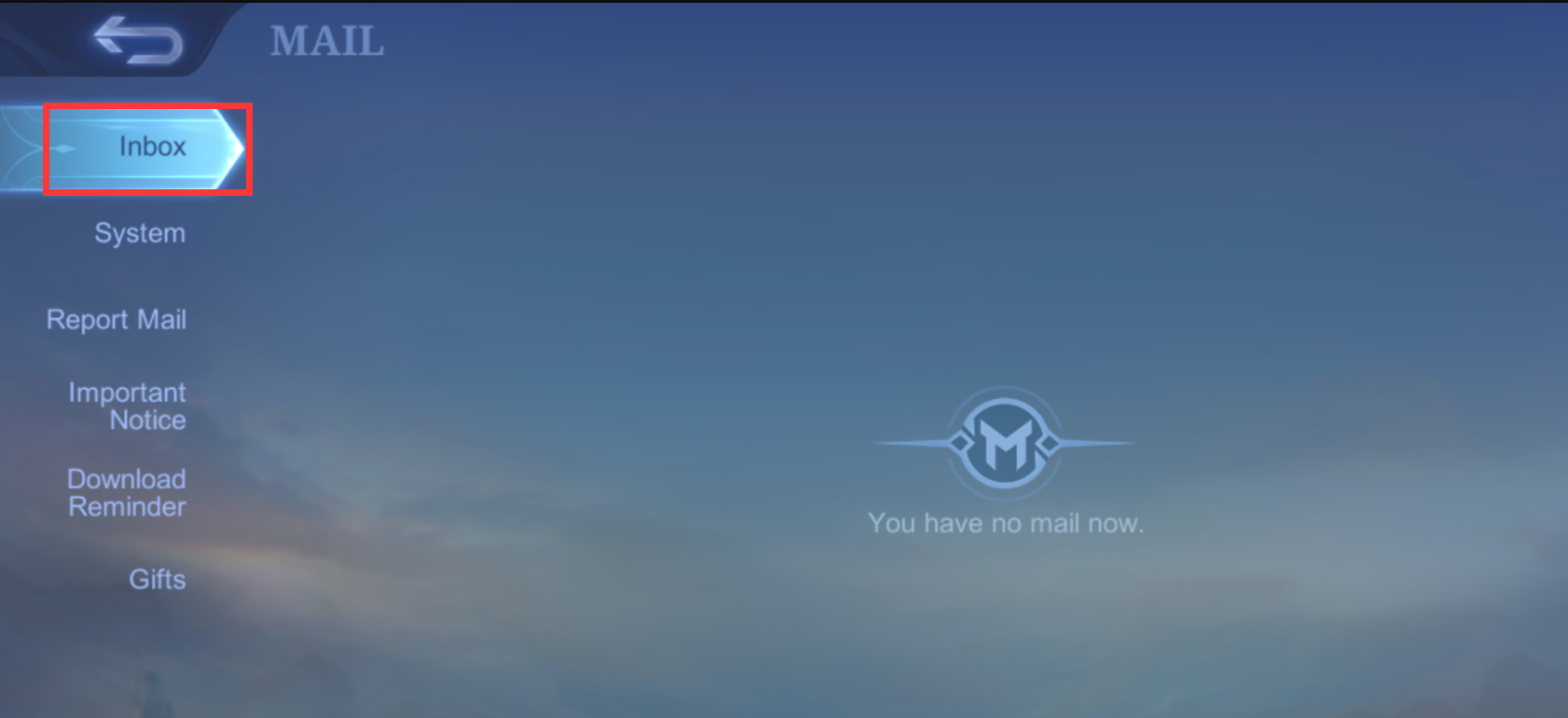
- After clicking Send, log in to the game and open the in-game mailbox to retrieve your verification code.
5
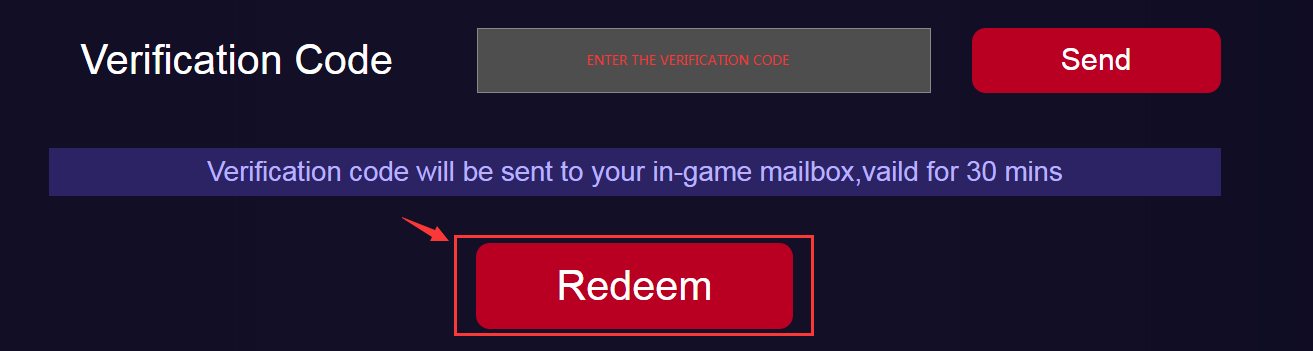
Enter Verification Code:
- Go back to the Redemption Page, input the verification code, and click on Redeem to complete the process.
6
Receive Diamonds in the Game:
- Once the redemption process is completed, the diamonds will be added directly to your game account.