Sky: Children of the Light Direct Top-Up Activation Guide
1
Select top-up amount:
- Choose the number of Candles you want to purchase.
- Confirm your selection before proceeding.
2
Enter account details:
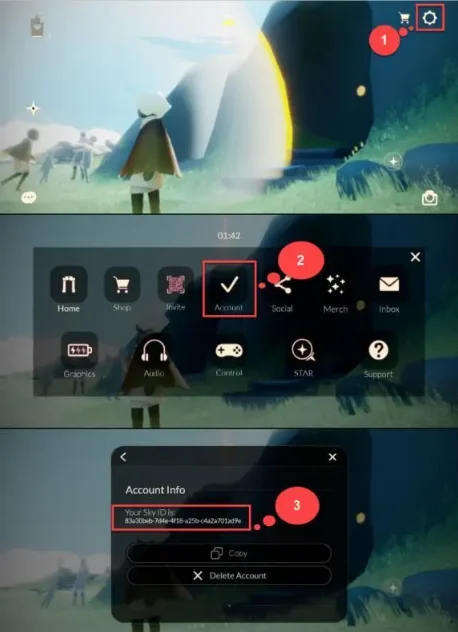
- Provide your Sky ID in the required field.
- To find it, log in to the game and open Settings from the top-right corner.
- Tap the Account option to view your Sky ID.
3
Complete payment:
- Proceed to checkout after entering your details.
- Select your preferred payment method and confirm the transaction.
4
Receive Candles:
- After successful payment, the Candles will be added to your account.
- The top-up is usually processed shortly.