EVE Echoes Activation Guide
1
Select the AUR amount:
- Choose the AUR denomination you want to purchase for EVE Echoes.
- Make sure the selected amount is intended for the correct game account.
2
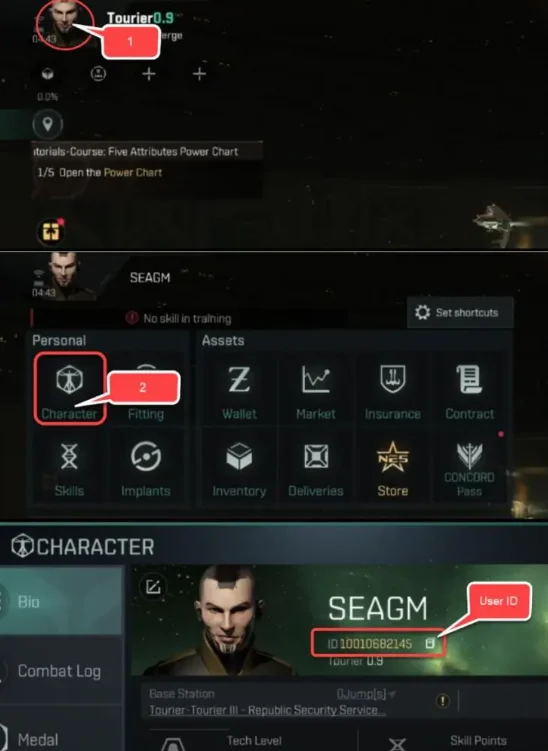
Enter your User ID and Server:
- Log in to EVE Echoes and tap the Avatar icon in the upper-left corner.
- Open the Character section from the first icon in the menu.
- Find your User ID and Server on the screen and enter them in the required fields.
3
Complete the payment:
- Check the selected AUR amount and confirm the User ID and Server.
- Select your payment method and confirm the order.
4
Receive AUR in game:
- After the payment is processed, the AUR will be added to your EVE Echoes account.
- Open the game and check your balance to confirm the top-up.