JinJinJin Direct Top-Up Activation Guide
1
Select Coins:
- Choose the desired JinJinJin Coins package.
- Confirm the selected amount before proceeding.
2
Enter User ID:
- Enter your JinJinJin User ID in the required field.
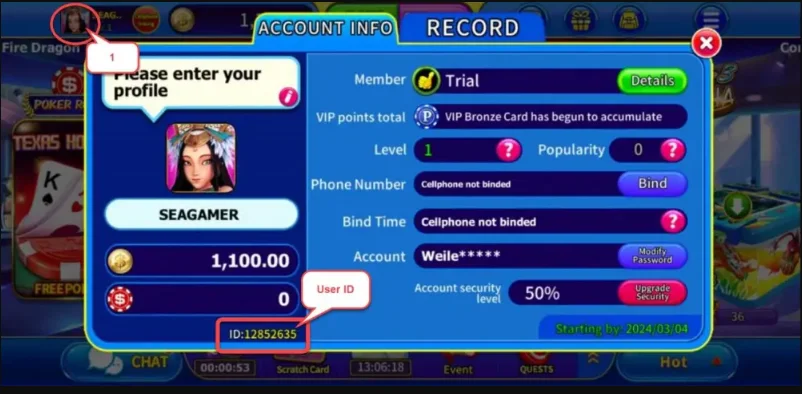
- To find it, log in to the game and click the profile icon in the top-left corner.
- Your User ID will be displayed on the screen.
3
Complete Payment:
- Proceed to checkout after entering your details.
- Select your payment method and confirm the purchase.
4
Receive Coins:
- After payment is completed, the Coins will be credited to your account shortly.
- Check your in-game balance to confirm the top-up.