Jujutsu Kaisen Phantom Parade Activation Guide
1
Select Paid Cube:
- Choose the Paid Cube amount you want to purchase in Jujutsu Kaisen Phantom Parade.
- Check your selection before continuing.
2
Enter Player ID and Server:
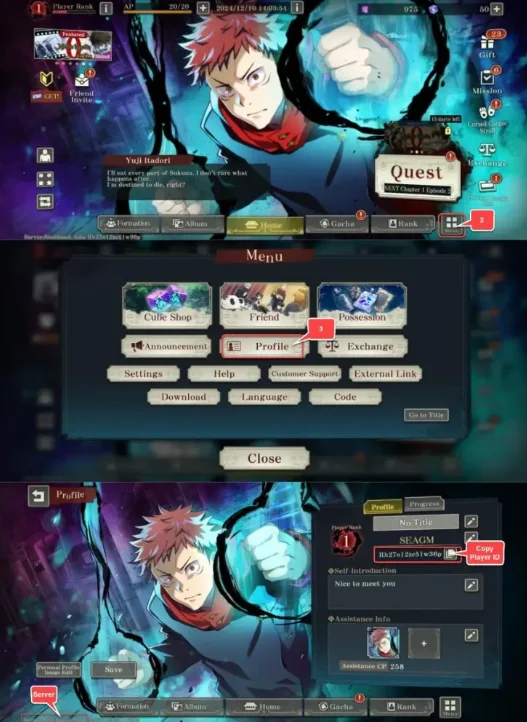
- Enter your Player ID and select the correct server.
- To find them, log in to the game, tap the Menu icon in the bottom-right corner, then open Profile to view your details.
3
Complete Payment:
- Proceed to checkout after entering your account information.
- Select your payment method and confirm the order.
4
Receive Paid Cube:
- Wait for the payment to be processed.
- Your purchased Paid Cube will be credited to your account shortly.