Xena Live Activation Guide
1
Select the Coins Denomination:
- Select the desired Coins denomination.
2
Enter Your User ID:
- Enter your Xena - Group Voice Party User ID.
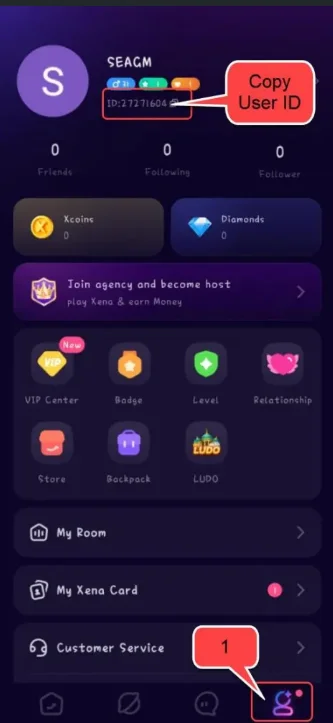
- To find your User ID, log in to your account and tap the "Profile" icon at the bottom right corner. Your User ID will be displayed on this page.
3
Complete the Payment:
- Proceed to checkout and select your preferred payment method.
- Complete the payment for your selected Coins denomination.
4
Receive Your Coins:
- Once the payment is successful, the Xena - Group Voice Party Coins will be credited to your account shortly.