

































































































GOG.com
1
Access GOG.com:
- Visit the official GOG website at www.gog.com.

2
Log in to Your Account:
- Click on the 'Log In' button, usually located at the top right corner of the page.
- If you don't have a GOG account yet, you'll need to create one by clicking on the 'Sign Up' option.
3
Navigate to the Redeem Page:
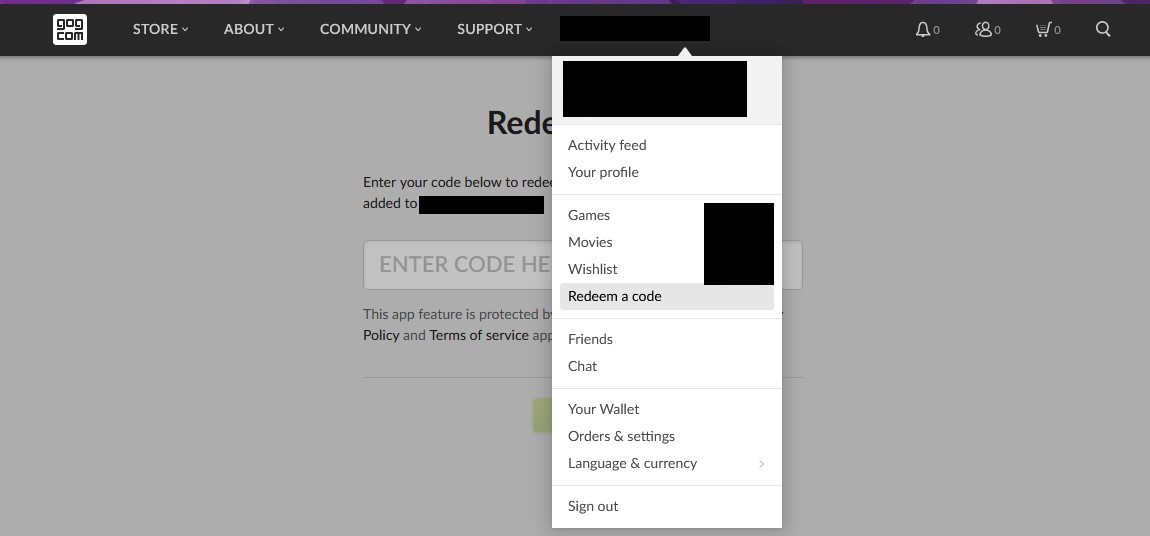
- Once logged in, go to the redeem page directly by visiting www.gog.com/redeem, or you can usually find a 'Redeem Code' option on the account dropdown menu or within your account dashboard.
4
Enter Your Code:
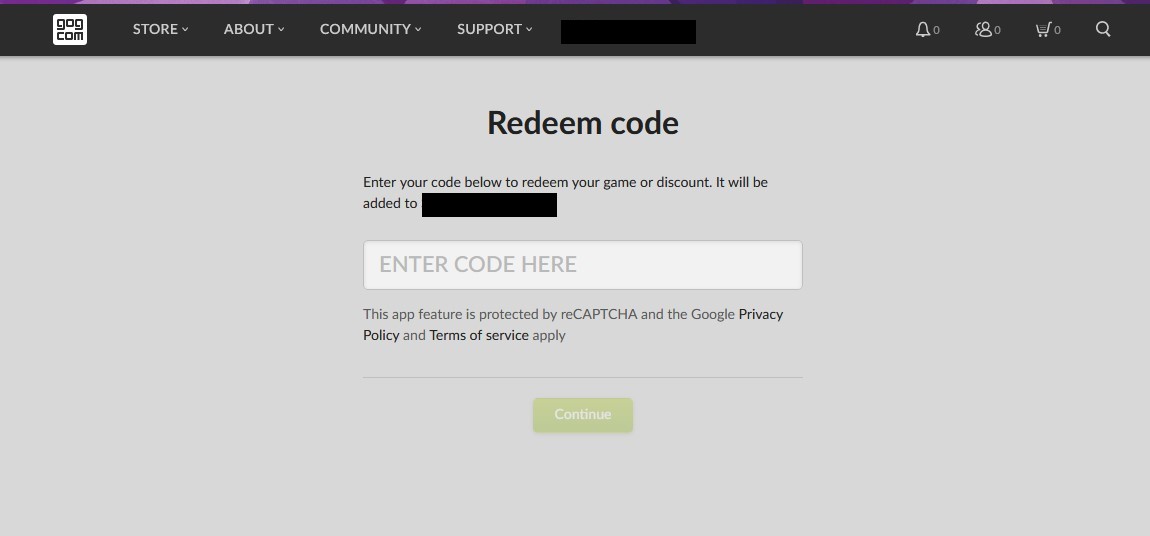
- Type in the code you have in the provided box. Ensure you enter it exactly as it appears, as these codes are case-sensitive.
- Type in the code you have in the provided box. Ensure you enter it exactly as it appears, as these codes are case-sensitive.
5
Confirm Redemption:
- After entering the code, GOG will show you which game or product you're about to add to your account. Verify that it's correct and click 'Continue' or a similar button to finalize the redemption.