
































































































Steam
1
Download Steam:
- Download and install the Steam application following this link.
2
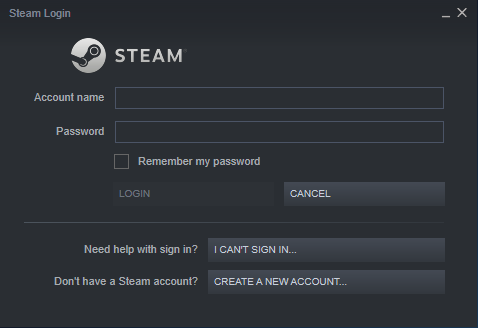
Log in:
- Launch the Steam app and create your account or login into the existing one.
3
Activate Product:
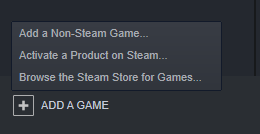
- In the bottom left corner of the Steam app, find a plus sign saying “ADD A GAME” next to it, click it and choose the “Activate a Product on Steam…” option.
4
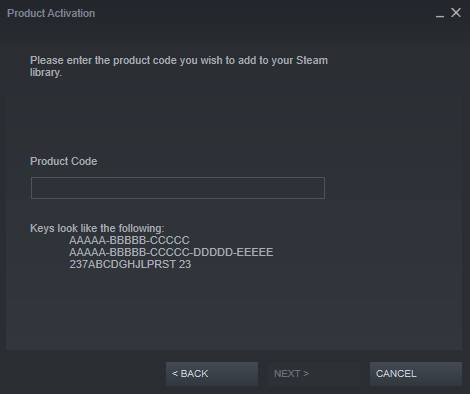
Product Activation:
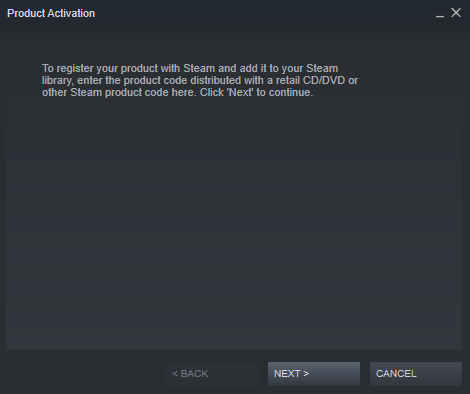
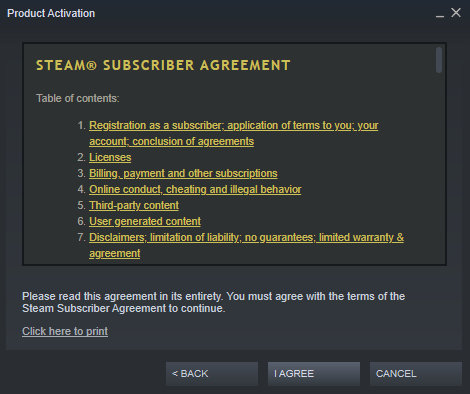
- A pop-up window saying “Product Activation” will show up. Navigate through it by clicking “NEXT >” and agreeing to the “STEAM® SUBSCRIBER AGREEMENT".
5
Confirm:
- Insert the product code and confirm its activation.