






























































































.svg)
EA App activation guide
1
Download and Install the EA App:
- If you haven’t already, download and install the EA App from the official website.
2
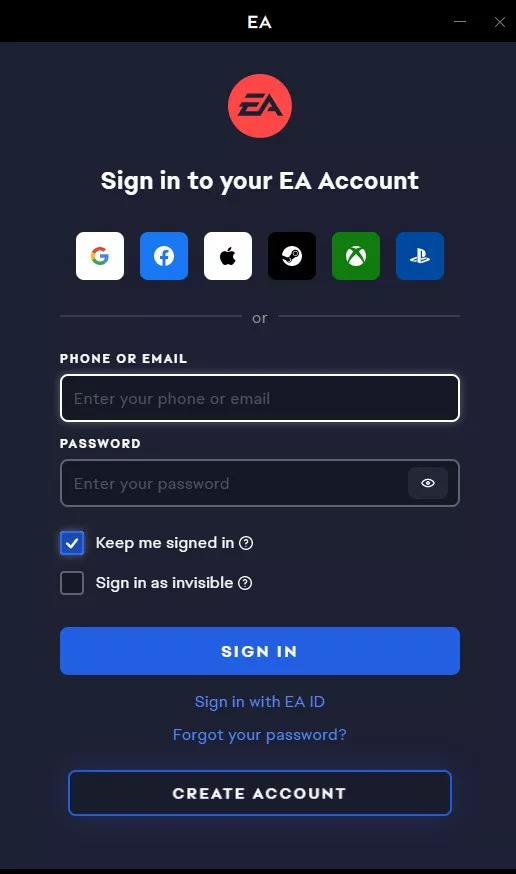
Launch and Log In:
- Start the EA App.
- Log in with your EA account. If you don't have an account, you can create one.
3
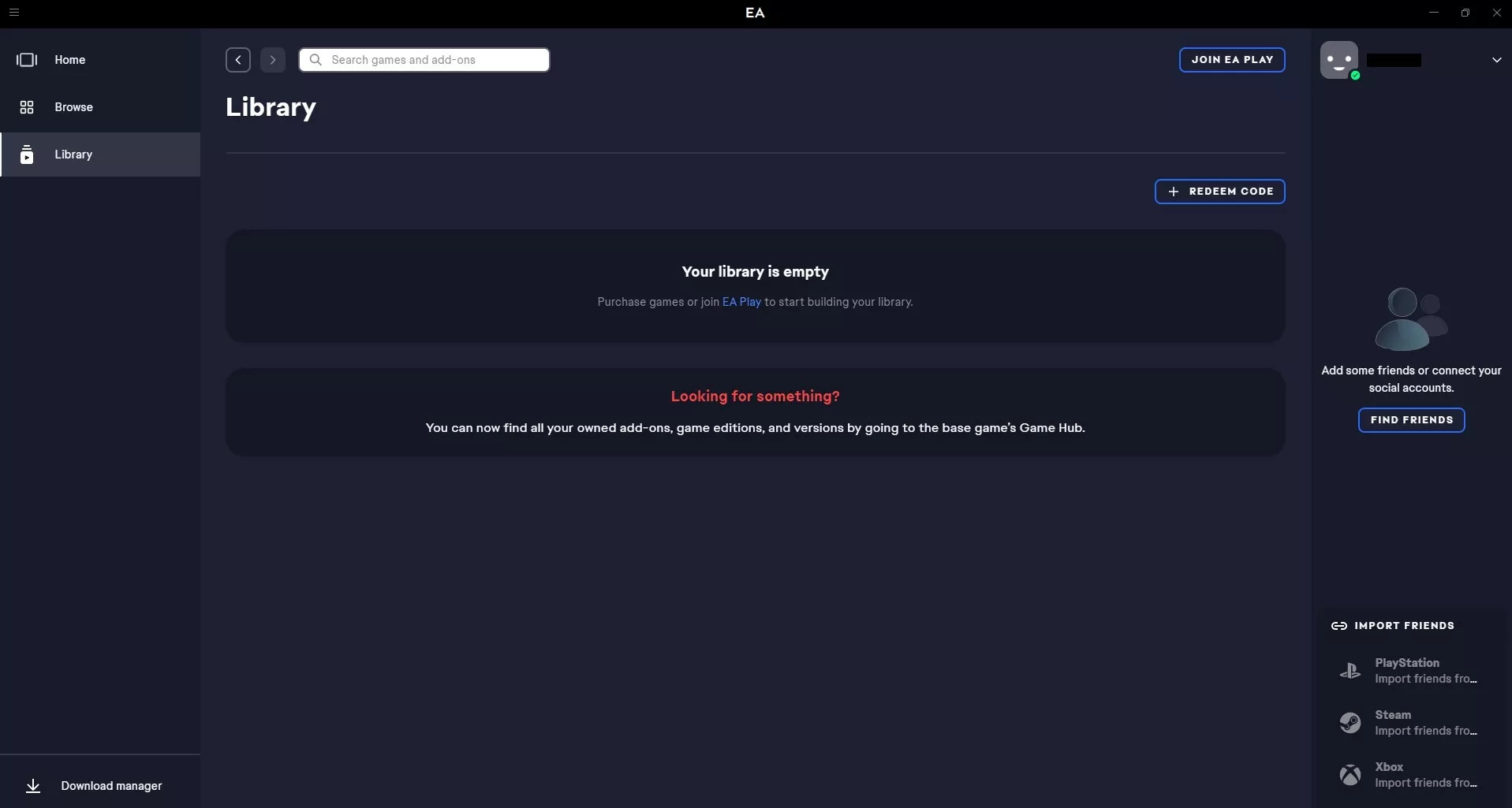
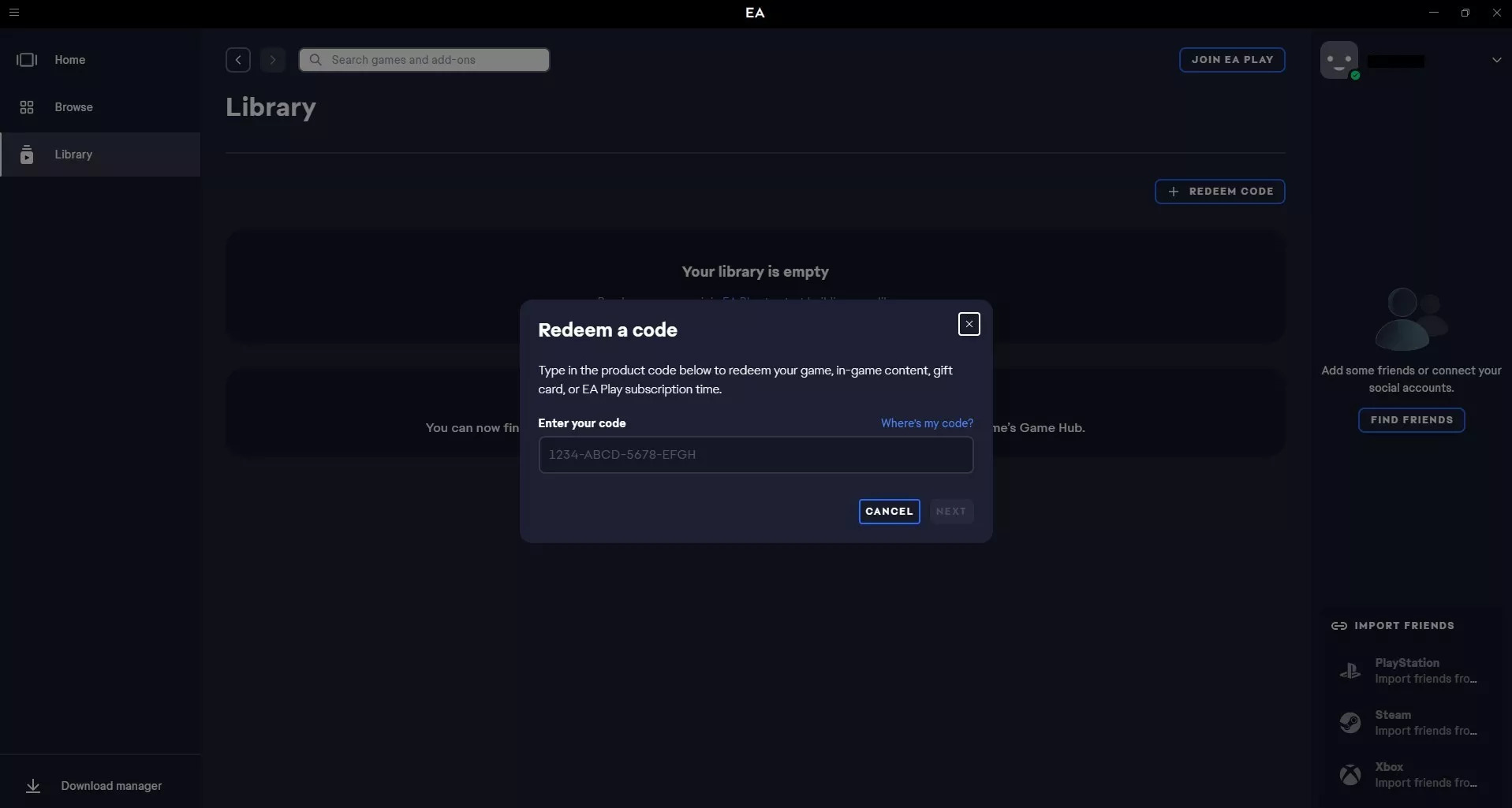
Redeem Your Game Code:
- There should be an option like "Add a Game", "Redeem a Code", or a “+” sign (or similar). Click on it.
- Enter your game code in the provided field.
4
Confirm Activation:
- After entering your code, the app will typically show you which game you're about to add. Confirm the game is correct and finalize the activation.
- The game should now appear in your library, ready for download and play.