
















































































































Flemings Prime Steakhouse und Weinbar
1
Melden Sie sich bei Ihrem Flemings Prime Steakhouse and Wine Bar-Konto an:
- Melden Sie sich auf der Website oder in der mobilen App bei Ihrem Flemings Prime Steakhouse and Wine Bar-Konto an.
2
Klicken Sie auf die Schaltfläche "Bestellen":
- Sobald Sie eingeloggt sind, klicken Sie auf die Schaltfläche "Bestellen", um Ihr Esserlebnis zu starten.
3
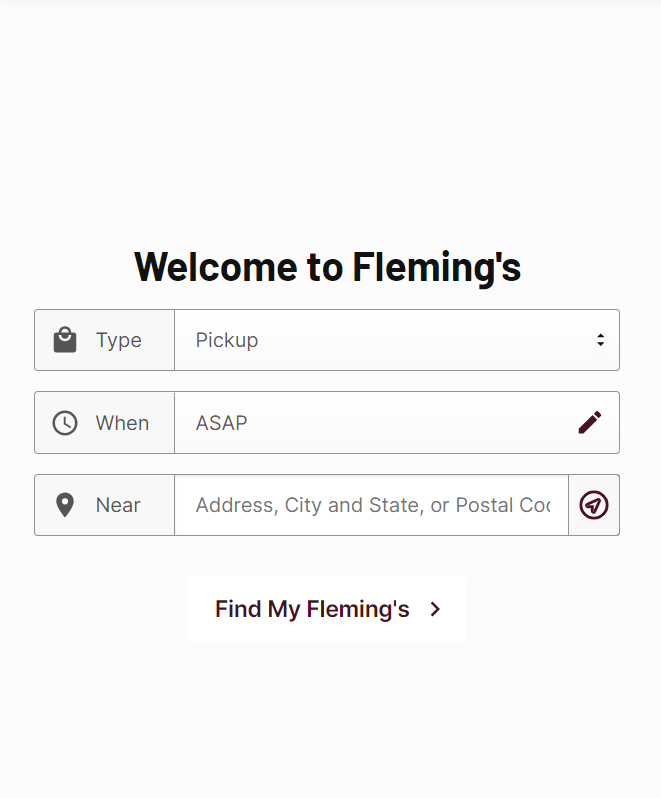
Füllen Sie die Lieferinformationen aus:
- Geben Sie die erforderlichen Lieferdaten ein und stellen Sie sicher, dass alle Informationen korrekt sind, um einen reibungslosen Bestellvorgang zu gewährleisten.
4
Wählen Sie Ihr Gericht:
- Durchsuchen Sie die Speisekarte und wählen Sie Ihr Wunschgericht aus. Klicken Sie auf "In den Warenkorb", um es in Ihre Bestellung aufzunehmen.
5
Zur Kasse gehen:
- Klicken Sie auf das Einkaufswagen-Symbol, um Ihre Auswahl zu überprüfen, und fahren Sie dann mit der Kasse fort.
6
Greifen Sie auf den Zahlungsbereich zu:
- Navigieren Sie während des Bestellvorgangs zum Abschnitt "Zahlung", um den Zahlungsvorgang zu starten.
7
Wählen Sie die Zahlungsmethode Geschenkkarte:
- Wählen Sie aus den verfügbaren Zahlungsmethoden die Option zur Bezahlung mit einer Geschenkkarte aus.
.png)
8
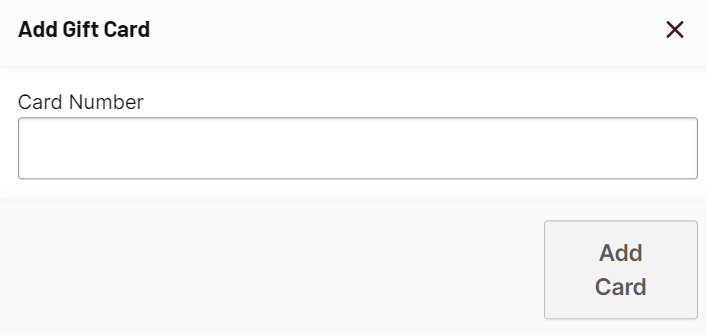
Geben Sie Ihren Geschenkkartencode ein und bestätigen Sie ihn:
- Geben Sie Ihren Geschenkkartencode in das dafür vorgesehene Feld ein und bestätigen Sie ihn, um das Guthaben auf Ihre Bestellung anzuwenden.
9
Schließen Sie Ihre Bestellung ab:
- Schließen Sie den Bestellvorgang ab, indem Sie die restlichen Anweisungen befolgen, um Ihre Bestellung abzuschließen.