












































































Activation guides

Back

Google Play

1

Log In:

  • Follow this link to create a new Google account or login into your existing one.
2

Log In to Google Play:

  • Follow this link and login into your Google account in the Google Play store.
3

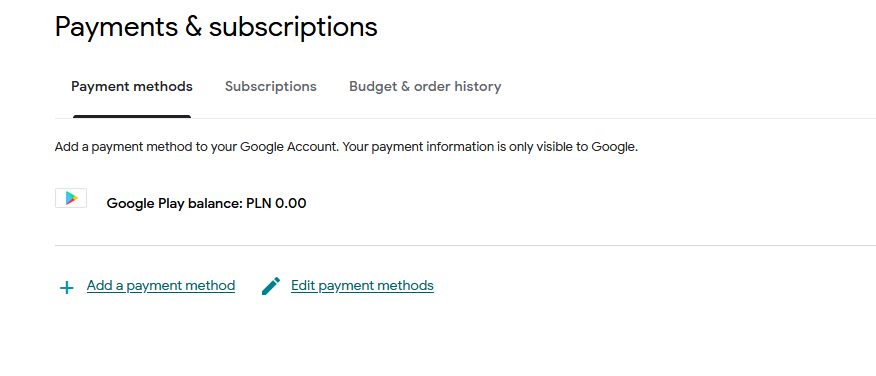
Go to Your Account:

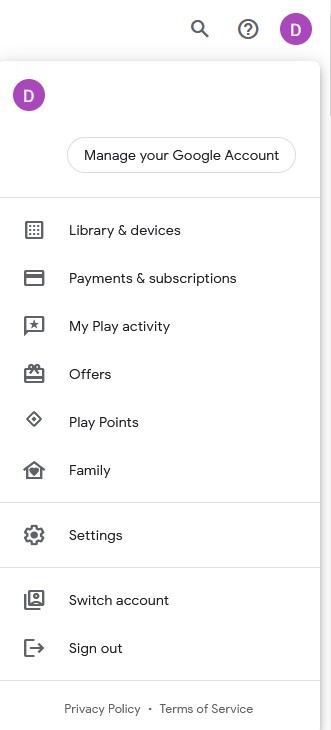
  • Navigate to the top-right corner of the website and click on the account avatar.
  • Choose the “Payments & subscriptions” option from the drop-down menu.
4

Add a Payment Method:

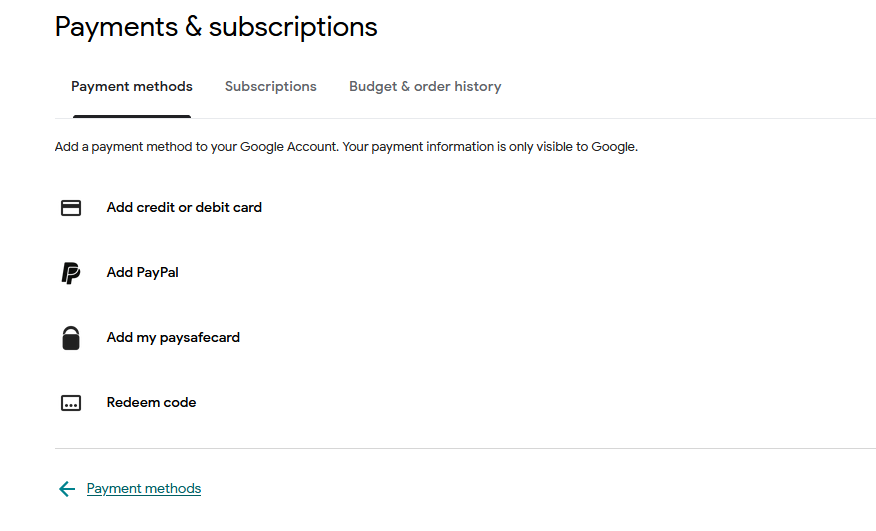
  • In the Payments & subscriptions section, click on “Add a payment method.”
  • Select the “Redeem code” option.
5

Choose Redeem Code:

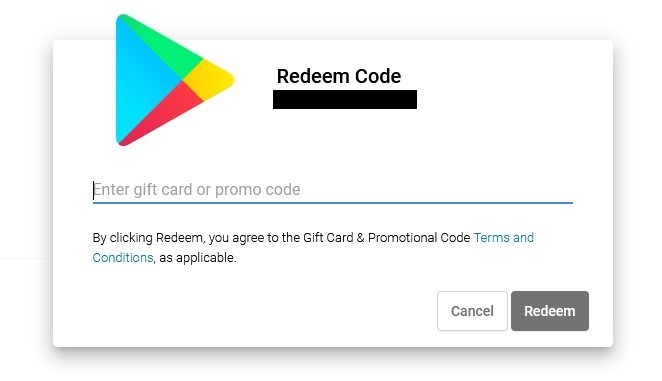
  • Enter your Google Play gift code into the designated field.
Google Play Gift Card 50 BRL
-21%
Google Play Google Play
Google Play
BRAZIL
9.49 € 7.47 €
6.80 € with
Google Play Gift Card 1 AUD
-82%
Google Play Google Play
Google Play
AUSTRALIA
0.99 € 0.18 €
0.16 € with
Google Play Gift Card 5000 INR
Google Play Google Play
Google Play
INDIA
58.37 €
54.28 € with
Google Play Gift Card 6 USD
-36%
Google Play Google Play
Google Play
UNITED STATES
5.99 € 3.81 €
3.47 € with
Google Play Gift Card 1000 INR
-46%
Google Play Google Play
Google Play
INDIA
16.99 € 9.21 €
8.38 € with
Google Play Gift Card 15 EUR
-7%
Google Play Google Play
Google Play
EU
15.00 € 13.92 €
12.67 € with
Google Play Gift Card 1500 INR
-16%
Google Play Google Play
Google Play
INDIA
16.99 € 14.35 €
13.06 € with
Google Play Gift Card 200 MXN
-19%
Google Play Google Play
Google Play
MEXICO
12.99 € 10.48 €
9.54 € with
Google Play Gift Card 100 IRN
-51%
Google Play Google Play
Google Play
INDIA
1.99 € 0.97 €
0.88 € with
Google Play Gift Card 1 EUR
Google Play Google Play
Google Play
GERMANY
1.45 €
1.32 € with