





















































PUBG Mobile Direct Top-Up
1
Select UC Product:
- Choose the Unknown Cash (UC) denomination you want to purchase.
- Proceed only after confirming the product details.
2
Enter Player ID:
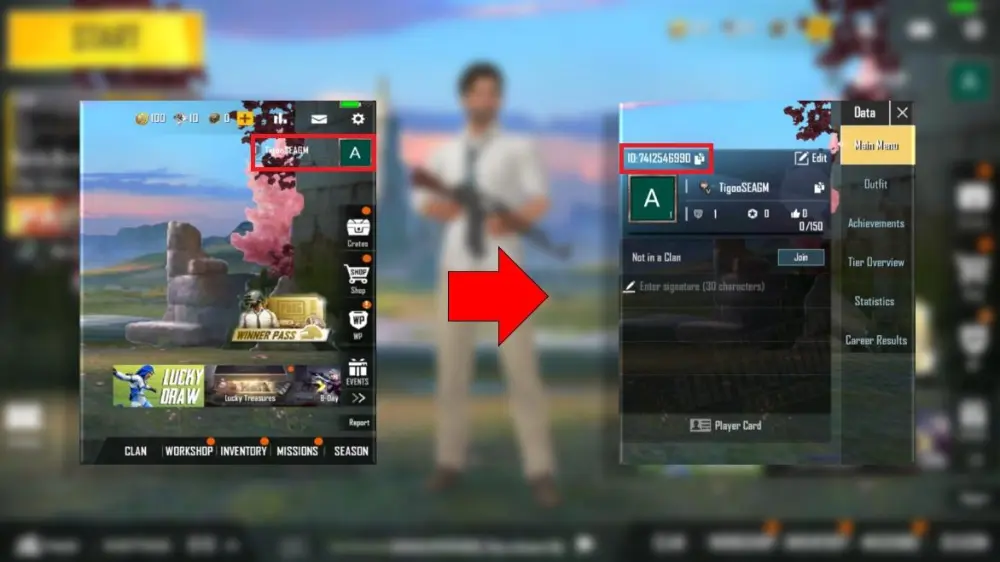
- Find your PUBG Mobile Player ID by logging into the game, opening your player profile.
- Copy the ID displayed prominently above your avatar and username.
- Input exactly into the recharge form – double-check for accuracy to avoid errors.
3
Receive UC & Verify:
- Wait briefly – UC credits to your PUBG Mobile account shortly after payment confirmation.
- Log into game and check UC balance in top-right corner.
- Troubleshoot if needed: Refresh game, confirm Player ID was correct.