
























































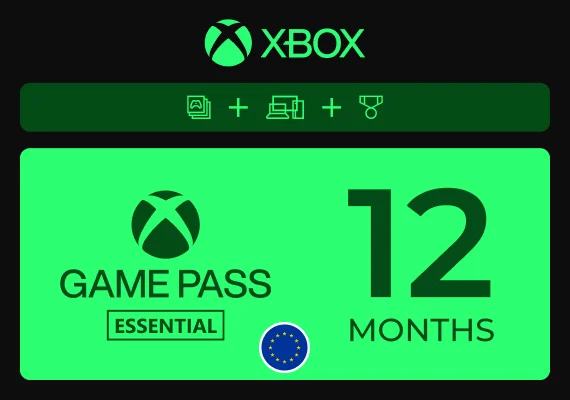
Xbox Game Pass Essential

 Xbox Live
 Xbox Live
 Xbox Live
 Xbox Live
 Xbox Live
 Xbox Live
 Xbox Live
 Xbox Live
 Xbox Live
Xbox Game Pass Essential for console and PC
Xbox Game Pass Essential gives you access to the core Xbox subscription experience across console and PC. With one active subscription, you can play a curated library of games, enjoy online console multiplayer on Xbox consoles and use selected benefits connected with the Xbox ecosystem.
This plan is designed for players who want the most important Game Pass features without choosing a higher-tier subscription. It can be a practical option if you play on Xbox One, Xbox Series X|S or PC and want a simple way to keep access to multiplayer, selected games, cloud gaming where supported and additional account benefits.
- Xbox Game Pass Essential subscription for Xbox and PC players.
- Access to a curated Game Pass library with 50+ selected titles.
- Online console multiplayer for supported Xbox console games.
- Cloud gaming where supported by region, device and game availability.
- Selected in-game benefits, rewards and member perks where available.
- Suitable for Xbox One, Xbox Series X|S and PC, depending on the product and account setup.
What is Xbox Game Pass Essential?
Xbox Game Pass Essential is the entry-level Game Pass plan focused on the key parts of the Xbox gaming experience. It includes access to a smaller curated library than higher-tier plans, while keeping important features such as online console multiplayer, selected member benefits, cloud gaming where supported and access across console, PC and other supported devices.
- Play selected games from the Xbox Game Pass Essential library.
- Use online multiplayer on Xbox consoles for supported games.
- Access selected in-game benefits and member rewards where available.
- Use one subscription across Xbox console, PC and supported devices where available.
From Xbox Live Gold and Xbox Game Pass Core to Xbox Game Pass Essential
Xbox Game Pass Essential continues the role previously associated with Xbox Game Pass Core and, before that, Xbox Live Gold. The name has changed, but the idea remains familiar: a subscription built around essential Xbox access, including online console multiplayer and a curated game library. The important difference is that Xbox Game Pass Essential is no longer limited to Xbox consoles only — it now also supports PC gaming where available.
Play on Xbox One, Xbox Series X|S and PC
Xbox Game Pass Essential can support players across Xbox One, Xbox Series X|S and PC, depending on the selected product, region and account requirements. This makes it more flexible than the older console-focused subscription format, especially for players who use both Xbox hardware and Windows PC.
- Play on Xbox One where the selected games and account setup are supported.
- Use the subscription on Xbox Series X|S for compatible titles and online multiplayer.
- Access supported PC games through the Xbox app on Windows where available.
- Use cloud gaming on supported devices where available in your region.
- Check the product page for region, platform and activation details before purchase.
What you can use Xbox Game Pass Essential for
Xbox Game Pass Essential is useful if you want a practical subscription for multiplayer, selected library access and basic Game Pass benefits. It is especially relevant for players who do not need the full Ultimate plan but still want an active Xbox subscription for regular gaming.
- Play selected games from the Essential library.
- Join online multiplayer sessions on Xbox consoles for supported titles.
- Discover curated games without buying every title separately.
- Use selected benefits connected with your Xbox account.
- Keep a simple subscription option for console and PC gaming.
Xbox Game Pass Essential compared with other plans
Xbox Game Pass Essential focuses on the core subscription experience, including a selected library, online console multiplayer, cloud gaming where supported and access across console, PC and other supported devices. Other Game Pass plans may offer larger libraries, different release access, shorter cloud gaming wait times, stronger cloud gaming quality or extra partner benefits, depending on the selected plan.
- Choose Essential for core Xbox subscription features, 50+ games, online console multiplayer and selected benefits.
- Choose Premium if you want a larger library, new Xbox-published games added within 1 year of launch and cloud gaming with shorter wait times.
- Choose Ultimate if you want the highest-tier plan with the largest library, day-one releases, EA Play, Fortnite Crew, Ubisoft+ Classics and the strongest cloud gaming benefits.
- Choose PC Game Pass if you mainly play on Windows PC and want a PC-focused library with day-one PC titles and PC benefits.
- Review each product listing to confirm the exact subscription type, region, duration and activation rules.
How activation usually works
Activation depends on the product format shown on the listing. In most cases, you redeem the code on the Microsoft account that should receive the Xbox Game Pass Essential subscription.
- Purchase the Xbox Game Pass Essential product that matches your region and account.
- Receive the code or activation details after purchase.
- Redeem it on the correct Microsoft or Xbox account.
- Use the subscription on supported devices after successful activation.
What to verify before purchase
Xbox Game Pass Essential products may differ by region, duration, platform support and activation method. Always check the product page before buying to make sure the selected subscription matches your account.
- Subscription name: Xbox Game Pass Essential.
- Duration, region and account compatibility.
- Supported platforms: Xbox One, Xbox Series X|S, PC or other supported devices.
- Activation method and redemption instructions.
- Any notes about new accounts, existing subscriptions or code conversion rules.
Frequently asked questions
What is Xbox Game Pass Essential?
Xbox Game Pass Essential is the entry-level Xbox Game Pass plan. It includes access to a curated library of 50+ games on Xbox console, PC and supported devices, online console multiplayer, cloud gaming where supported and selected in-game benefits.
Is Xbox Game Pass Essential the same as Xbox Game Pass Core?
Xbox Game Pass Essential is the current version of the subscription previously known as Xbox Game Pass Core. It continues the same entry-level role in the Game Pass lineup, with online console multiplayer, selected games, cloud gaming where supported and member benefits.
Is Xbox Game Pass Essential related to Xbox Live Gold?
Yes. Xbox Live Gold was replaced by Xbox Game Pass Core, which has now transitioned into Xbox Game Pass Essential. Players who remember Xbox Live Gold can treat Essential as the current entry-level Xbox subscription for multiplayer access and selected Game Pass benefits.
Can I use Xbox Game Pass Essential on PC?
Yes, Xbox Game Pass Essential now supports PC where available. It includes a selected library of games for Xbox console, PC and supported devices, but it is not the same as PC Game Pass, which focuses on a larger PC game library and different benefits.
Does Xbox Game Pass Essential work on Xbox One and Xbox Series X|S?
Yes, Xbox Game Pass Essential is suitable for Xbox One and Xbox Series X|S, depending on the selected product, account region and supported game availability.
Does Xbox Game Pass Essential include online multiplayer?
Yes, Xbox Game Pass Essential includes online console multiplayer for supported Xbox console games. Free-to-play games can usually be played online on Xbox consoles without a Game Pass subscription.
Does Xbox Game Pass Essential include cloud gaming?
Yes, Xbox Game Pass Essential includes cloud gaming where supported by region, device and game availability. Cloud gaming quality, wait times and supported games may differ between Essential, Premium and Ultimate.
What is the difference between Xbox Game Pass Essential and Premium?
Xbox Game Pass Essential includes 50+ games and core subscription features. Xbox Game Pass Premium offers a larger library, new Xbox-published games added within 1 year of launch and cloud gaming with shorter wait times.
What is the difference between Xbox Game Pass Essential and PC Game Pass?
Xbox Game Pass Essential is an entry-level plan with a selected library, online console multiplayer and support for Xbox console, PC and other supported devices. PC Game Pass is focused specifically on Windows PC and includes a larger PC-only library with day-one PC titles.
What is the difference between Xbox Game Pass Essential and Ultimate?
Xbox Game Pass Ultimate is the highest-tier Game Pass plan, with the largest library, day-one releases and additional benefits such as EA Play, Fortnite Crew and Ubisoft+ Classics. Xbox Game Pass Essential focuses on core access, online console multiplayer and a smaller curated library.
Does Xbox Game Pass Essential include day-one releases?
No, Xbox Game Pass Essential does not include new release titles on day one. Day-one releases are available with Xbox Game Pass Ultimate and PC Game Pass, so compare the current plans if launch-day access is important to you.
Do I keep the games after Xbox Game Pass Essential expires?
No, access to the included Game Pass library depends on an active subscription. You can play included titles while your subscription is active and while the games remain available in the library.
Can Xbox Game Pass Essential codes convert to another Game Pass plan?
Conversion rules depend on Microsoft’s current subscription policy, your active plan and the type of code being redeemed. Always check the product page and current Microsoft conversion rules before using a code on an account with an existing subscription.
How do I redeem Xbox Game Pass Essential?
Redeem the code on the Microsoft or Xbox account that should receive the subscription. Make sure the selected product matches your region, account and platform requirements before activation.