


























































MU Origin 2 Direct Top-Up Activation Guide
1
Select Product:
- Choose the MU Origin 2 option you want to purchase.
- Review your selection before continuing.
2
Enter Account Details:
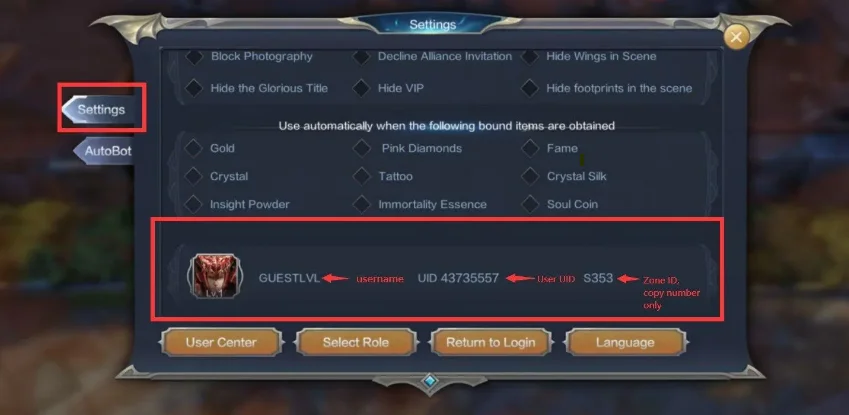
- Enter your User UID, Zone ID (numbers only), and Username correctly.
- To find them, log in to the game, open your profile picture, go to Settings, and scroll down to view your UID and Zone ID.
3
Complete Payment:
- Proceed to checkout after entering your details.
- Select a payment method and confirm the purchase.
4
Receive Diamonds:
- Wait for the payment to be processed.
- The Diamonds will be added to your MU Origin 2 account shortly.